Your media kit should act like a high-performing sales sheet: clear, targeted, and built to get a “yes” from a brand in minutes. Use a solid template as the foundation, then populate it with the right metrics and visuals to demonstrate immediate value.
Too many creators start from a blank page and lose hours on layout decisions. Starting with a proven media kit template frees that time so you can focus on the data and case examples that actually persuade brands.
The difference between a signed contract and a polite rejection often comes down to one document that communicates a clear value proposition, verifiable metrics, and an easy path to collaboration.
This article gives a practical, step-by-step approach: pick the right template, customize it to reflect your brand, and surface the metrics that matter most to decision-makers.
At a glance
- Use an industry-appropriate media kit template to save time.
- Lead with results and audience alignment, not origin stories.
- Keep the document scannable so brands can verify fit quickly.
Template directories such as Template.net and Canva offer ready-made templates across industries — a reliable shortcut to professional polish. Download a starter template
Understanding the Role of a Media Kit
Brands often decide quickly whether a creator is worth pursuing; a clear, scannable media kit helps them confirm fit without lengthy back-and-forth. Treat the kit as your silent advocate: it should answer the main question up front—can this partnership deliver results?
What is a Media Kit and Why It Matters?
A media kit consolidates your key business information into a single professional package: audience demographics, engagement benchmarks, service options, and contact details. That packaged information turns scattered profiles into a persuasive, shareable document agencies and marketing teams can act on.
This document should show audience alignment, engagement rates, and partnership potential with concrete evidence—case metrics, sample campaign outcomes, or conversion figures—so brands can verify claims quickly.
Benefits for Brands and Influencers
For creators, a well-structured kit converts content into business opportunities by clarifying what you offer and who you reach. For brands, it reduces evaluation time and makes it easier to compare partners.
Influencer marketing spend reached an estimated $21.1 billion globally in 2023, which reinforces how important clear partner documentation is for marketing teams (source: Influencer Marketing Hub).
| Scenario | With Media Kit | Without Professional Documentation | ||
| Partnership Evaluation | Minutes | Days or weeks |
| Credibility Assessment | Immediate professional impression | Scattered social profiles |
| ROI Demonstration | Clear metrics and case studies | Unsubstantiated claims |
| Decision Making | Data-driven confidence | Subjective judgment |
Table: Typical evaluation differences — adapt with your own timing and examples.
Download a one-page media-kit checklist to ensure your kit answers the questions brands ask first.
Showcasing Your Brand’s Story Through Strategic Content
Your brand story should connect audience data to commercial outcomes — not serve as a long origin tale. Lead with how you deliver value and then show the audience evidence that proves it.
A pragmatic narrative answers the brand’s core question up front: Can this partnership deliver measurable results? Structure the story to lead with your unique value proposition, then follow with supporting evidence.

Crafting a Compelling Narrative
Keep each section focused and scannable: a one-line claim, one piece of evidence, and a short takeaway for the brand. Replace long stories with a concise statement of impact followed by metrics.
Highlighting Achievements and Key Metrics
Brands prioritize engagement and conversion over raw follower counts. For example, engagement-rate benchmarks vary by platform; consult sources like Sprout Social for up-to-date figures (Sprout Social benchmarks).
Use these quick, scannable proof points:
- Audience demographics: Top locations and buyer-age ranges — show one concrete stat (e.g., 45% U.S. female, 25–34).
- Social media performance: Engagement rate and a conversion example (e.g., 3.2% engagement, 4.5% landing-page conversion on campaign X).
- Business achievements: Notable partnerships, press features, or measurable campaign ROI.
Real weakness to acknowledge: raw follower counts are weak evidence on their own. Convert vanity metrics into business language — shares, click-throughs, and purchases — so brands can estimate ROI.
Micro-case: A niche creator reported a 4% click-through on a sponsored post that led to a 2.1% purchase conversion for the brand — use one short, sourced example where possible.
Using a Media Kit Template to Win Over Brands
Choosing the right template is the fastest path to a professional-looking media kit. A well-chosen kit template matches your industry voice and saves hours of design work so you can focus on the metrics and case studies that convince brands.
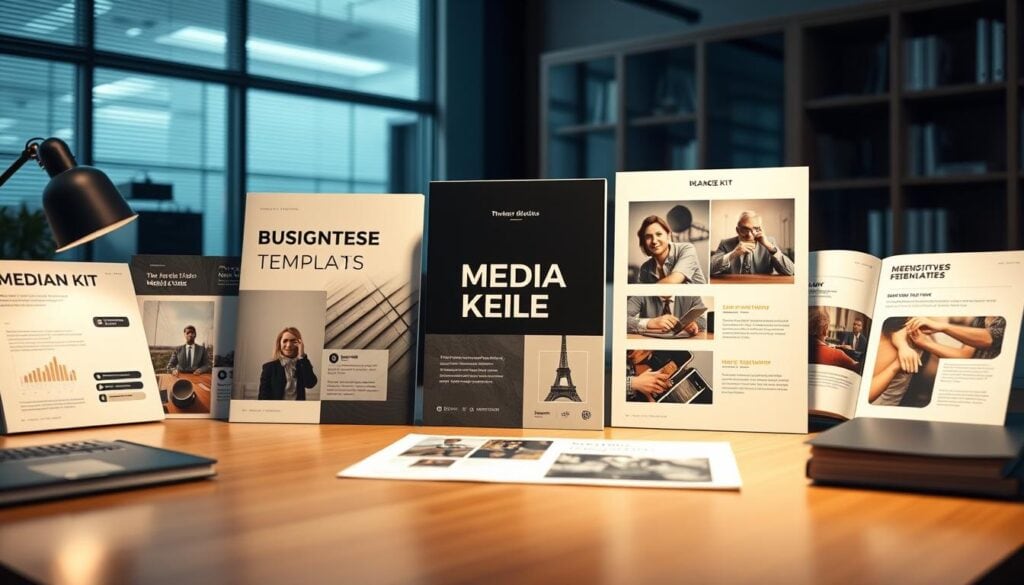
Start by picking a template aligned with your niche — a fitness creator will want bolder, active layouts while a luxury brand should use understated, high-contrast design. Platforms like Template.net and Canva offer industry-specific templates that you can adapt quickly.
Selecting the Right Template for Your Business
Practical guidance: if you need speed and visual polish, Canva is the winner for quick edits and social-friendly layouts; for printable, business-style documents, Template.net often provides more print-ready formats. Check each vendor for file types (PDF, DOCX, PPTX) to confirm editability.
Customizing Designs to Reflect Your Image
Customization turns a generic template into your brand asset. Follow these three steps when customizing:
- Set your palette and typography to match your brand guidelines (or choose two fonts max).
- Replace placeholder images with high-quality photos of your work and client examples.
- Add two short case metrics (e.g., campaign engagement and landing-page conversion) near the top so brands see impact immediately.
Note one limitation: some templates export as flattened PDFs that are harder to edit later. Verify download options before purchase and keep a master editable file.
Bringing Your Media Kit to Life with Engaging Visuals
Treat visuals as functional signals: they should point readers to your strongest metrics and make verification easy. A clear visual hierarchy helps brands process value faster and reduces the time they spend evaluating your kit.

Use layout to guide attention—put your top metric where the eye lands first and support it with a one-line proof and a clear CTA.
Incorporating Design Elements and Social Media Integration
Social media integration is essential for influencer and creator kits. Include QR codes or direct links to profiles and embed short content previews so brands can verify audience engagement quickly (QR codes are widely used in print-to-digital experiences; check QR code best-practice pages for implementation details).
Be mindful of privacy and permissions when showing client screenshots or campaign data—get consent before sharing third-party creative or performance numbers.
Quick visual checklist:
- Lead metric: top-left, bold and numeric.
- One-line proof: beneath metric (e.g., engagement % or conversion rate).
- CTA: bottom-right—contact or booking link.
Embracing Flexibility: Print-Ready and Digital Options
Keep both print and digital versions. Print works for events and face-to-face meetings; digital (PDF or live page) enables instant sharing and embed previews. Test layouts on mobile and desktop to ensure readability across devices.
Note a common weakness: large, unoptimized images can slow PDFs on mobile—optimize images to reasonable sizes (150–300 KB) to preserve load times and display quality.
Conclusion
Use a vetted media kit template to launch faster, then iterate based on brand feedback and fresh metrics. Update key statistics quarterly and refresh the full document every six months to keep information current and relevant (see content cadence guidance from marketing resources).
This approach reduces design bottlenecks while ensuring your kit answers brand questions quickly—prioritize clear value, verifiable metrics, and a scannable layout.
Download the Starter Media Kit