Choosing the right customer support platform is a strategic decision with major implications for your business. We cut through the marketing hype to deliver a data-driven comparison. This analysis focuses on measurable ROI, not just feature lists.
The stakes are high. In 2025 alone, Zendesk facilitated connections for 1.7 billion people. Their platform boasts 99.9% uptime and enterprise-grade security certifications. Both platforms offer 14-day free trials for hands-on testing.
This isn’t about which tool is “better” in a vacuum. It’s about which solution aligns with your specific operational needs. Are you building a support-first operation with complex ticketing, or do you need a conversational platform for sales and marketing?
We analyzed real pricing, implementation complexity, and migration case studies. Our goal is to provide clarity on which platform delivers tangible value for your team and your customers.
Key Takeaways
- The choice between these two giants hinges on your primary use case: complex ticketing versus conversational messaging.
- Zendesk offers immense scale and proven reliability, serving billions of customer interactions.
- Both platforms target mid-to-large businesses and command premium pricing.
- Understanding their core architectural differences prevents costly platform migrations later.
- Real-world implementation complexity and hidden costs are critical factors beyond advertised features.
- Extensive free trials are available to test each platform’s fit with your existing workflows.
Overview of Customer Support Solutions
Modern customer support platforms represent a fundamental shift from reactive problem-solving to proactive relationship management. The tools available today go far beyond basic ticketing systems.
Product Evolution and Market Context
The journey began with traditional help desk software focused on structured workflows. One platform launched in 2007 as a pure ticketing tool for customer success teams.
Four years later, a messaging-first challenger entered the market. This new approach prioritized conversational interfaces over traditional case management.
These different starting points created distinct platform DNAs that persist today. One emphasizes reliable ticketing systems, while the other champions real-time messaging.
Emerging Trends in Customer Service
Today’s customer experience demands have transformed support requirements. Companies now expect AI-powered self-service and seamless bot-to-human handoffs.
The lines between support, sales, and customer success teams are blurring. Businesses need tools that prevent issues before they occur.
Platform maturity provides significant advantages for training AI and building reliable workflows. This makes vendor selection more strategic than ever.
Intercom vs Zendesk: A Detailed Comparison
Real-world performance data exposes the critical differences between ticket-centric and conversation-first architectures. Nucleus Research documented 61% faster response times when companies migrated between these platforms. This measurable impact on customer satisfaction reveals the importance of architectural alignment.
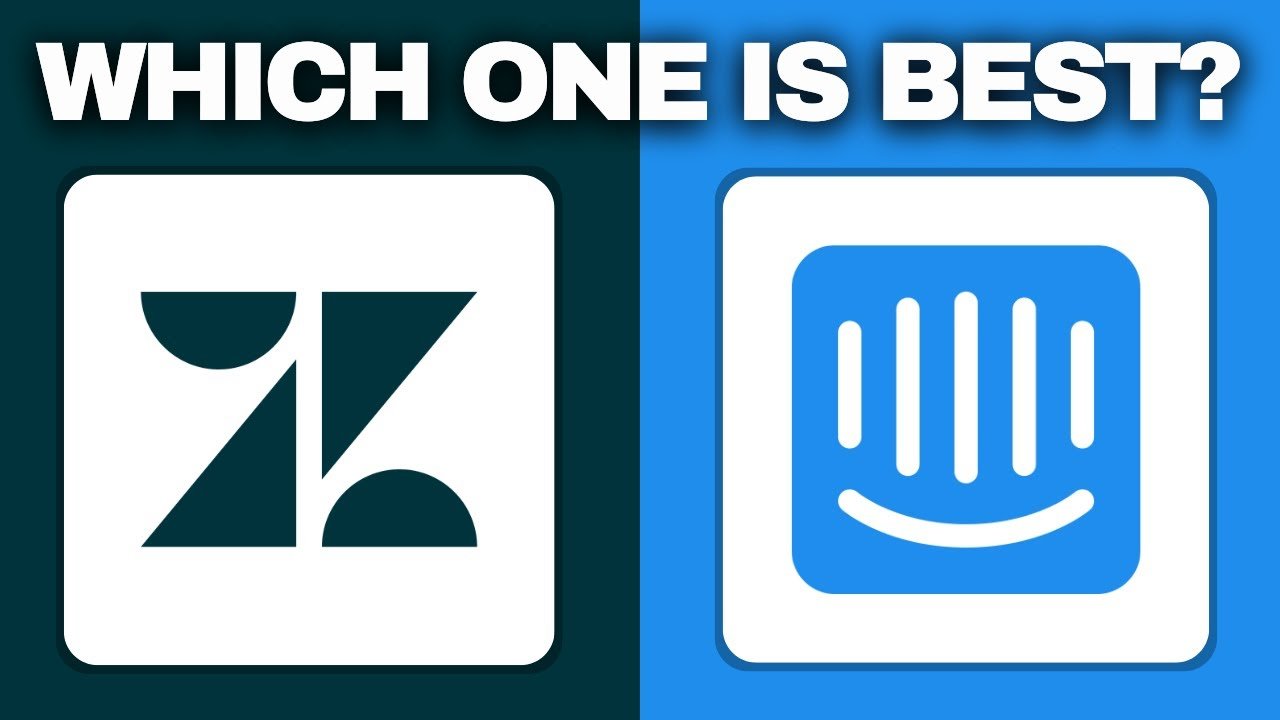
The core distinction lies in operational philosophy. One platform processes interactions as structured tickets with workflows and SLAs. The other treats them as conversations flowing through messaging interfaces.
| Comparison Aspect | Ticket-Centric Approach | Conversation-First Model | Business Impact |
|---|---|---|---|
| Architecture | Structured workflows | Real-time messaging | Defines operational rhythm |
| Primary Use Case | Complex case management | Proactive engagement | Aligns with support model |
| Core Strength | Escalation paths & tracking | Sales-support integration | Determines team efficiency |
| Ideal Operation Type | Support-centric departments | Engagement-focused teams | Matches organizational DNA |
These zendesk intercom differences extend beyond features to operational maturity. Eighteen years of development means workflows and AI training have been stress-tested across industries. Understanding these fundamental distinctions prevents expensive mid-stream migrations.
We analyzed both platforms across ticketing depth, messaging sophistication, and total cost of ownership. The optimal choice depends entirely on whether your operations prioritize structured support or dynamic customer engagement.
Feature Set Comparison
When we strip away the marketing claims, the core feature sets tell a revealing story about platform priorities. The divergence becomes clear when examining fundamental support tools.
Ticketing and Help Center Tools
One platform delivers industrial-strength ticketing functionality. Every customer interaction lands in a unified dashboard with granular controls. This approach prevents duplicate work and enables sophisticated routing.
The help center capabilities demonstrate different execution philosophies. Enterprise-grade knowledge base tools provide robust categorization and multilingual support. These features like Answer Bot automatically surface relevant articles during interactions.
Live Chat and Messaging Capabilities
Live chat represents a significant differentiator between the platforms. One solution offers a modern, highly customizable interface that excels at real-time engagement. This messaging advantage becomes crucial for conversational support.
Advanced chatbot capabilities demonstrate genuine innovation. Powered by ChatGPT technology, these tools claim to autonomously resolve up to 50% of customer queries. The chat experience feels smooth and intuitive for end-users.
Help desk depth versus messaging elegance defines the fundamental tradeoff. Businesses must choose between structured workflows and dynamic customer engagement. The right features depend entirely on your operational priorities.
AI & Automation Capabilities
The automation capabilities of today’s support software determine operational efficiency more than any other feature set. We analyze how each platform’s AI functionality transforms customer interactions.
Modern AI separates industry leaders from legacy systems. One platform trained its intelligence on 18 billion real interactions across 80+ languages. This massive data foundation delivers up to 80% autonomous resolution rates.

Built-In AI Solutions
The automation philosophy differs fundamentally between platforms. One offers unified AI capabilities while the other fragments functionality across separate tools.
| AI Component | Proactive Approach | Reactive Model | Team Impact |
|---|---|---|---|
| Agent Assistance | Automatic contextual suggestions | Manual prompting required | Reduces cognitive load |
| Autonomous Resolution | 80% question resolution | Per-resolution pricing | Scales support capacity |
| Quality Assurance | Native evaluation tools | Reporting accuracy issues | Ensures consistency |
| Implementation | Proven data models | Out-of-the-box functionality | Affects setup time |
Companies migrating reported 54% faster resolution times. This translates directly to lower operating costs and improved customer satisfaction.
Automated Workflow Processes
Workflow automation extends beyond AI chatbots to triggers and escalation paths. One platform’s mature framework handles complex multi-team workflows that high-volume operations require.
The other platform’s automation feels more suited to straightforward conversational flows. ROI calculation must include setup time and ongoing maintenance for your specific team needs.
AI capabilities should amplify human effectiveness, not just replace it.
The right automation features depend on whether your support team prioritizes immediate deployment or long-term efficiency gains.
Reporting and Analytics Tools
Reporting capabilities form the backbone of strategic support management, transforming raw data into actionable business intelligence. We assess whether platforms provide genuine insights or just surface-level metrics.
Customizable Dashboards and Data Visualization
Zendesk delivers robust reporting out of the box with dozens of pre-built options. Teams can track satisfaction ratings, resolution times, and Answer Bot effectiveness through saved custom dashboards.
The platform’s visualization tools go beyond basic charts. Support leaders analyze data through treemaps, funnels, gauges, and word clouds. This multi-perspective approach uncovers insights standard graphs miss.
Customization matters for scaling operations. Zendesk Explore allows teams to build reports from extensive datasets across all channels. You combine metrics to match specific operational KPIs.
Intercom offers 20+ attractive, dynamic reports covering standard metrics. The AI Analyst feature provides helpful guidance through no-code builders. This simplifies report creation for non-technical teams.
However, Nucleus Research identified serious reporting accuracy issues with Intercom. When you cannot trust your data, staffing and training decisions become guesswork.
Forecasting built into Zendesk’s framework helps plan capacity and predict seasonal spikes. This critical capability justifies headcount decisions with data rather than intuition.
The difference between adequate reporting and robust analytics becomes apparent at scale. Teams managing complex operations need Zendesk’s depth, while smaller businesses may find Intercom sufficient.
Pricing Structures and Cost Analysis
The true cost of customer support software extends far beyond advertised subscription rates. We cut through marketing claims to expose the real financial implications of each platform’s pricing model.

Transparent pricing separates predictable operations from budget nightmares. One platform offers straightforward per-agent monthly costs, while the other layers usage fees that complicate forecasting.
| Pricing Tier | Base Cost Per Month | Key Features Included | Business Impact |
|---|---|---|---|
| Essential/Team | $29-$55 per agent | Basic messaging, ticketing | Foundation for small teams |
| Advanced/Professional | $85-$115 per agent | Workflows, automation tools | Scalable for growing operations |
| Expert/Enterprise | $132+ per agent | SLA management, advanced AI | Enterprise-grade capabilities |
The real story emerges when you examine usage-based charges. One platform’s $0.99 per-resolution AI fee applies even to abandoned conversations, creating unpredictable costs that scale with volume.
Essential features like SLA management sit behind the highest pricing tiers in one model. This forces teams to pay premium rates for capabilities that should be standard in enterprise support software.
We recommend businesses request detailed pricing calculators before committing. Both platforms’ advertised rates represent starting points rather than what teams actually pay at operational scale.
Customization, Integration, and Scalability
The true test of any support platform lies in how seamlessly it connects with your existing business infrastructure. We evaluate how these systems scale from departmental tools to enterprise-wide solutions.
Integration Ecosystems and App Marketplaces
Integration depth determines whether your support software becomes an operational hub or just another disconnected tool. One platform’s marketplace includes 1,800+ vetted connections with systems like Salesforce and Jira.
The other offers approximately 450 integrations with limited visibility into functionality depth. This 4x advantage isn’t just about quantity—it’s about reliable, pre-built connections that reduce implementation time.
| Integration Aspect | Comprehensive Platform | Limited Framework | Operational Impact |
|---|---|---|---|
| Marketplace Size | 1,800+ vetted apps | ~450 connections | Reduces custom development |
| Native Capabilities | Workforce management tools | Requires third-party solutions | Affects total cost of ownership |
| Scalability Proof | Multiple brands/products | Workarounds needed | |
| Unified Platform | Eliminates data silos | Separate tool stitching | Improves agent efficiency |
Real-world outcomes demonstrate the ROI difference. One company saved 2,480 hours by consolidating on a unified platform rather than stitching together multiple tools.
Native workforce management functionality provides forecasting and capacity planning without requiring additional purchases. The absence of quality assurance tools in one platform creates a fundamental gap for team performance evaluation.
Customization philosophy separates platforms that adapt to your business from those that force adaptation.
For organizations needing deep workflow configurability, the choice becomes clear. Explore the detailed platform comparison to see how these differences impact real operations.
Customer Support and Service Quality
The efficiency of issue resolution separates effective support operations from those that merely manage customer complaints. We measure success by how quickly teams resolve customer issues while maintaining quality.

Efficiency in Issue Resolution
Nucleus Research documented companies achieving 61% faster response times after platform changes. This transformational improvement directly impacts customer satisfaction.
Customers report 54% faster resolution times with proper ticketing systems. Reduced backlogs mean lower agent burnout and measurable cost savings.
Reliable uptime matters for mission-critical support. Teams need 99.9% platform stability to deliver consistent service quality.
| Efficiency Metric | High-Performance Support | Basic Operation | Customer Impact |
|---|---|---|---|
| First Response Time | Under 2 minutes | Hours or days | Immediate satisfaction |
| Resolution Rate | 80% first contact | Multiple touches needed | Reduced frustration |
| Channel Consistency | Unified workspace | Separate tools | Seamless experience |
| Agent Workflow | Context preservation | Manual switching | Higher productivity |
Effective help desk operations require accurate data and predictable tools. Without performance visibility, teams cannot identify training gaps or optimize workflows.
Email, chat, and omnichannel consistency create superior customer experiences. Agents need unified workspaces that preserve context across interactions.
Operational Maturity and Global Reach
Operational maturity separates enterprise-ready solutions from tools that work well only in controlled environments. We measure this by how platforms handle diverse support scenarios across industries and regions.
True global reach requires more than translated interfaces. It demands battle-tested infrastructure that delivers consistent customer experience worldwide.
Security, Compliance, and Multi-language Support
Security certifications matter for enterprise deals. SOC 2 and ISO 27001 compliance reduces procurement friction for regulated companies. These standards provide the assurance that IT teams require.
Language support impacts team efficiency globally. One platform supports dozens of interface languages for agents. This enables companies to hire support teams in their native languages.
AI trained on 18 billion interactions across 80+ languages delivers consistent automated support. This data advantage creates reliable workflows that newer platforms cannot replicate.
Channel management represents another critical difference. True omnichannel provides unified experiences across voice, chat, email, and social media. Predictable pricing eliminates budget uncertainty that usage-based models create.
Collaboration capabilities determine how effectively support operations scale. Mature platforms provide tools for cross-functional teamwork. They maintain context as issues move between specialists.
The scale of usage validates platform reliability. Handling billions of customer interactions demonstrates robust performance under massive concurrent loads. This operational maturity directly impacts customer satisfaction.
Conclusion
Your final decision should reflect your organization’s core operational philosophy rather than chasing feature checkboxes. We recommend Zendesk for businesses where customer support drives operations. Its unified workspace delivers superior scalability and lower total cost of ownership.
Choose Intercom if conversational engagement blends with your sales and marketing needs. The platform excels at real-time messaging but requires supplemental tools for complex support operations.
Migration data reveals a telling pattern: teams consistently achieve 61% faster response times moving to Zendesk. This demonstrates its strength for long-term, support-focused business needs.
Test both platforms extensively. Your choice must align with where your business is heading, not just where it stands today. The right platform becomes a strategic asset, not just another tool.
FAQ
Which platform is better for a small business starting with customer support?
We often see small teams benefit more from Intercom initially. Its live chat and messaging tools are intuitive for quick setup and engagement. However, if your primary need is a robust ticketing system to manage high email volume from day one, Zendesk’s help desk might be the more pragmatic choice for your unit economics.
How do the AI capabilities differ between these two platforms?
Both platforms offer powerful built-in AI solutions. Intercom’s AI strongly focuses on automating conversations and qualifying leads directly within the chat interface. Zendesk’s AI excels at automating ticket routing and surfacing relevant help center articles to agents. Your choice should align with whether you prioritize marketing automation or support agent efficiency.
Can I integrate these tools with other software we use, like CRM systems?
A> Yes, both have extensive integration ecosystems. Zendesk typically offers a wider range of pre-built integrations, especially for enterprise systems. Intercom’s marketplace is very strong for marketing and sales tools like Salesforce. We advise auditing your current tech stack to see which platform’s app marketplace aligns best with your operational needs.
Is the pricing transparent, and which offers better value?
A> Pricing structures are fundamentally different. Zendesk often uses a per-agent, per-month model, which can scale predictably. Intercom frequently employs a per-seat model combined with charges based on contact volume. The “better value” is entirely dependent on your business model—high-touch, low-volume teams might prefer Intercom, while high-volume support teams often find Zendesk’s pricing more manageable.
Which platform provides superior reporting capabilities for managers?
A> Zendesk generally provides more depth in customizable dashboards and historical reporting, which is crucial for large support teams tracking SLA compliance. Intercom’s analytics are highly visual and excellent for understanding customer engagement and conversation metrics. For pure support reporting, we lean towards Zendesk; for customer engagement insights, Intercom is stronger.