The digital image enhancement landscape has transformed. What once demanded expert skills and hours of tedious work now happens in moments. We set out to find which solutions truly deliver on this promise of speed and quality.
Our team conducted a rigorous, four-week evaluation of over thirty different platforms. The goal was clear: separate genuine innovation from marketing hype. We focused on measurable parameters like output quality, interface cleanliness, and real-world value.
Pricing models across the market vary wildly. Some services charge premium rates for mediocre results. Others offer superior features at a fraction of the cost. Our approach prioritizes return on investment—every recommended platform must save time, improve quality, and justify its price.
This guide cuts through the noise with data-backed recommendations. We are sharing the editors that deliver professional-grade results. You don’t need a design degree or an unlimited budget.
Key Takeaways
- The market is saturated, but genuine high-performers are rare.
- Pricing does not always correlate with output quality or capabilities.
- Modern platforms automate complex tasks like object removal and background replacement.
- Our testing prioritized real AI-powered capabilities and artifact-free results.
- Every recommended tool passed rigorous testing across multiple professional use cases.
- The primary focus is on tools that provide measurable productivity gains and save valuable time.
Introduction to the AI Photo Editing Revolution
The revolution in digital image enhancement didn’t start with today’s buzzwords. Powerful features like Content-Aware Fill have been part of professional software for over a decade. Recent advances, however, have accelerated these capabilities at a staggering pace.
We focused on applications that leverage genuine intelligence. The distinction is critical. Many platforms offer simple, automated brightness tweaks. We sought out those that make sophisticated suggestions and execute complex adjustments.
Why AI is Changing Image Editing
This technology fundamentally alters the workflow. Tasks that once demanded hours from a skilled professional now conclude in seconds. The value proposition is immense: dramatic time savings without sacrificing quality.
It’s not about replacing skill. It’s about augmenting it. The best applications combine powerful automation with essential manual controls. This gives creators full command when the automated solution needs a human touch.
Overview of the Product Roundup
Our methodology was ruthlessly pragmatic. We spent four weeks evaluating over thirty different applications. The goal was to identify which deliver real value versus those simply riding a hype wave.
We prioritized specific, intelligent capabilities:
- Flawless object removal and background replacement
- Advanced face retouching and intelligent upscaling
- Generative fill functions that produce realistic results
Output quality was our ultimate dealbreaker. Every recommended platform must produce sharp, realistic images completely free of glitches or artifacts. This roundup highlights the software that genuinely delivers on the promise of intelligent enhancement.
Key Features to Look for in Advanced Image Editors
Evaluating advanced image processors requires looking beyond surface-level features to their underlying intelligence. We prioritized capabilities that demonstrate genuine machine learning rather than preset filters.
Essential AI-Powered Capabilities
True intelligence separates professional-grade software from basic applications. The best platforms handle complex tasks with remarkable precision.
We tested each editor against these critical functions:
| Capability | Basic Performance | Advanced Performance | Our Testing Focus |
|---|---|---|---|
| Background Removal | Simple object cutouts | Hair detail preservation | Artifact-free edges |
| Sky Replacement | Basic overlay | Lighting matching | Realistic depth maintenance |
| Face Enhancement | Filter application | Natural improvement | Avoiding over-processing |
| Generative Fill | Pattern repetition | Seamless content creation | Contextual blending |
User Interface and Ease of Use
Complex features must remain accessible. We valued interfaces that balance power with intuitive design.
The learning curve should match capability depth. Editors that overwhelm users with unnecessary complexity failed our usability tests.
Control matters more than automation—the best platforms provide adjustment options so you’re not locked into AI decisions.
We assessed how each system handled both high-resolution professional shots and everyday mobile captures. Versatility across real-world scenarios became a decisive factor.
The ideal editor combines sophisticated ai-powered features with user-friendly control. This balance ensures professional results without requiring expert-level skills.
Comprehensive Overview of photo editing ai tools
The productivity gains promised by modern image enhancement platforms vary dramatically across the market. Our four-week evaluation of over thirty applications revealed which deliver genuine workflow improvements versus marketing hype.
We prioritized platforms that combine intelligent automation with essential manual controls. This balance ensures professional outcomes without requiring expert-level skills.
Main Benefits of Using AI for Photo Editing
The core advantage lies in dramatic time reduction. Tasks that consumed hours now complete in seconds when using capable platforms.
Cost efficiency varies significantly between providers. Some charge premium rates for features available elsewhere at a fraction of the cost. The return on investment calculation becomes straightforward: if a platform saves more time than its monthly cost divided by your hourly rate, it justifies the expense.
Accessibility has democratized professional-grade enhancement. Small business owners and content creators now produce work that previously required hiring designers.
| Benefit Type | Quality Implementation | User Impact | ROI Calculation |
|---|---|---|---|
| Time Savings | Seconds vs. hours | Productivity boost | Hourly rate comparison |
| Quality Output | Artifact-free results | Professional grade | Reduced rework needs |
| Workflow Integration | Standard format exports | Seamless adoption | Training time savings |
| Creative Control | Manual override options | Vision preservation | Brand consistency |
The best platforms maintain creative control while automating tedious technical execution. You guide the vision while intelligent features handle the complex adjustments.
Fiverr AI Image Editing Service: A Quick and Cost-Effective Option
The subscription model dominates the image processing market, but an alternative approach delivers superior value for specific use cases. Fiverr’s platform connects you with skilled professionals who handle the technical execution while you maintain creative direction.

This model eliminates the learning curve entirely. Instead of investing hours mastering complex interfaces, you delegate to experts who already command premium software.
How Fiverr Expert Services Streamline Work
The economics are compelling. Many skilled professionals charge $5-20 per project—often less than a single month’s subscription to premium software. You access capabilities like Photoshop and Runway without licensing costs.
Vetting is straightforward. Examine ratings, review portfolios, and compare delivery speeds. The pay-per-project structure beats subscriptions for businesses with inconsistent volume.
Revision policies protect your investment. Request changes until the output matches your vision. This human element solves current automation limitations—experts interpret nuanced requests that algorithms struggle with.
Time-to-result often outpaces DIY approaches. Experienced editors complete in hours what might take beginners days. You get professional-grade output without the stress of technical execution.
Fotor AI Photo Editor: Fast Edits and Versatile Features
Fotor’s platform presents a compelling hybrid: a design-centric interface fused with robust enhancement capabilities. It directly challenges Canva by integrating powerful, intelligent functions within a familiar, drag-and-drop environment. This combination makes it a strong contender for users who need both creation and correction in a single workflow.
Free vs. Premium Features in Fotor
The free tier offers genuine utility. Core functions like 1-Tap Enhance and basic background removal work effectively without imposing watermarks. This provides a no-risk opportunity to evaluate the platform’s core value.
Upgrading to the Pro plan, priced at $8.99 monthly, unlocks the system’s full potential. The advanced features include high-quality AI filters for artistic transformations—anime, watercolor, and sketch effects that produce clean, usable results. Batch processing is a significant productivity multiplier, allowing up to 50 images to be handled simultaneously.
We found the generative expand function particularly intelligent. It adeptly extends image borders, solving the common problem of reformatting content for different social media ratios without destructive cropping. The ability to add text and design elements seamlessly within the same photo editor justifies the investment for regular users, eliminating the friction of switching between applications.
Adobe Photoshop: The Professional’s AI-Powered Editing Suite>
The longevity of Adobe Photoshop’s market leadership stems from its continuous integration of cutting-edge technologies. We found its AI implementation particularly impressive—these aren’t tacked-on gimmicks but deeply integrated workflow enhancements.
Generative Fill and Expand Capabilities
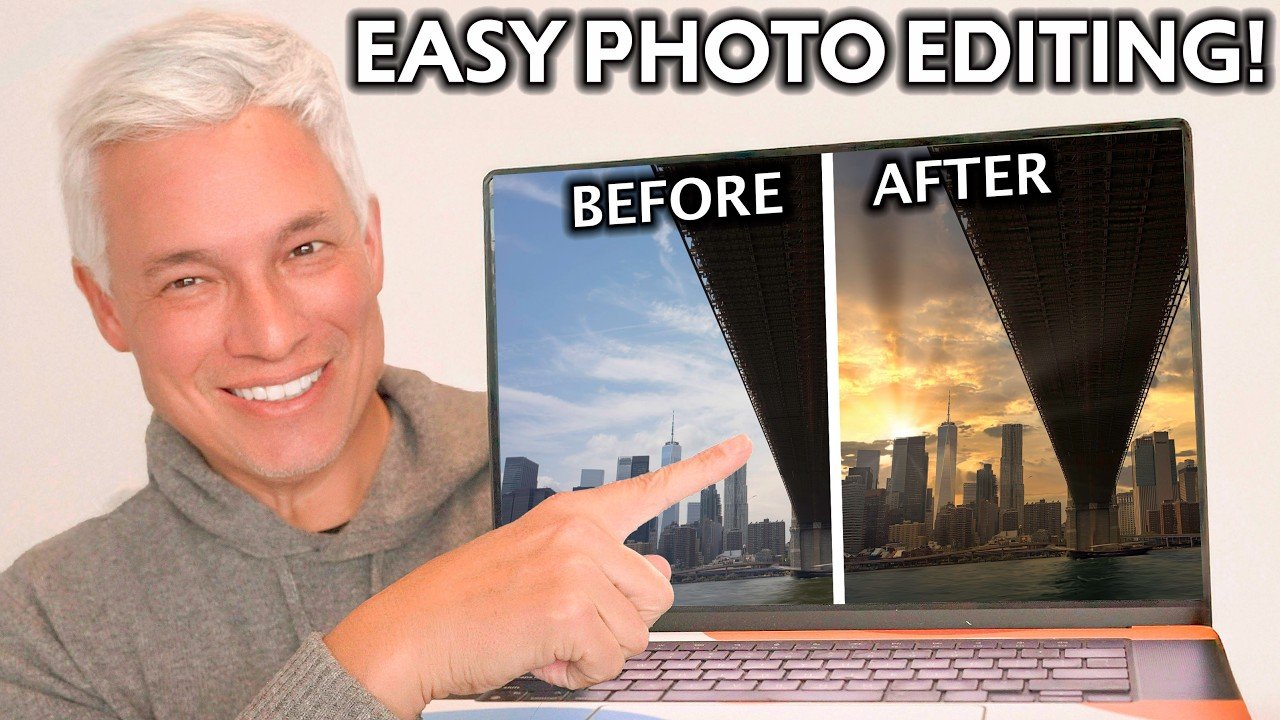
Photoshop’s generative fill functionality transforms complex tasks. The Remove Tool outperformed every competitor in our testing. It seamlessly eliminates unwanted objects while generating replacement content that matches lighting and perspective perfectly.
Background replacement becomes remarkably efficient. The system provides three variations per prompt, ensuring creative options without forcing acceptance of the first output.
| AI Feature | Traditional Method Time | Photoshop AI Time | Quality Difference |
|---|---|---|---|
| Object Removal | 15-30 minutes | Under 60 seconds | Superior blending |
| Background Replacement | 45-60 minutes | 2-3 minutes | Consistent lighting |
| Image Expansion | Manual reconstruction | Instant generation | Seamless integration |
| Color Palette Transfer | Complex adjustments | One-click application | Accurate matching |
Advanced Retouching and Layering Options
Neural Filters handle sophisticated retouching tasks that previously required advanced manual techniques. Facial expression adjustments and compression artifact removal work with remarkable precision.
The non-destructive workflow remains crucial. Generative fill creates separate masked layers, allowing adjustment or removal of AI-generated elements without affecting original content. This control factor separates Adobe Photoshop from simpler applications.
Pricing justification is straightforward for professionals. The Photography Plan costs less than most billable hours while delivering comprehensive features.
Spotlight on Luminar Neo: Innovative AI Capabilities
Luminar Neo represents a fundamental shift in how intelligent automation integrates with creative workflows. This platform embeds machine learning at its core rather than treating it as an add-on feature.
We found nearly every function relies on sophisticated algorithms. The system handles complex tasks like tone balancing and object removal with remarkable precision.
Trial Options and Pricing Structure
The pricing model offers flexibility with perpetual licenses starting at $119. This contrasts with subscription-based competitors and provides long-term value.
Through Setapp, users access Luminar Neo for $9.99 monthly. However, this version excludes GenErase—one of its most powerful features. Verify availability before committing.
The cross-device license costs $159 and includes mobile access. This extends capability to iOS and Android devices, though the mobile version lacks some desktop features.
Unique Video Tutorials and Feature Guides
Comprehensive learning resources accelerate mastery of Luminar Neo’s comprehensive features. Video guides demonstrate practical applications for real-world scenarios.
These tutorials cover everything from basic adjustments to advanced sky replacement techniques. The educational content helps users maximize their investment in the platform.
Subject detection and preset suggestions streamline workflow without limiting creative control. Luminar Neo guides rather than dictates editing decisions.
Pixlr and Canva: Budget-Friendly and Accessible Tools
Web-based platforms have matured significantly, with Pixlr emerging as the most cost-effective professional alternative to desktop software. We found its separation into specialized apps—X for AI functions, Designer for layout work, and E for Photoshop-like control—prevents interface overload. This modular approach lets users select exactly the right toolset.
Pixlr’s Browser-Based Efficiency
At $2.39 monthly, Pixlr delivers remarkable value. The AI Cutout feature handles background removal with precision, while generative Backdrop creation produces vibrant new environments. These features work reliably for e-commerce product shots.
The free tier provides genuine utility with three daily saves. This suffices for casual users testing the platform’s capabilities before upgrading. Batch editing and object removal tools perform consistently across our tests.
Canva’s Magic Eraser and Design Features
Canva approaches enhancement differently—integrating AI within a comprehensive design ecosystem. The Magic Eraser handles simple object removal adequately, though complex jobs may require manual cleanup. Its real strength lies in template generation.
Design For Me creates complete layouts from text prompts. We produced social media posts and presentations in under two minutes. The platform’s integration with Zapier enables automated workflow creation from external data.
At $15 monthly, Canva Pro targets users needing both design elements and basic image adjustment. The Magic Edit feature allows element replacement within existing compositions, useful for updating branded content.
Emerging Contenders: Microsoft Designer and AI Chat Interfaces
Microsoft’s entry into the creative software space brings enterprise-grade capabilities to individual users at no initial cost. We discovered surprisingly robust functionality in platforms that major blogs overlooked during our research.
Microsoft Designer’s Intuitive Editing Tools
Microsoft Designer flew under our radar initially, but testing revealed a capable platform. The interface rivals Canva’s accessibility while offering distinct advantages for Office 365 users.
Free monthly credits provide genuine value without immediate upgrade pressure. Basic functionality includes comprehensive text overlay, illustration addition, and canvas adjustment tools.
Auto-enhance and object transformation features delivered consistent results across various photo types. The platform handles brightness, contrast, and saturation adjustments reliably.
Integrating ChatGPT, Gemini, and Microsoft Copilot in Image Generation
AI chatbots represent an unconventional approach to visual content creation. These systems don’t edit existing images traditionally but regenerate based on text prompts describing desired changes.
The prompt-based workflow excels at rapid prototyping. We successfully used Microsoft Copilot to generate book covers through iterative refinement.
This method works best for concept visualization rather than precision editing of specific photographs. The generator approach creates variations until results match your vision.
In-Depth Analysis of Usability and Pricing Across Tools
Our investigation into the software market revealed a landscape where price often bears little relation to performance. We encountered applications charging double a Photoshop subscription while delivering results inferior to free alternatives. This analysis separates genuine value from marketing hype.

Comparative Review of Free and Premium Plans
The threshold for premium cost is clear. Any editor charging more than $19.99 monthly must provide exceptional, specialized features. Most fail this test.
We found shocking disparities. Some mediocre photo editors demand $40 per month. They offer basic edits available elsewhere for free. These options bet on consumer confusion.
Conversely, platforms like Pixlr demonstrate remarkable efficiency. At $2.39 monthly, it delivers core functionality at a fraction of the cost. The best free plans provide useful tools without crippling restrictions.
| Pricing Tier | Typical Cost | Expected Value | Our Finding |
|---|---|---|---|
| Budget | Under $5/month | Core AI features | High ROI for basic needs |
| Mid-Range | $10-$20/month | Advanced capabilities | Justified by time savings |
| Premium | $20+/month | Exceptional specialization | Rarely justified; often overpriced |
User Experience Insights
Interface complexity must match capability. Photoshop’s learning curve is acceptable given its power. Simpler applications with confusing layouts failed our evaluation.
We tested each platform with diverse inputs. The best photo editors handled both high-resolution images and low-quality snaps effectively. Tools that required perfect inputs were downgraded.
Feature accessibility proved critical. Applications that locked essential options behind top-tier subscriptions scored poorly. The best editor provides logical tools for efficient edits.
Real-Life Applications: From Social Media to Professional Projects
Real-world use cases reveal which platforms deliver measurable value versus empty promises. We tested each application against specific professional requirements.
Different creative fields demand distinct capabilities. Social media managers prioritize speed and visual impact. Professional photographers require precision and control.
Tools for Social Media Content Creators
Platforms like Photoleap excel at transforming smartphone shots into captivating artwork. Their AI filters create scroll-stopping content that stands out in feeds.
Canva’s integration allows direct posting to social platforms. This streamlines workflows for creators managing multiple channels.
Speed matters more than perfection for viral content—the first mover advantage often outweighs technical precision.
Solutions for Professional Photographers
Luminar Neo serves photographers needing high-quality results for client deliverables. The platform handles complex adjustments with remarkable precision.
Batch processing capabilities transform workflows for event photographers. PhotoRoom can enhance hundreds of product images simultaneously.
| Use Case | Primary Need | Recommended Platform | Key Advantage |
|---|---|---|---|
| Social Media Content | Speed & Visual Impact | Photoleap | Trend-responsive filters |
| E-commerce Product Shots | Batch Consistency | PhotoRoom | Mass processing capability |
| Professional Portfolios | Maximum Quality | Luminar Neo | Advanced control options |
| Multi-Platform Content | Aspect Ratio Flexibility | Canva | Integrated design tools |
The right choice depends entirely on your output requirements and volume needs.
Evolving AI Techniques: Trends and Future Developments
Understanding the historical context of machine learning in visual media reveals which capabilities offer genuine advancement versus repackaged functionality. Many current “innovations” build on technologies dating back to Photoshop’s Content Aware Fill from 2010.
The landscape evolves through iterative improvements rather than sudden revolutions. We see genuine breakthroughs in generative capabilities that create novel content rather than just manipulating existing pixels.
Upcoming Innovations in AI Photo Editing
Resolution improvements represent the most immediate advancement. Today’s AI-generated backgrounds show artifacts that will disappear within 12-18 months based on current trajectories.
Video processing emerges as the next frontier. The same techniques transforming still images now revolutionize motion picture workflows. Early implementations already appear in professional software.
| Technology Era | Key Development | Timeline | Current Status |
|---|---|---|---|
| Foundation Phase | Content-Aware Fill | 2010-2019 | Mature technology |
| Neural Integration | AI-Powered Filters | 2020-2022 | Widely adopted |
| Generative Breakthrough | Novel Content Creation | 2023-Present | Rapid improvement |
| Next Frontier | Video Enhancement | 2024+ | Early development |
Impact on Industry Workflows
Professional skills are shifting from technical mastery to creative direction. The value moves toward composition, color theory, and visual storytelling rather than specific software proficiency.
Tool consolidation appears inevitable as major platforms absorb specialized capabilities. This reduces the need for multiple subscriptions and simplifies workflow integration.
The commoditization cycle accelerates dramatically. Features costing $40 monthly today will become free tier offerings within two years. This intensifying competition benefits consumers but challenges software developers.
Our strategic recommendation: invest in platform-agnostic skills that withstand technological changes. Focus on fundamental visual principles rather than memorizing specific tool workflows that evolve rapidly.
Conclusion
After four weeks of rigorous testing, we’ve distilled the landscape into actionable recommendations. Our evaluation of over thirty platforms reveals that genuine value often resides outside premium pricing tiers.
Adobe Photoshop justifies its cost for professionals requiring advanced control. Budget-conscious users should explore Pixlr or free tiers from Canva before committing. The multi-platform approach delivers superior results—combining specialized tools for different image types.
Calculate ROI by measuring time saved against subscription costs. Avoid overpaying for hype; most editors charging over $20 monthly fail to deliver exceptional value. Start with trials to test workflow compatibility.
The future favors adaptability over specific software mastery. Invest in understanding capabilities rather than memorizing workflows that will inevitably evolve.
FAQ
What is the main advantage of using AI in a photo editor?
The primary benefit is speed. AI-powered features automate complex tasks like object removal, background replacement, and color correction, turning hours of manual work into results achieved in seconds. This allows creators to focus on design and creativity rather than tedious edits.
Can these tools handle professional-grade retouching?
Absolutely. Advanced software like Adobe Photoshop and Luminar Neo offer professional-level control. Features like Generative Fill and advanced AI masking provide precision for detailed adjustments, making them suitable for high-end projects and photographers.
Are free versions of these editors powerful enough for regular use?
Many free plans, such as those from Fotor and Canva, are surprisingly robust for everyday tasks. They often include core features like filters, basic adjustments, and even some AI tools like a magic eraser. For heavy-duty workflows, premium plans unlock the full potential.
How does AI object removal work without damaging the original image?
AI analyzes the surrounding pixels and textures to intelligently generate replacement content that blends seamlessly. This generative technology creates a natural-looking fill, effectively removing unwanted elements while preserving the image’s overall contrast and quality.
What should I look for when choosing an image editor?
Prioritize your specific needs. Consider the user interface for ease of use, the availability of key effects, and whether the tool offers a generator for expanding images. Also, evaluate the pricing structure to ensure it aligns with your budget and project requirements.