The project management software market offers countless options, but two platforms consistently rise to the top. We’ve tested both extensively to cut through the marketing hype. Our goal is simple: deliver a data-backed verdict that helps you make the right investment for your team.
This isn’t another surface-level comparison. We’re diving deep into features, pricing, user experience, and real-world performance. We want to determine which platform delivers superior return on investment for different business needs.
Both tools promise to consolidate your tech stack and boost productivity. However, the reality is more nuanced. Each platform excels in different areas depending on your team’s specific requirements and workflow preferences.
Our analysis examines critical factors that impact your bottom line. We’ll cover hierarchy architecture, automation capabilities, learning curves, and potential hidden costs. We draw from hands-on testing, user feedback, and performance benchmarks to provide actionable insights.
Key Takeaways
- Both platforms offer robust project management capabilities but serve different team needs
- Pricing structures vary significantly and impact long-term costs
- User experience differs dramatically between the two systems
- Automation capabilities are a key differentiator for workflow efficiency
- Learning curves affect implementation time and team adoption
- Hidden costs can emerge during scaling and advanced feature usage
- The right choice depends on your specific operational requirements and budget
Introduction to the Comparison Showdown
The debate over which platform truly delivers comprehensive work management has intensified as teams demand more from their software. Modern solutions must handle entire operational workflows, not just simple task lists.
Choosing the wrong system has real consequences. It wastes money, hurts team morale, and creates daily friction. The stakes for your business are incredibly high.
These two titans serve different needs. One appeals to teams wanting deep customization. The other targets users seeking intuitive, fast onboarding. Understanding your team’s technical skill and workflow complexity is essential.
This comparison focuses on commercial viability—which platform delivers better unit economics and supports scalable operations as your business grows.
We establish evaluation criteria based on what drives results: adoption rates, time-to-value, and measurable productivity gains. This is about finding the right tool for your specific project management needs.
Overview of ClickUp: Deep Dive into Project Management Software
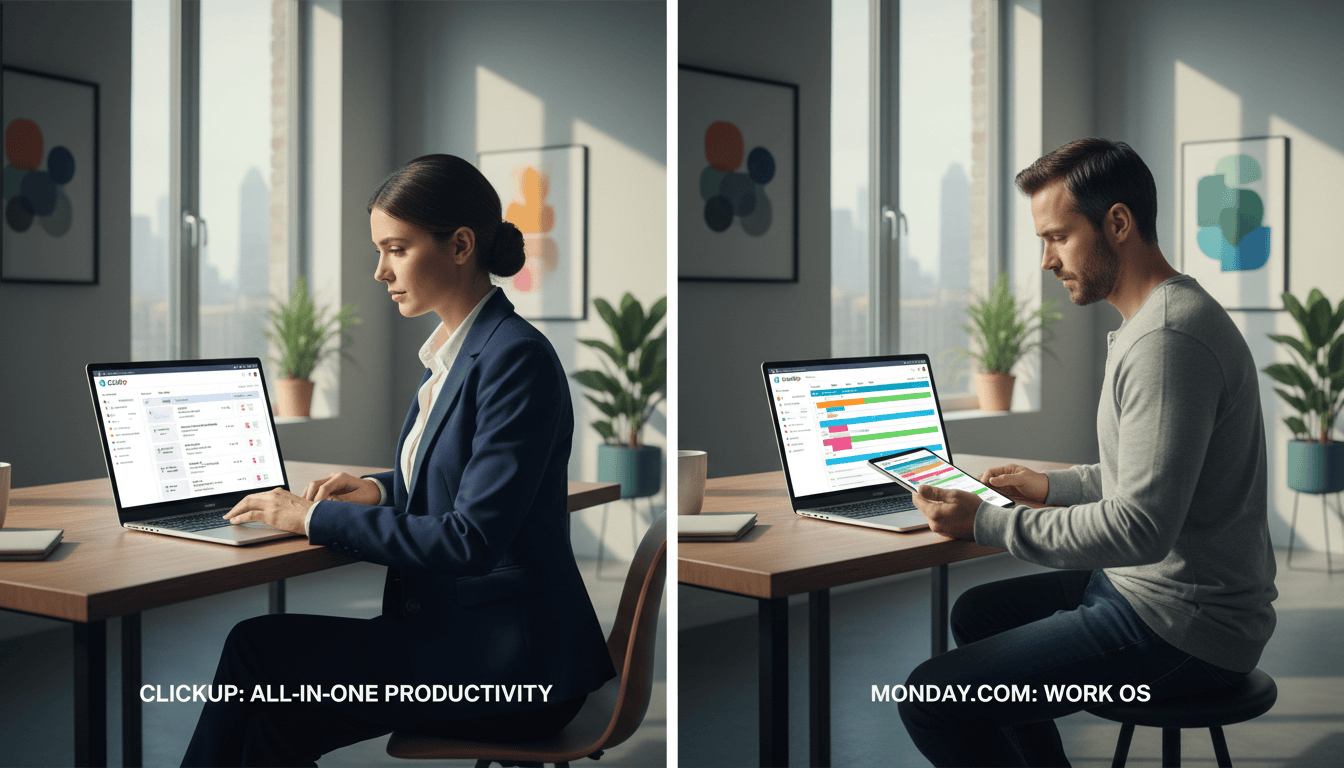
For teams demanding maximum control over their work management environment, one platform stands out for its sheer breadth of tools. ClickUp positions itself as the most feature-rich project management software available. It consolidates task management, collaboration, documentation, and automation into a single, powerful ecosystem.
The platform’s architecture is built for extensive customization. Users can configure workspaces, create unlimited dashboards, and tailor views to match specific operational requirements. This flexibility is a core strength for complex project workflows.
We find the view options particularly comprehensive. Teams can visualize tasks through:
- Lists and Boards
- Calendars and Gantt Charts
- Activity Timelines and Mind Maps
This variety supports diverse working styles within onemanagement softwaresolution.
Connectivity is another major advantage. ClickUp offers over 1,000 integrations. This provides seamless connectivity with virtually every other tool in your existing tech stack.
Native collaboration features like whiteboards and collaborative docs reduce dependency on external apps. This consolidation streamlines team communication and centralizes management efforts.
The generous free plan includes unlimited users and tasks. This makes the software highly accessible for teams testing project management solutions before a financial commitment.
However, this power comes with a significant learning curve. The vast array of features can overwhelm teams without technical expertise. ClickUp offers unparalleled flexibility, but requires dedicated implementation resources for optimal use.
Overview of Monday.com: Transforming Team Collaboration
Enterprise teams seeking immediate adoption without sacrificing security find their solution in this visually-driven work management system. The platform prioritizes intuitive design over feature abundance, delivering rapid onboarding that accelerates team adoption across organizations.
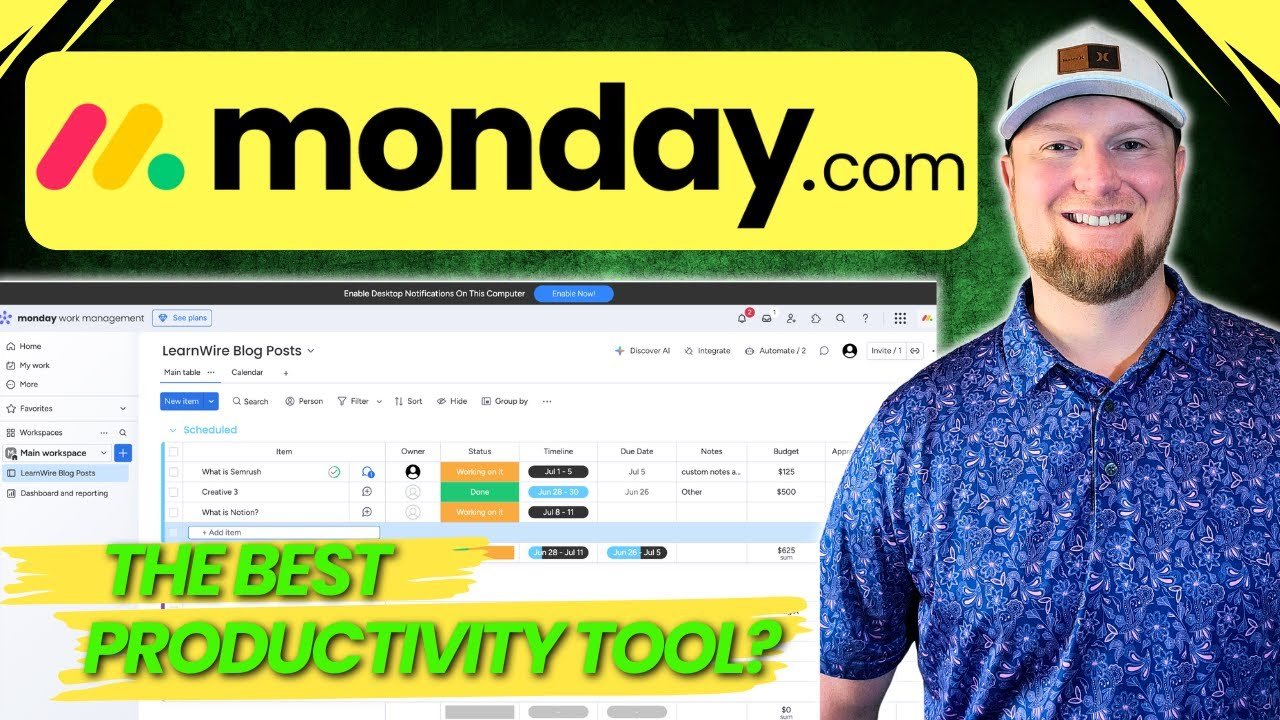
Color-coded boards and clear status indicators create immediate project visibility. This visual approach to work management makes progress transparent to stakeholders at every level.
| Aspect | Strength | Business Impact |
|---|---|---|
| User Experience | Intuitive interface design | Faster team adoption |
| Integrations | 200+ native connections | Seamless tool connectivity |
| Enterprise Security | Advanced permissions controls | Corporate governance compliance |
| Platform Stability | Consistent performance | Reliable operations |
The platform offers extensive connectivity with 200+ native integrations. It extends functionality through Zapier for specialized tools. This makes the tool ideal for enterprise environments requiring robust security measures.
Beyond core project management capabilities, the system has developed specialized products. These include a dedicated CRM solution and Work Canvas. The platform’s stability outperforms competitors with fewer bugs and faster loading times.
This positions the solution as a premium choice for teams with budget flexibility. The limited free plan serves as an entry point rather than a comprehensive solution.
Deep Dive: ClickUp vs Monday.com – Features and Functionality
The battle for feature supremacy isn’t about quantity but about how capabilities translate into practical team productivity. Both platforms deliver core project management functionality, but their architectural approaches diverge significantly.
ClickUp provides granular control over task hierarchies with spaces, folders, and nested subtasks. This enables complex project structures that mirror intricate organizational workflows. The system handles deeply nested hierarchies with precision.
Monday.com’s board-based approach simplifies project visualization for immediate clarity. However, this streamlined method can limit flexibility for teams managing multiple interconnected workstreams.
| Feature Category | ClickUp Advantage | Monday.com Strength |
|---|---|---|
| Automation Access | 100 monthly automations on free plans | Requires Standard plan upgrade |
| Template Functionality | Automatic due date remapping | Manual date adjustments required |
| Native Collaboration | Comprehensive chat, whiteboards, docs | Relies more on external integrations |
| Implementation Complexity | Deep features require configuration expertise | Superior out-of-box functionality |
Automation capabilities reveal another critical distinction. ClickUp offers substantial automation on free tiers, while Monday.com reserves advanced automations for paid plans.
Template functionality differs substantially in practical implementation. One platform automates tedious date adjustments that the other requires manually.
The core tradeoff becomes clear: feature depth versus immediate usability. Teams must choose between extensive capabilities requiring setup time or streamlined functionality that works instantly.
User Interface and Experience Analysis
The user experience gap between these platforms reveals fundamental differences in design philosophy and target audience. We find that interface design directly determines adoption rates and long-term system viability.
Dashboard and Navigation
Dashboard customization represents a critical differentiator in workflow management. One system offers extensive modularity while the other prioritizes immediate usability.
| Interface Aspect | Customization-Focused Platform | Usability-Focused Platform |
|---|---|---|
| Dashboard Setup | Widget-based modular design | Pre-configured streamlined layout |
| Navigation Complexity | Multiple hierarchy levels | Single-board intuitive structure |
| Visual Design | Functional but dense interface | Color-coded clear indicators |
| Initial Setup Time | Hours to days for optimization | Minutes to hours for productivity |
The customization-focused approach empowers technical teams but creates decision fatigue. New users must configure their workspace before extracting value from the management system.
Ease of Use and Learning Curve
Learning curve differences substantially impact team adoption and support requirements. One platform requires dedicated training while the other supports self-guided implementation.
Navigation complexity stems from feature abundance in the customization-oriented system. Users face numerous menus and configuration options that can obscure frequently-used functionality.
For organizations with diverse technical skill levels, the usability-focused platform reduces IT support burden and accelerates team productivity.
The visual design philosophy uses intuitive icons and clear status indicators. This communicates information instantly without requiring users to parse complex data structures.
Pricing Plans and ROI: Value Comparison
The financial commitment to a project management platform represents more than just software expenses—it’s an investment in operational efficiency. We analyze pricing structures through the lens of long-term value rather than short-term costs.
The free tier comparison reveals stark differences in platform philosophy. One solution offers unlimited users and tasks, making it viable for small teams indefinitely. The alternative restricts usage to two seats and limited items, functioning more as an extended trial.

Mid-tier plans demonstrate clear value disparities. At $7 per month, the Unlimited plan provides comprehensive features for growing organizations. Comparable functionality requires a $19 per month Pro plan upgrade with the competing platform.
Storage economics create hidden costs that impact scalability. Unlimited file storage on paid plans contrasts sharply with capped storage that generates additional expenses as business operations expand.
ROI calculations must include implementation resources. The platform with lower subscription fees may require significant training investment. The alternative’s intuitive design reduces onboarding costs but carries higher monthly pricing.
Enterprise plan negotiations follow custom pricing models for both solutions. However, mid-market organizations will find clearer value propositions at lower tiers when scaling their management systems.
True cost analysis extends beyond monthly rates to include storage limits, feature accessibility, and team adoption expenses.
Additional AI features introduce future cost considerations. One platform charges $7 monthly per user for advanced functionality, while the other’s AI capabilities remain in beta with uncertain pricing models.
Collaboration Tools and Integrations
True collaboration extends beyond simple task assignment to seamless communication and tool connectivity. The integration ecosystem determines how effectively your project management platform connects with existing business systems. This directly impacts workflow efficiency and data synchronization across your entire operational stack.
Native Chat, Docs, and Whiteboards
One platform consolidates team interactions through built-in communication features. It offers native chat, collaborative docs, and whiteboards within the same environment. This approach reduces dependency on external tools and minimizes app-switching friction for teams.
The alternative strategy leverages best-of-breed external integrations for core collaboration functions. It connects with specialized apps like Slack for messaging and Gmail for email management. This maintains familiarity but fragments the user experience across multiple applications.
Screen recording capabilities represent another key differentiator. Native video messaging functionality enables asynchronous communication for distributed teams. This reduces meeting overhead while facilitating detailed visual feedback on tasks.
| Collaboration Aspect | Integrated Platform Approach | External Integration Strategy |
|---|---|---|
| Communication Tools | Native chat, docs, whiteboards | Slack, Gmail integrations |
| Visual Collaboration | Built-in screen recording | Separate paid whiteboard service |
| Storage Economics | Unlimited on paid plans | Capped storage with potential overages |
| Total Cost Impact | Consolidated pricing | Multiple subscription expenses |
Integration breadth shows significant disparity between platforms. One offers connectivity with virtually any business app through 1,000+ pre-built connections. The alternative provides 200+ essential integrations but may require middleware for specialized tools.
We observe a concerning trend toward feature fragmentation with one solution. The removal of group whiteboard functionality and its relaunch as a separate paid product increases total ownership costs. This decision impacts teams relying on visual work management for complex project coordination.
Task and Project Management: Hierarchy & Workflow Efficiency
The true test of project management software lies in its hierarchy architecture—this determines whether teams work efficiently or fight against system limitations.
We find one platform organizes work through a comprehensive structure: Workspace > Spaces > Folders > Lists > Parent tasks > Subtasks. This enables managers to zoom out and view all work across multiple projects simultaneously. The alternative uses Account > Workspaces > Folders > Sub-folders > Boards > Groups > Items > Subitems.
The comprehensive approach provides bird’s-eye visibility across departments and clients. Managers can filter workloads using custom fields while maintaining operational oversight. This hierarchy directly impacts reporting accuracy and project visibility.
The board-based alternative simplifies initial setup but limits cross-project aggregation. Teams must create separate dashboards that count against board limits. This fragmentation hinders comprehensive management of complex workflows.
Task management efficiency reveals another critical distinction. One system automatically remaps subtask due dates with weekend skipping—saving project managers hours weekly. The alternative requires manual date adjustments for dependent tasks.
Workload views function differently across platforms. The comprehensive hierarchy allows filtering workloads across organizational levels. The board-based system restricts this capability to individual boards, limiting resource management scalability.
Multi-task editing capabilities show substantial variation. One platform supports bulk reassignment, date changes, and status updates across hundreds of tasks. The alternative restricts bulk actions to duplication, moving, deletion, and archiving.
Workflow efficiency ultimately depends on template deployment. Automatic due date remapping upon template application eliminates tedious manual adjustments that users of the alternative system must perform repeatedly.
Automation and AI Capabilities Overview
Workflow automation transforms repetitive manual processes into scalable, error-free operations that drive team efficiency. We measure automation capabilities by their accessibility, power, and impact on daily work management.
Generous automation allowances separate platforms that enable optimization from those that gate essential features. The right approach eliminates time-consuming manual tasks across project lifecycles.
ClickUp Brain vs Monday.com AI Features
Artificial intelligence integration represents the next evolution in project management. One platform offers a mature AI assistant available for $7 monthly per user.
This AI solution provides role-based assistance for drafting communications and summarizing project updates. It includes meeting transcription that automatically converts discussions into trackable tasks.

The competing platform’s AI remains in beta testing with uncertain pricing. This creates budget uncertainty for teams planning AI-dependent workflows long-term.
Template Usage and Automation Setup
Template functionality dramatically impacts implementation efficiency. One system automatically remaps due dates when deploying templates—saving hours of manual adjustment time.
The alternative requires tedious date editing for every template instance. This difference accumulates significantly across multiple projects and teams.
| Automation Aspect | Platform A Advantage | Platform B Limitation |
|---|---|---|
| Free Tier Access | 100 monthly automations | Requires paid plan upgrade |
| Paid Plan Capacity | Unlimited automations included | 250 monthly actions on Standard plan |
| Setup Complexity | Technical trigger-condition-action logic | Intuitive fill-in-the-blank interface |
| Template Efficiency | Automatic date remapping | Manual date adjustments required |
Automation setup complexity differs substantially between platforms. Teams must choose between powerful but technical interfaces versus simpler but limited approaches.
The ROI calculation should include both subscription costs and time savings. Unlimited automations justify deeper workflow optimization compared to action-capped alternatives.
Mobile App and Offline Functionality
Field teams and traveling executives demand uninterrupted productivity regardless of location or connectivity. Mobile functionality separates comprehensive work management platforms from desktop-bound alternatives.
Both platforms provide mobile applications for iOS and Android devices. This extends essential management capabilities beyond traditional desktop access. However, user reports consistently highlight performance issues with both mobile app experiences.
We find neither platform delivers the stability users expect from native mobile applications. This creates friction for team members who rely heavily on mobile access for their daily work.
| Mobile Aspect | Platform A Approach | Platform B Strategy |
|---|---|---|
| Interface Design | Desktop feature replication | Essential function simplification |
| Offline Capability | Limited task continuation | Basic offline functionality |
| Time Tracking | Full mobile integration | Mobile time entry support |
| Sync Reliability | Potential conflict issues | Reconnection challenges |
Offline functionality enables limited work continuation during connectivity interruptions. Both systems support this capability, though sync conflicts can emerge when reconnecting to updated server data.
Time tracking extends comprehensively to mobile environments. Users can log hours from any device, though smaller screens make detailed time entry cumbersome. This impacts accuracy for complex tasks.
The mobile experience gap suggests teams dependent on mobile workflows should carefully evaluate these limitations. Neither platform matches best-in-class mobile-first applications for reliability and user experience.
Time Tracking and Reporting Features
Time tracking functionality represents more than just clock management—it’s the foundation for profitability analysis and resource optimization. We measure this capability by its integration depth and reporting power.
One platform includes unlimited time tracking on all paid plans. This makes detailed time capture accessible to budget-conscious teams. The alternative restricts this feature to premium tiers.
Multi-device support ensures accurate tracking regardless of work location. Desktop, mobile, and web access reduces revenue leakage from forgotten hours.
| Feature | Platform A Advantage | Platform B Limitation | Business Impact |
|---|---|---|---|
| Plan Accessibility | Unlimited on all paid tiers | Requires Pro plan upgrade | Lower cost for essential functionality |
| Reporting Granularity | Filter by project, client, custom fields | Standard dashboard insights | Precise billing and profitability analysis |
| Integration Depth | Native timesheet tools | Basic time capture | Reduced administrative overhead |
| Mobile Functionality | Full feature parity | Limited mobile capabilities | Accurate field team tracking |
Raw time data becomes valuable through customizable reports and dashboards. These tools transform hours worked into actionable business intelligence.
The pricing strategy for time tracking directly impacts service businesses. Teams billing hourly need this functionality accessible at lower subscription levels.
We find the platform with inclusive tracking provides better management economics. It eliminates the paywall that hinders accurate project costing.
Customization and Template Usage Efficiency
The ability to mold software to your operational reality determines whether a platform serves your team or your team serves the platform. Customization capabilities separate adaptable project systems from rigid frameworks that create workflow friction.
We find template efficiency dramatically impacts implementation speed. Organizations with standardized processes gain weeks of productivity annually through well-designed, reusable workflow templates.
Custom Dashboards and Views
Multi-level view creation enables different organizational roles to access appropriately-scoped information. This eliminates manual filtering and duplicate view maintenance across the management hierarchy.
Widget-based dashboard approaches allow combining multiple data visualizations in single views. This creates comprehensive mission control centers for project oversight without tab-switching fatigue.
The platform comparison reveals distinct options for custom information display. One solution offers mind maps and spreadsheet views for specific use cases like brainstorming and data analysis.
The alternative enables embedding external data sources directly into dashboards. This unified reporting approach eliminates context switching between business intelligence platforms.
Dashboard configuration transforms raw project information into executive-level insights. However, complexity can delay value realization without dedicated system administrators. For deeper insights into how these customization approaches compare, explore our detailed analysis of customization capabilities.
View diversity extends beyond basic list and board options. Advanced visualization views serve specialized workflows that generic interfaces cannot address effectively.
Security, Stability, and Support Options
The foundation of any effective management system rests on three pillars: security protocols, operational stability, and responsive support. These elements determine whether teams can trust their workflow platform during critical business periods.
We found stark differences in system reliability during testing. One platform demonstrated flawless performance with zero glitches and consistent loading times. The alternative suffered from frequent delays and unexpected refreshes that caused work to vanish.
This stability gap directly impacts team productivity and user satisfaction. Unreliable platforms create frustration and data loss anxiety that drives users toward alternative solutions.
Enterprise security requirements demand specific compliance certifications and administrative controls. Both platforms address these needs, but one emphasizes them more prominently for corporate governance.
Customer support quality varies significantly between solutions. Poor ratings for service responsiveness create implementation risks for organizations requiring reliable technical assistance.
Platform reliability becomes critical during high-stakes periods like client deadlines or product launches. System downtime or data loss creates cascading business consequences that outweigh feature advantages.
Data security considerations include encryption standards, access controls, and audit logging. Enterprise plans provide enhanced protections beyond standard tiers for sensitive business information.
Scalability for Growing Teams and Enterprises
The transition from startup to enterprise requires management systems that adapt rather than restrict operational growth. We’ve seen too many organizations outgrow their initial platforms, facing painful migrations that disrupt workflow continuity. True scalability means your system evolves with your business needs.
Enterprise requirements extend far beyond simple user counts. They encompass governance controls, security compliance, and dedicated support structures. Standard plan options often lack the administrative depth that growing teams eventually require.
One platform demonstrates stronger enterprise maturity with advanced permissions and corporate governance features. Its portfolio management capabilities provide executives with holistic views across all projects. This supports strategic decision-making at organizational scale.
The alternative platform’s hierarchy architecture enables zooming out to see work across entire departments. This maintains granular control while supporting broader organizational visibility. Both solutions offer custom enterprise plan pricing for large deployments.
Migration costs create significant switching barriers that amplify initial platform selection importance. Growing teams should choose systems with sufficient headroom for projected growth trajectories. The right plan today prevents costly transitions tomorrow.
Agency and Business Use Cases: What Teams Need
Client-facing businesses face unique challenges that demand specific workflow architectures from their management systems. Agency operations require proper hierarchy to organize work by client, department, and billable status. This structure enables accurate reporting and invoicing that drives profitability.

The five-role framework reveals what different teams need from their platform. Individual contributors require clear agendas and priorities. Account managers need client project progress visibility. Project managers demand workload oversight and reassignment capabilities.
Leadership teams need holistic views of client health, team performance, and overall business metrics. External clients require transparent project status access without full platform navigation. Each role deserves tailored information displays.
Professional services firms billing hourly require integrated time tracking at accessible price points. Portal capabilities reduce status meeting overhead while improving client collaboration. These features transform operational data into strategic business intelligence.
Workflow standardization through templates ensures consistent service delivery across client engagements. The right platform architecture supports scalable operations while maintaining quality standards. This approach addresses the fundamental needs of growing service organizations.
Conclusion
Our testing demonstrates that organizational success with either system depends heavily on implementation strategy. The choice ultimately hinges on whether your team prioritizes comprehensive customization or immediate usability.
For agencies and professional services firms, we recommend one platform 99% of the time. It delivers superior visibility across clients and projects despite requiring more initial setup effort.
The alternative excels for teams with diverse technical skills or limited implementation resources. Its beautiful interface promotes rapid adoption but may lack high-level reporting capabilities.
Pricing analysis confirms better unit economics at entry and mid-tier levels for teams needing robust features. Implementation success requires clear requirements definition before committing to either platform’s annual contract.
FAQ
Which platform is better for a small team on a tight budget?
We find ClickUp typically offers superior value for smaller teams. Its Free Forever plan is robust, providing access to core project management tools like task management, multiple views, and unlimited members. Monday.com’s free tier is more restrictive, making ClickUp the pragmatic choice for budget-conscious teams needing immediate functionality.
How steep is the learning curve for each system?
Monday.com generally has a gentler initial learning curve due to its intuitive, visual interface. ClickUp, while incredibly powerful, presents a steeper climb because of its vast feature set and deep customization options. The investment in learning ClickUp often pays off with greater long-term workflow efficiency and control.
Which software has better time tracking and reporting features?
ClickUp provides more comprehensive native time tracking capabilities, including a global timer and detailed reporting, even on its lower-tier plans. Monday.com’s native time tracking is often considered a secondary feature and may require integrations or higher-priced plans for advanced functionality. For teams that prioritize meticulous time management, ClickUp is the stronger contender.
Can both platforms scale effectively with a growing business?
Absolutely. Both platforms offer enterprise-grade plans with advanced security, admin controls, and scalability. ClickUp’s hierarchical structure (Spaces, Folders, Lists) naturally accommodates complex organizational growth. Monday.com scales well with its board-based system, particularly for teams that value visual project tracking over deep hierarchical nesting.
Which tool offers better automation and AI features?
This is a close race. ClickUp’s automation builder is highly flexible and accessible on most plans, allowing for complex workflow automations. Its AI, ClickUp Brain, aims to be a central intelligence for all work. Monday.com’s automations are also powerful and user-friendly, with its AI features focusing on generating content and formulas directly within boards. The “better” choice depends on whether you need deep workflow automation (ClickUp) or board-centric AI assistance (Monday.com).
How do the mobile apps compare for offline functionality?
Both provide capable mobile applications. However, ClickUp’s mobile app often receives higher marks for its parity with the desktop experience, offering robust offline access to tasks and data. Monday.com’s app is functional but can feel more limited when working without an internet connection. For teams frequently on the move, ClickUp may provide a more reliable mobile experience.