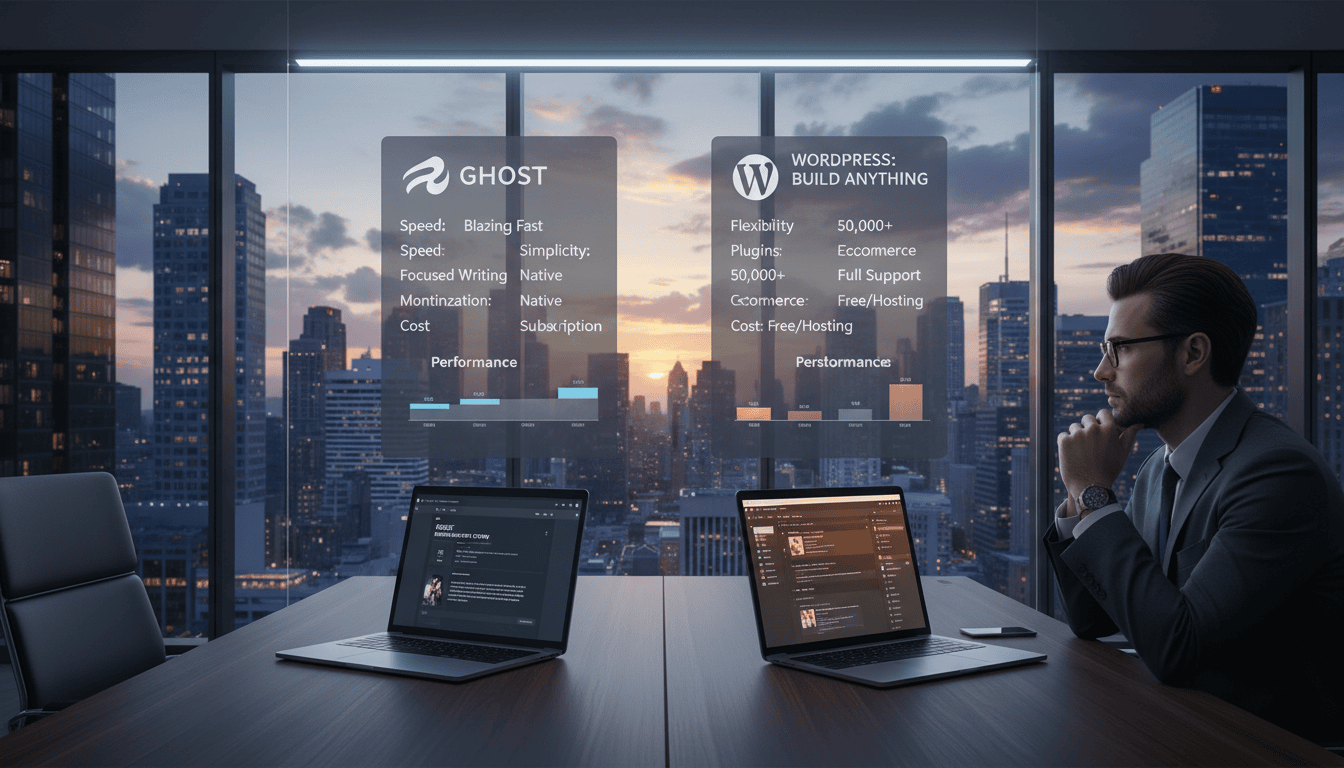
Choosing the right foundation for your online presence is a critical business decision. One system powers over 43% of all websites. The other serves a dedicated niche of about 0.1%. Market share alone, however, is a poor indicator of what delivers better results for serious publishers.
This divergence stems from core philosophy. The dominant solution began in 2003 as a simple PHP and MySQL tool. It evolved into an all-purpose CMS. The newer contender launched a decade later via Kickstarter, built on modern Node.js. It maintained a relentless focus on publishing.
This architectural difference isn’t academic. It directly impacts your site’s speed, your team’s workflow, and your long-term scalability. For entrepreneurs and professionals, the wrong choice costs real money, time, and audience engagement.
We’re cutting through the hype. Our analysis examines real performance data, actual pricing, and measurable workflow differences. We prioritize what matters: content creation efficiency, SEO effectiveness, monetization capabilities, and total cost of ownership. This is a data-backed guide for publishers who value results over convention.
Key Takeaways
- Market share doesn’t equal quality; the giant serves everyone, while the niche player focuses exclusively on publishing.
- The fundamental technology stacks are different, affecting site performance and developer experience from the ground up.
- Your choice impacts core business metrics: content workflow efficiency, site speed, and revenue potential.
- This comparison is built on measurable data—performance benchmarks, pricing models, and workflow analysis—not opinion.
- The right platform aligns with your specific publishing goals, whether for content marketing, memberships, or professional blogging.
- Total cost of ownership includes not just subscription fees, but also time spent on management, customization, and optimization.
Overview of Ghost and WordPress as Modern Publishing Platforms
The battle for publishing supremacy isn’t about features; it’s a clash between a generalist toolkit and a specialist’s instrument. We judge a platform by its architectural choices and founding mission.
These elements dictate long-term performance and workflow efficiency more than any plugin.
History and Evolution of Each Platform
Their origins reveal core priorities. One system launched in 2003 as simple blogging software. It expanded relentlessly into a full CMS for any type of website.
- The other emerged a decade later via a Kickstarter campaign. Its sole mission was to build the best publishing platform, avoiding feature bloat.
This divergence set their evolutionary paths. One became a jack-of-all-trades; the other remained a master of one.
Core Philosophy: Publishing-First vs. Customization
The philosophical divide is stark. The generalist follows a “do everything” approach, relying on plugins for infinite customization. The specialist maintains a “do publishing exceptionally well” philosophy with built-in tools.
This is rooted in technology. The older software uses legacy PHP code, carrying twenty years of technical debt. The newer platform is built on modern Node.js for cleaner architecture and speed.
Both are open source. However, the publishing-focused platform operates as an independent non-profit. It reinvests all revenue into development, aligning its incentives directly with publishers.
Audience and Use Case Considerations
Forget feature lists; the real question is which user profile you belong to. Your publishing goals and business model dictate the right tool.
We judge a platform by its fit for specific problems. The wrong choice creates friction in your core workflow.
Ideal Users for Ghost
This system serves a focused audience. It’s built for publishers whose primary business model involves content.
Think of professional bloggers, newsletter creators, and media businesses. They monetize through memberships and subscriptions directly.
The experience is streamlined for a team that publishes daily. You get built-in tools for audience revenue without managing dozens of plugins.
Why WordPress Appeals to Diverse Content Creators
The other platform caters to a vastly broader spectrum. It powers everything from simple blog sites to complex enterprise websites.
Small businesses use it for e-commerce, portfolios, and community forums. Blogging is just one function among thousands.
Its appeal is maximum customization. You can build any feature through plugins. This flexibility is ideal when publishing is secondary to other site goals.
Design and Customization: Themes, Plugins, and Flexibility
Customization isn’t just about aesthetics; it’s about building the exact tool your business needs. Here, platforms diverge sharply between a vast, open ecosystem and a curated, performance-focused approach.
Theme Availability and Visual Customization
Theme availability reveals a foundational gap. One system offers thousands of free and premium design options. This volume allows for instant niche-specific branding.
The other provides a small, refined selection. This maintains quality and speed but limits out-of-the-box visual choice. Premium theme pricing is similar, but the market size for one drives more innovation.
Plugin Ecosystem and Integration Options
The plugin ecosystem is where philosophies clash. The expansive platform uses thousands of plugins to add any functionality. This solves complex needs but can bloat your site.
The focused alternative avoids traditional plugins. It uses built-in tools and API integrations for extended functionality. This means cleaner code and better performance, but less niche feature support.
Your choice here dictates your customization path: total control with added complexity, or a streamlined, professional experience.
Publishing Experience and Editor Usability
Editor usability isn’t a checklist item; it’s the primary interface between your ideas and your audience. This is where a platform’s philosophy becomes tangible, dictating your daily efficiency.
Content Creation Workflow Comparison
The writing experience reveals core design priorities. One editor launches immediately into a clean, distraction-free space built solely for content creation.
The alternative uses a capable block-based system. Its interface, however, includes numerous options and sidebars serving broader website needs beyond pure writing.
Native markdown support is a key differentiator. It allows for rapid formatting without reaching for buttons. The other system typically requires plugins for full markdown functionality, adding management overhead.
I wrote my first post on Ghost this weekend and it was a real joy. I love the markdown editor, it is exactly what I need and perfect for how I write my posts.
Ease of Use and Dashboard Navigation
Dashboard navigation exposes different priorities. One platform opens directly to your post archive with metrics and a prominent “new post” button.
The other defaults to an admin panel filled with various widgets. Creating content requires navigating to a separate “Add New” section.
For a team publishing daily, this design choice compounds. It removes clicks and cognitive load, saving precious time.
Great writing experience compared to WordPress. WordPress is an incredibly powerful framework but because it supports the needs of so many websites and demands, it has grown into a sizable and cluttered tool.
The cumulative effect on publishing velocity is measurable. A streamlined interface delivers tangible efficiency gains for focused creators.
Performance and Speed: Technical Architecture Insights
The performance gap between publishing platforms is staggering. Independent tests reveal a 1,900% difference in response times.
This means one platform serves 19 requests in the time the other serves just one. This isn’t a minor tweak; it’s a fundamental architectural advantage.
The speed stems from core technology. The modern system uses Node.js, optimized for fast input/output operations. The legacy alternative relies on older PHP code.
This older structure carries decades of technical debt for compatibility. Every added plugin compounds queries and scripts, slowing page loads.
The leaner, publishing-first site includes key features natively. This avoids the performance bloat common in generalized websites.
| Architectural Aspect | Modern Platform (Node.js) | Legacy Platform (PHP) |
|---|---|---|
| Core Language | JavaScript (V8 Engine) | PHP (Zend Engine) |
| Performance Profile | Non-blocking I/O, faster response | Blocking operations, slower per request |
| Typical Load Time Impact | Minimal, out-of-the-box | Requires caching & optimization |
| Optimization Requirement | Low maintenance | High, ongoing configuration |
Speed is a confirmed Google ranking factor. Faster websites rank higher and keep mobile users engaged.
For a content-driven blog, this performance is a measurable business benefit. It handles traffic surges without costly server upgrades.
The bottom line is clear. One platform delivers speed by design. The other requires constant tuning to achieve similar results.
SEO and Social Sharing Integration Features
SEO and social sharing aren’t afterthoughts; they’re core revenue drivers for modern publishers. We judge a platform by how seamlessly it converts your content into search and social visibility.

Built-in SEO Tools and Optimized Markup
One system includes comprehensive SEO features natively. You get automatic XML sitemaps, canonical tags, and clean semantic markup. This happens without configuration or extra plugin costs.
The alternative requires third-party tools. Premium search optimization plugins like Yoast cost $199 annually for advanced capabilities. This adds financial and management overhead to your publishing workflow.
The difference is operational efficiency. Built-in features mean optimization occurs as you publish. There’s no per-post SEO configuration distracting from content creation.
Social Sharing and Metadata Support
Social integration is equally critical. The publishing-focused platform automatically generates Open Graph tags and Twitter Cards from your content. Your site shares beautifully across networks without extra steps.
The generalized solution often needs plugins to achieve this. Manual code additions or plugin management becomes another task. This fragments your team’s workflow.
Email newsletter integrations highlight the divergence. One includes this functionality natively, tying content distribution directly to publishing. The other demands separate services and plugins, adding complexity.
The bottom line: integrated SEO and social tools deliver optimization by design. They remove technical barriers for publishers focused on organic growth.
Security, Support, and Maintenance Considerations
When evaluating platforms, we prioritize operational resilience—how they handle threats and failures in the real world. This directly impacts your site‘s uptime and your team’s management burden.
Vulnerability Management and Update Processes
Security risks scale with complexity. A vast ecosystem of third-party plugins creates a large attack surface. Each add-on is a potential vector, requiring constant vigilance.
Maintenance demands differ sharply. One path involves coordinating updates for core software, themes, and dozens of plugins. Compatibility breaks consume valuable time.
The alternative offers a unified system. Updates are cohesive and infrequent. This streamlined approach minimizes conflicts and management overhead.
Support resources present a trade-off. One community offers thousands of solutions for every niche problem. The other provides focused, expert guidance for publishing-specific issues.
| Consideration | Expansive Ecosystem | Focused Publishing Platform |
|---|---|---|
| Primary Attack Surface | Third-party plugins & themes | Integrated, audited codebase |
| Update Complexity | High (multiple independent components) | Low (unified system updates) |
| Support Scale | Massive community (185k+ Q&A) | Focused, official channels |
| Hosting Requirements | Universal one-click install | Specialized or managed services |
For many businesses, universal web hosting is a major advantage. It lowers the barrier for non-technical users. The specialized route often demands technical services or managed hosting, affecting total cost.
Hosting, Pricing, and Cost-Effectiveness
The true cost of a publishing platform extends far beyond its advertised monthly hosting fee. We measure cost-effectiveness by total ownership expense. This includes add-on subscriptions, transaction fees, and the time spent on system management.
Your choice here directly impacts unit economics. It’s a calculation of base price versus complete functionality.
Managed Hosting Options and Costs
Managed hosting appears simple on the surface. One platform offers plans starting around $9 monthly with all core features included. Another starts lower but requires premium plugins for equivalent tools.
These add-ons for memberships, email newsletters, and advanced SEO create hidden costs. They turn a $5 plan into a $50+ monthly reality. The inclusive model provides predictable billing and simpler management.

Transaction fees reveal another layer. Some software takes zero fees on member revenue. Payment plugins often charge 2-5% on top of processor fees. For a scaling website, this difference compounds significantly.
Self-Hosting Challenges and Benefits
Self-hosting options favor ease for one major open source solution. Virtually every web host provides one-click installs on cheap shared servers. This offers maximum control at a low entry cost.
The alternative requires a VPS and command-line management. This setup demands technical skills or developer services. It increases both complexity and baseline hosting expense.
The support landscape differs too. One boasts a vast community for every niche issue. The other provides focused, official channels. Your technical comfort dictates the better option.
Ultimately, cost-effectiveness isn’t just about monthly rates. It’s about the total time and money required to run a professional publishing website. Choose the model that aligns with your skills and business goals.
Direct Comparison: Ghost vs WordPress for Modern Blogs
We cut to the chase: a direct comparison shows where each platform delivers tangible business value. This isn’t about minor differences. It’s about choosing the right operational engine for your publishing goals.
Feature Breakdown and Publication Focus
The core trade-off is fundamental. One path offers maximum control and customization through a vast ecosystem. The other provides a refined, integrated experience built for speed and monetization.
Your choice dictates your daily workflow and unit economics.
| Decision Factor | Publishing-First Platform | General-Purpose CMS |
|---|---|---|
| Core Advantage | Integrated membership, email & SEO features | Unmatched design options & plugin ecosystem |
| Monetization Path | Built-in tools, zero transaction fees | Requires premium plugins, adds cost & complexity |
| Performance Profile | 19x faster, optimized architecture | Requires constant tuning for speed |
| Ideal User Profile | Pure publishing & membership sites | Complex websites needing specialized functionality |
The data leads to a clear verdict. For a blog or media business focused on content and audience revenue, the streamlined platform is objectively superior. Its inclusive model saves time and money.
For projects requiring a unique user experience or complex functionality, the expansive platforms offer the necessary control. The trade-off is increased management overhead.
Your publishing model selects the winner.
Conclusion
Our analysis reveals a definitive split: one tool excels for pure publishing, the other for multifaceted web projects.
If your core business model revolves around content and audience revenue, the publishing-first platform delivers superior efficiency. Its built-in membership tools and streamlined workflow directly boost profitability.
For dedicated blogging and newsletters, this focus is unbeatable. You gain speed and integrated features without plugin chaos.
Conversely, WordPress is better when you need a complex website where content supports other functions. Its vast ecosystem allows for deep customization and unique functionality.
For a detailed technical comparison, see this developer’s guide.
The choice truly matters for your unit economics. Match the platform to your primary revenue source. Your publishing goals select the right engine.
FAQ
Which platform is easier for a beginner to start with?
For pure publishing, we find Ghost’s streamlined interface easier. You get a focused writing environment with essential tools built-in. WordPress offers immense power, but its vast dashboard and need for plugins can overwhelm new users focused solely on content creation.
Is WordPress better for SEO than Ghost?
Not inherently. Both can achieve excellent results. Ghost provides robust, built-in SEO tools—like meta tags and structured data—out of the box. The WordPress ecosystem requires plugins like Yoast SEO for advanced functionality, adding complexity but also granular control for experts.
Can I make money with both platforms?
A> Absolutely. Your monetization strategy dictates the better fit. Ghost includes native membership and newsletter features, perfect for direct audience revenue. WordPress requires plugins for these functions, but its extensive ecosystem supports complex e-commerce, ads, and diverse business models through integrations.
How do ongoing costs compare between the two?
Ghost’s managed hosting is a predictable, all-inclusive fee covering software, security, and support. With WordPress, your costs are variable. Self-hosting seems cheaper initially, but you pay separately for hosting, premium themes, plugins, and security—often requiring more hands-on management time.
Which software is more secure by default?
Ghost’s modern, lean architecture presents a smaller attack surface, and its managed service handles core security. The open-source WordPress software is inherently secure, but its vast plugin ecosystem is a common vulnerability source. Security there relies heavily on your own vigilance with updates and quality hosting.
Can I migrate my existing site from one platform to the other?
Yes, migration is standard. Tools and services exist to transfer your content, members, and posts. The complexity increases with custom functionality. Moving from WordPress to Ghost is often straightforward for content. Moving from Ghost to WordPress might require replicating member features with plugins.