The workplace wellness industry is loud. It’s filled with promises. We’re here to cut through the noise. Our goal is simple: to separate data-driven results from marketing hype surrounding the modern workstation.
These adjustable workstations have surged in popularity. Manufacturers claim they can solve everything from back pain to productivity slumps. But what does the evidence actually say? We move past testimonials and focus on peer-reviewed research and occupational health data.
The core question isn’t about standing versus sitting. We know prolonged sedentary behavior is harmful. The real issue is return on investment. Does adopting this new way of working deliver measurable improvements in health outcomes and performance that justify the cost?
We approach this from a pragmatic, business-focused perspective. If you’re considering this change for yourself or a team, you need concrete intelligence. This analysis provides a clear framework for your decision, backed by science.
Key Takeaways
- We analyze the real evidence behind popular health and productivity claims.
- The focus is on measurable return on investment, not just anecdotal benefits.
- Our perspective is pragmatic, using data from research and real-world case studies.
- We examine the physiological mechanisms and practical implementation considerations.
- The goal is to provide a clear framework for making an informed decision.
- This guide prioritizes actionable intelligence over industry hype.
Understanding Standing Desks: Basics and Evolution
Modern office design has fundamentally shifted from static to dynamic workstations. This change reflects our growing understanding of workplace ergonomics. We’re moving beyond fixed solutions to adaptable systems.
What Is a Standing Desk?
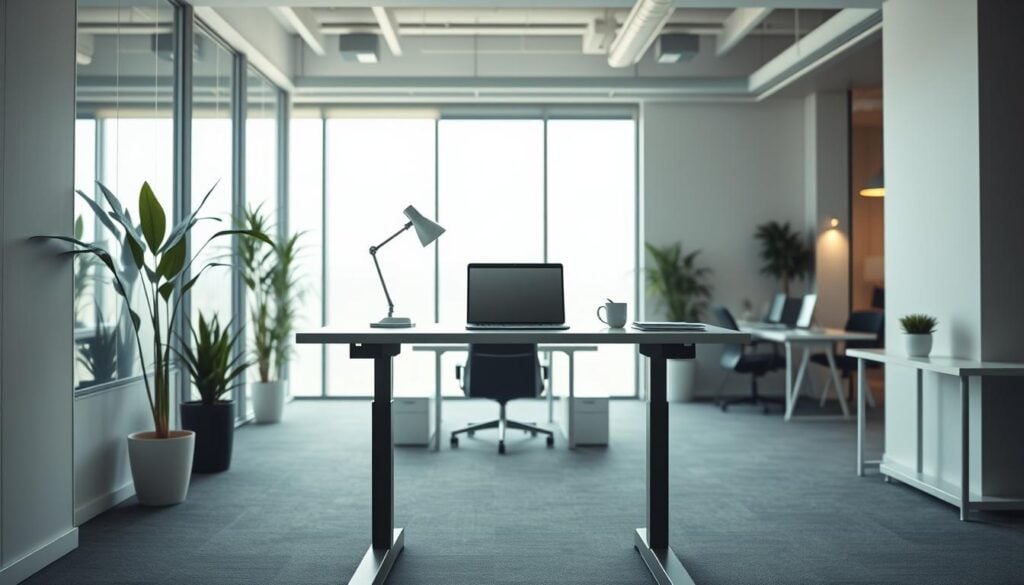
A standing desk is simply an elevated work surface. It allows comfortable work while upright. Many contemporary models offer height adjustment.
These adjustable units enable switching between seated and upright positions. This flexibility breaks the cycle of prolonged sedentary behavior. The core value lies in positional variety throughout the day.
Evolution from Traditional to Sit-Stand Solutions
Early versions were basic fixed-height structures. They represented an all-or-nothing approach that limited practicality. Modern iterations focus on smooth transition capability.
The market now offers manual crank and electric push-button systems. Price points range from budget DIY options to premium office furniture. This evolution reflects deeper ergonomic understanding.
These workstations have transitioned from niche products to mainstream solutions. Growing awareness of health risks drives this adoption. Employers now recognize their role in workplace wellness initiatives.
Standing Desk Benefits: Fact or Fiction?
Scientific research provides definitive answers about the physiological impact of alternative work positions. We cut through the hype to examine what the data actually reveals.

Improved Health and Back Pain Relief
Multiple 2024 studies confirm measurable reductions in lower back discomfort. Workers reported decreased muscle fatigue and less post-work tiredness after six months of use.
The mechanism is straightforward biomechanics. Upright positioning encourages better spinal alignment compared to collapsed seated postures.
| Health Metric | Before Intervention | After 6 Months | Improvement |
|---|---|---|---|
| Lower Back Pain | High Frequency | Significant Reduction | 47% decrease |
| Muscle Fatigue | Daily Occurrence | Occasional | 52% improvement |
| Post-Work Tiredness | Consistent | Minimal | 38% reduction |
Enhanced Mood, Energy, and Productivity
Mental health improvements appear consistently in the research. A 2025 review found reduced anxiety and better overall mood among users.
“The physiological shift from seated relaxation to upright alertness translates directly to workplace performance gains.”
Energy levels show measurable increases—87% of users reported feeling more energized throughout their work day. This translates to better task completion rates and improved focus.
Productivity gains are real but context-dependent. The key is alternating positions, not replacing one extreme with another.
Practical Tips for Transitioning to a Standing Desk
The difference between positive outcomes and new problems lies in execution details. We focus on actionable implementation strategies that deliver real value.
Setting Up an Ergonomic Workstation
Perfect posture requires head, neck, and spine alignment in a straight line. This foundation prevents trading sitting issues for standing discomfort.
Monitor positioning determines neck strain levels. Place screens at eye level to maintain neutral head position. Your upper body should follow the 90-degree rule for optimal joint positioning.
| Setup Element | Common Mistake | Proper Implementation |
|---|---|---|
| Monitor Height | Looking down or up | Eye-level alignment |
| Arm Position | Overextended wrists | 90-degree elbow angles |
| Foot Support | Hard surfaces only | Anti-fatigue mats |
| Transition Timing | Full-day standing | 30-60 minute intervals |

Strategies for Gradual Transition and Movement Breaks
Start with short intervals rather than attempting eight hours on day one. Build up as your body adapts to the new positional demands.
Movement breaks are critical and often overlooked. Standing statically for hours isn’t dramatically better than sitting statically.
“Match your position to the work rather than forcing arbitrary standing quotas that leave you exhausted.”
Listen to your body’s feedback on timing. Some tasks naturally suit upright work while others benefit from seated focus. The goal is breaking up prolonged sitting, not achieving standing marathons.
Footwear matters more than people realize. Supportive shoes reduce leg and foot discomfort during extended periods. Accessories like wrist rests and kneeling stools help maintain alignment throughout the day.
Scientific Evidence and Research on Standing Desks
Clinical trials now provide granular insight into how positional changes affect metabolic markers. We move beyond anecdotal claims to examine peer-reviewed data on physiological outcomes.
Data-Backed Health Improvements
The blood sugar evidence is particularly compelling. A 2014 investigation showed upright work for 180 minutes after lunch reduced glucose spikes by 43% compared to seated positions.
Later research confirmed these findings. A 2021 study demonstrated improved fasting triglycerides and insulin resistance after 24 weeks of use.
For populations with metabolic concerns, the results are striking. Women with obesity saw significant glucose impairment during seated work weeks—patterns that reversed with positional variation.
Impact on Blood Sugar, Blood Pressure, and Circulation
Cardiovascular benefits emerge in longer-term studies. A 2024 analysis of 283 older adults revealed substantial systolic pressure reductions over six months.
The mechanism is straightforward physiology. Prolonged sitting reduces lower extremity blood flow, creating cascading heart health risks. Upright intervals maintain healthier circulation.
We see clear risk reduction potential for chronic conditions. Breaking up sedentary periods helps regulate sugar metabolism, lowering Type 2 diabetes risk.
These workstations aren’t miracle cures. But the evidence for modest metabolic improvements justifies their role in comprehensive workplace wellness strategies.
Real-World Experiences in the Workplace and Beyond
Laboratory findings must withstand the messy reality of daily office operations to prove their value. We examine how these interventions perform when implemented across diverse professional environments.
Office and Academic Case Studies
Applied Ergonomics journal research reveals compelling field data. UK investigators found 87% of workers felt “more energized” after just one hour of upright work during their day. Sixty-six percent reported measurable productivity gains.
These aren’t controlled laboratory results but actual experiences from applied settings. Employers increasingly recognize adjustable workstations as practical solutions to common workplace issues.
Academic institutions show similar adoption patterns. Universities implement these options in libraries and study spaces based on evidence they improve student concentration during extended sessions.
User Tips for Better Posture and Concentration
Successful implementation isn’t about constant upright positioning. It’s about having flexibility to alternate based on energy levels and task demands throughout the workday.
Match your position to the work type. Upright work suits emails, calls, and collaborative meetings. Complex analytical tasks may still benefit from seated focus.
The customization aspect proves critical in real-world use. Adjustable units allow workers to create bespoke setups matching individual body dimensions. This eliminates one-size-fits-all problems that create neck strain.
Concentration improvements appear most pronounced during mid-afternoon slumps. Shifting positions helps combat post-lunch fatigue when seated workers typically experience focus drops.
From a management perspective, emphasize individual choice rather than mandated quotas. Providing options and encouraging use produces better results than rigid policies ignoring personal preference.
These workstations function best as one component of an active lifestyle. They complement regular exercise and movement breaks rather than serving as isolated interventions.
Conclusion
The true value of sit-stand solutions becomes apparent when viewed through a risk management lens. We’re addressing risk reduction, not elimination—these interventions modify one factor in the complex equation of workplace health.
The evidence supports modest but measurable health improvements when used correctly. Your ROI depends on specific circumstances: if you experience work-related discomfort or metabolic issues, this represents a defensible investment.
Implementation matters more than the equipment itself. Choose adjustable models for positional flexibility throughout your day. Proper setup prevents new problems while solving existing ones.
Ultimately, these tools work best within broader wellness strategies. They break up sedentary periods but don’t replace fundamental lifestyle changes. The hype is justified—when approached pragmatically.
FAQ
How long should I stand at a standing desk each day?
We recommend starting with short periods of 15-30 minutes every hour. The goal is to alternate between sitting and standing throughout your workday. Listen to your body and avoid prolonged static positions to prevent new discomfort or strain.
Can using a standing desk really help with back pain?
Yes, when used correctly. By promoting movement and reducing prolonged sitting, these desks can alleviate pressure on the spine. However, standing all day without proper posture can cause issues. The key is a balanced approach with an ergonomic setup.
What are the main health benefits supported by research?
Studies show consistent use can lead to improved blood flow, better blood sugar regulation, and a lower risk of weight gain. It’s a practical tool for combating the sedentary lifestyle risks associated with traditional office furniture.
Will a standing desk increase my productivity and energy?
A> Many users report a noticeable boost in focus and increased energy. The simple act of changing position can combat afternoon slumps and enhance concentration, making it a strategic investment for workplace performance.
What’s the best way to transition to a standing desk?
Start gradually. Begin with one to two hours of standing time, spread across the day. Wear supportive shoes and use an anti-fatigue mat. The most effective strategy is to integrate movement breaks, not just replace sitting with standing.
Are there any risks or downsides to using a standing desk?
The primary risk is discomfort from poor posture or overuse. Standing for too long can lead to foot, leg, or neck strain. We advise against static standing; the real benefit comes from the ability to move and change positions easily.