Many creators pour cash into expensive gear they don’t need. Others produce amateur-looking footage. This mistake kills viewer retention within seconds.
The harsh reality is simple. Poor production quality doesn’t just look bad. It destroys your credibility and tanks engagement rates. Your content loses its chance to deliver value.
We cut through the noise. This guide delivers actionable, budget-conscious strategies. You can achieve professional results without the professional price tag.
We show you how to master core principles. You will learn to choose equipment that delivers a strong return on investment. We detail proven configurations used by successful content creators.
Whether you film product reviews, tutorials, or talking-head content, these techniques will transform your production quality. They change how viewers perceive your work.
You don’t need a film degree or a $5,000 budget. You need the right knowledge applied systematically. That is exactly what we deliver here.
Key Takeaways
- Expensive gear is often unnecessary for achieving high-quality results.
- Poor visual quality severely damages channel credibility and viewer retention.
- Professional-looking production is achievable on a strict budget with the right approach.
- Mastering fundamental techniques is more critical than owning the most expensive equipment.
- Strategic equipment selection focuses on return on investment, not just features.
- Proven setups can be adapted for various content types like reviews and tutorials.
- Systematic application of knowledge is the key to transforming your content’s quality.
Introduction to Budget-Friendly Studio Lighting
We challenge the notion that high-quality visual results demand expensive studio gear. Professional production quality spans from completely free to around $200 for complete bundles. This range offers multiple entry points for creators at different stages.
Natural window illumination costs nothing. It requires scheduling around sun movement but often outperforms cheap artificial alternatives. Many budget-conscious creators underutilize this powerful free resource.
The Limostudio Continuous Lighting Kit exemplifies smart budget choices. It delivers three lights, adjustable stands, and accessories at entry-level pricing. This setup provides beginners with essential fundamentals.
Mid-range options like the Interfit F5 kit offer more flexibility for $300-400. High-end choices such as the GVM RGB LED kit maximize production value for $600-800. Both include advanced features like barn doors and color control.
The key insight remains consistent: start with what you can afford. Master the fundamentals first. Upgrade strategically based on actual production needs rather than perceived requirements.
The Importance of Lighting in Video Production
Professional production quality begins with understanding how illumination affects camera performance. Most creators focus on content while neglecting technical execution. This oversight costs them audience retention and credibility.
Impact on Video Quality
Camera sensors operate differently than human eyes. They require specific conditions to capture natural-looking footage. Poor illumination creates technical flaws that overshadow your message.
We’ve analyzed thousands of content pieces. The pattern is clear: technical excellence separates successful creators from struggling ones. Your camera needs proper guidance to reproduce what you see naturally.
“Content quality cannot compensate for technical deficiencies—viewers judge production value within seconds.”
Enhancing Viewer Engagement
Proper illumination directly influences audience metrics. Well-lit content maintains attention and reduces bounce rates. Viewers stay engaged when the visual experience feels professional.
The competitive advantage is undeniable: superior production quality increases watch time and conversion rates. Your investment pays dividends across your entire content library.
| Lighting Scenario | Viewer Retention | Perceived Expertise | Content Impact |
|---|---|---|---|
| Professional Illumination | High (70%+) | Expert Level | Maximum Value |
| Average Conditions | Medium (40-60%) | Intermediate | Moderate Value |
| Poor Execution | Low ( | Amateur | Minimal Impact |
Your subject separation and background clarity determine viewer focus. Technical execution matters as much as creative substance in today’s competitive landscape.
Understanding Lighting Basics for Video
The gap between human vision and camera perception represents the most critical knowledge gap in amateur video production. We see this misunderstanding cost creators hours of setup time and inconsistent results.
How Cameras Perceive Light
Camera sensors operate on fixed technical parameters unlike our adaptive eyes. Your equipment requires significantly more illumination than what appears adequate to your naked eye.
Human vision instantly adjusts to varying conditions through pupil dilation and brain processing. Camera technology relies on manual ISO, aperture, and shutter speed settings instead.
This technical limitation means your filming space must be deliberately over-lit. What feels comfortable for human occupation often appears dim and unnatural on camera.
Color rendering presents another fundamental challenge. Cameras capture color temperatures literally without the automatic white balance correction your brain performs.
Different light sources produce distinct color casts that require management. LED panels, tungsten bulbs, and natural sunlight all register differently on sensor technology.
The contrast ratio cameras capture is narrower than human vision. Highlights blow out to pure white and shadows crush to black much faster than what you perceive visually.
Smart creators test their setup through the camera viewfinder, not by how the space looks to their eyes. Mastering this perspective eliminates trial-and-error frustration across filming sessions.
Choosing the Right Lighting Equipment
Equipment selection represents the most strategic investment decision in your production journey. Your gear choices directly determine the ceiling of your visual quality while impacting your budget efficiency.
Affordable Lighting Options
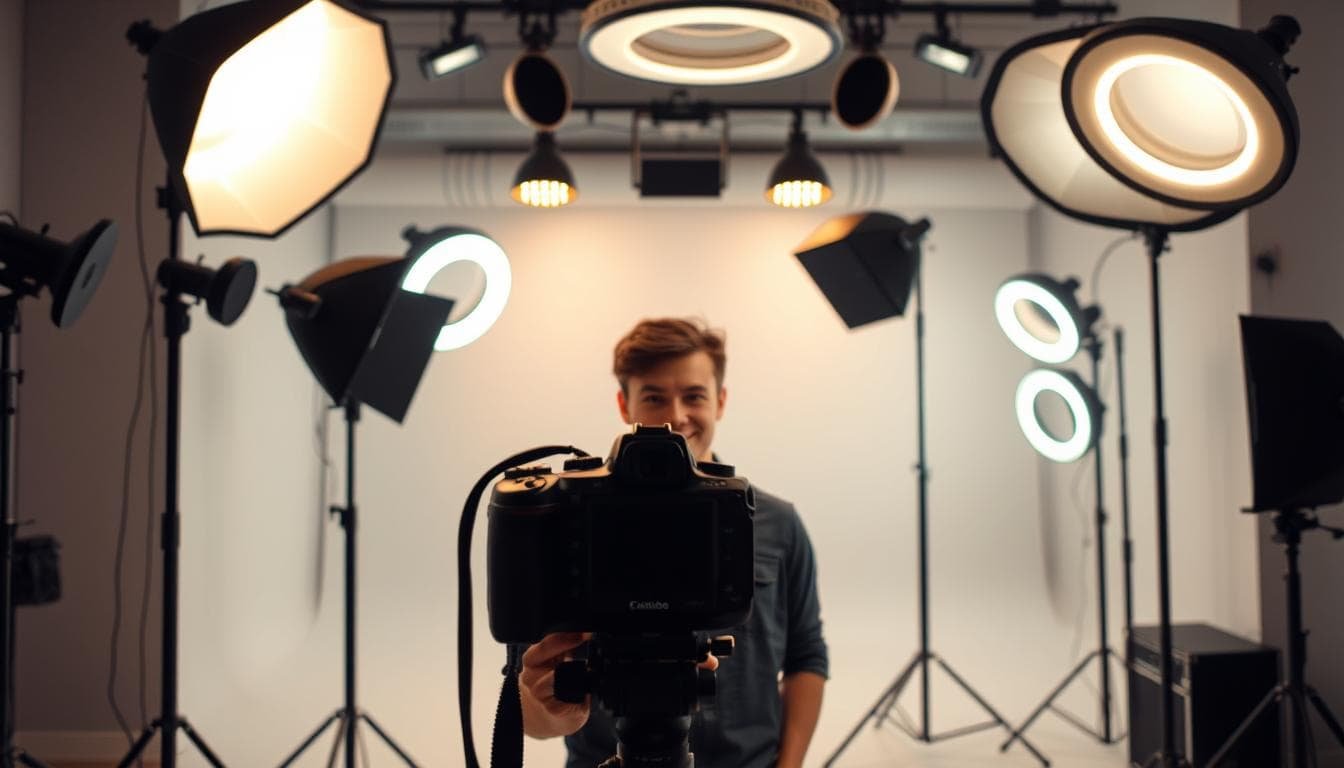
We recommend LED-based systems exclusively. They deliver energy efficiency, cool operation during extended sessions, and adjustable intensity control. The Limostudio Continuous Lighting Kit provides exceptional beginner value at $50-80.
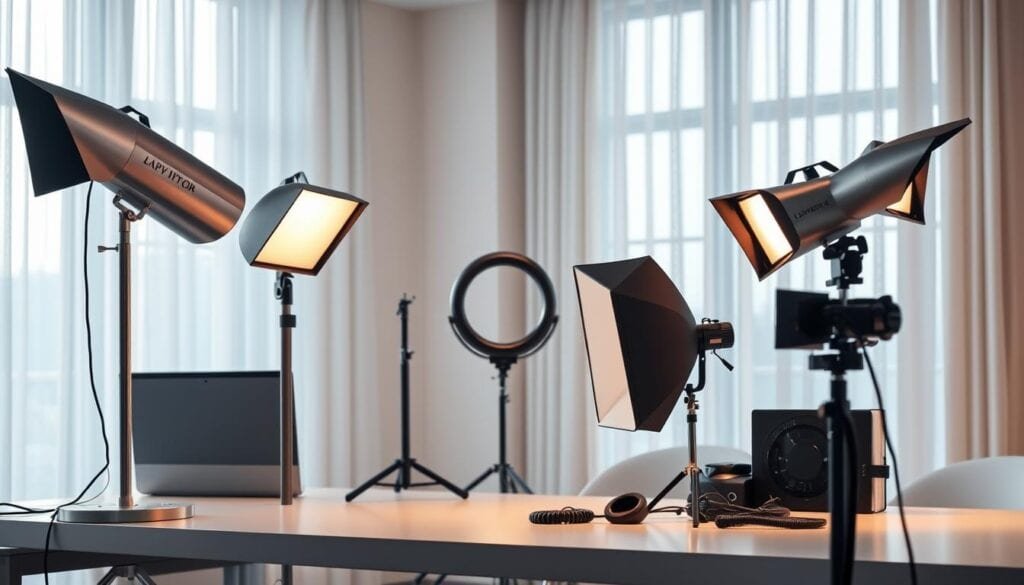
Mid-tier creators benefit from the Interfit F5 kit’s boom arm capability. This enables professional overhead backlighting without complex rigging. The GVM RGB LED kit represents the professional threshold with barn doors and creative color effects.
DIY Solutions for Budget Setups
Improvised solutions deliver surprising results. White bed sheets stretched over frames create excellent diffusion panels. Aluminum foil mounted on cardboard makes effective reflectors.
Ring lights merit consideration for solo creators filming direct-to-camera content. They provide flattering, shadow-free illumination with integrated mounting options.
Smart equipment choices scale with channel growth. Start with versatile basics. Add specialized tools as specific production needs emerge.
Setting Up Your Filming Space
Your filming environment dictates more than just aesthetics; it directly controls viewer focus and perceived production value. We treat space arrangement as strategic audience management.
Every element visible on camera either supports your message or undermines it. There is no neutral ground when competing for viewer attention.
Decluttering and Cleaning Tips
Remove all distracting objects before recording. Photograph your space first for easy restoration later.
Dust and smudges appear more prominent on camera than in person. Clean every visible surface thoroughly, including floors.
Strategic props should serve clear purposes. Throw pillows add color to neutral furniture. Fresh flowers bring life to sterile environments.
Optimizing Your Background
Position subjects at least 50cm from walls to create depth. Neutral colors prevent competition for attention.
Minimal shelf styling suggests authenticity without distraction. Use only generic items or materials you own rights to display.
| Background Type | Viewer Engagement | Setup Complexity | Recommended Use |
|---|---|---|---|
| Minimal Neutral | High Focus | Low | Tutorials, Presentations |
| Styled Shelves | Medium Engagement | Medium | Interviews, Discussions |
| Textured Environment | Variable | High | Creative Content |
Managing Reflections and Mirrors
Mirrors create dual challenges. They reveal equipment in reflections and cause complex light bounces.
Avoid filming directly facing reflective surfaces whenever possible. Cover mirrors with fabric if necessary for your shot.
Environmental control eliminates variables that introduce inconsistency. Create repeatable setups that maintain quality across sessions.
Exploring Different Lighting Types
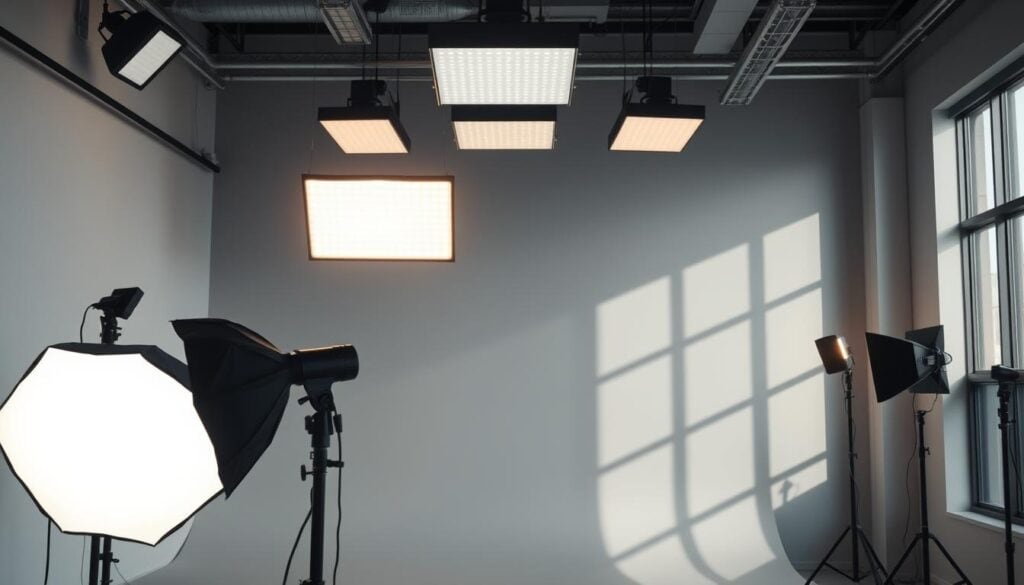
The strategic combination of key, fill, backlight, and ring light determines whether your content appears amateur or broadcast-ready. We break down these four essential tools that form every professional setup.
Key Light, Fill Light, and Backlight
Your key light serves as the primary illumination source. Position it at a 45-degree angle from your camera. This creates depth through controlled shadowing on your subject’s features.
The fill light operates at roughly half the intensity of your key light. Place it opposite the key light to soften harsh shadows without flattening the image completely.
Backlight positions behind your subject create separation from the background. This rim lighting adds three-dimensional depth to otherwise flat footage.
| Light Type | Primary Function | Ideal Position | Creative Impact |
|---|---|---|---|
| Key Light | Primary illumination | 45° from camera | Defines mood and depth |
| Fill Light | Shadow reduction | Opposite key light | Controls contrast ratio |
| Backlight | Subject separation | Behind subject | Adds dimensionality |
Ring Light Benefits
Ring lights provide unique advantages for solo creators. They eliminate shadows through 360-degree illumination. The integrated camera mounting system simplifies setup.
“Ring lights excel for direct-address content but limit creative dimensionality compared to three-point setups.”
These lights create distinctive catchlights in subjects’ eyes. They work particularly well for beauty tutorials and close-up shots. However, the flat illumination lacks the depth of multi-light arrangements.
Understanding these four light types enables strategic equipment selection. Choose combinations based on your specific content requirements and aesthetic goals.
Implementing Three-Point and Alternative Lighting Schemes
The arrangement of your light sources, not their quantity or cost, determines the perceived quality of your final footage. We approach each lighting scheme as a strategic framework for controlling how your camera captures the scene.
Three-Point Lighting Setup
The three-point lighting setup remains the industry standard for solo presenters. This configuration uses three lights positioned around your subject.
Imagine a clock face with your subject at the center. Place your camera at 6 o’clock. Position the key light at 4 o’clock and the fill light at 8 o’clock. The backlight goes between 1-2 o’clock positions.
This systematic approach creates dimensional separation and professional shadow management. The three lights work together to eliminate flat, amateur-looking results.
Two-Light, Four-Light, and Loop Techniques
Two-light schemes offer flexibility for dynamic content where subjects move. You sacrifice the backlight but gain filming location adaptability.
Four-light configurations add a background light for enhanced creative control. Loop techniques use minimal equipment for classic portrait aesthetics.
The right scheme matches your content type and production frequency. Start with three-point lighting to master fundamentals, then adapt based on your specific needs.
Expert Tips for Using Natural and Artificial Light
Smart creators recognize that illumination mastery involves strategic choices between free and controlled sources. We approach this decision through practical economics: maximize quality while minimizing unnecessary equipment investment.
Harnessing Natural Light
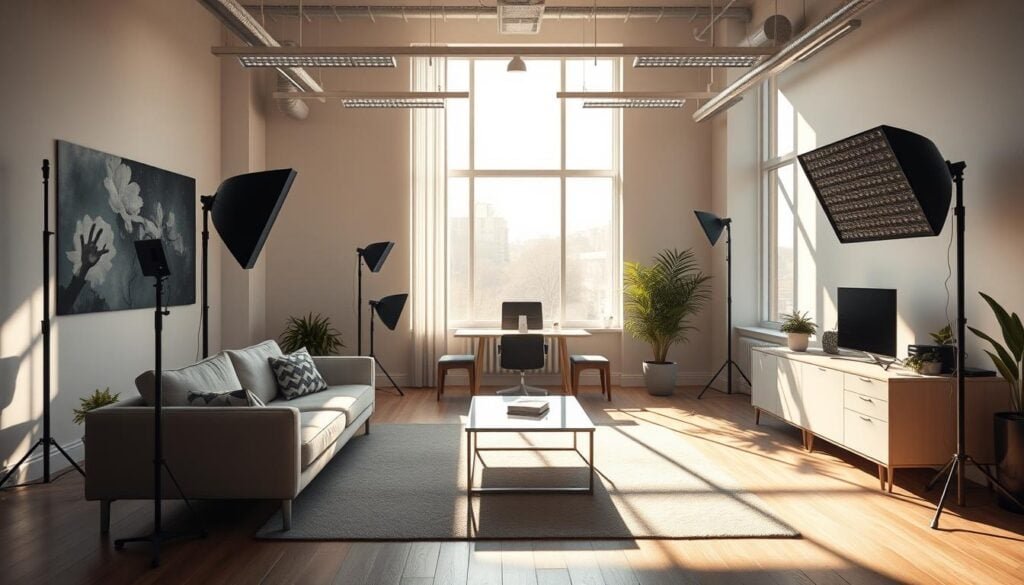
Natural light delivers exceptional quality at zero cost. The golden hours—first after sunrise and last before sunset—provide soft, warm illumination that expensive equipment struggles to replicate.
We’re direct about the tradeoff: this free resource restricts your filming schedule to specific conditions. Overcast days create ideal diffusion with 95%+ cloud coverage acting as a massive softbox.
“Golden hour illumination provides flattering results that expensive artificial sources often cannot match without complex modification.”
Location scouting becomes critical. Visit your planned shooting space at the exact time you intend to record. Observe how sunlight moves through the environment.
Use neutral density filters to control brightness while maintaining exposure. Position subjects under natural diffusers like tree canopies or building overhangs. Reflectors redirect sunlight to fill shadows effectively.
Adjusting Artificial Lighting for Best Results
Artificial sources provide complete environmental control. You determine intensity, color temperature, and direction regardless of external conditions. This ensures consistent production scheduling.
The strategic approach combines both systems. Use natural light when conditions align with your schedule. Maintain artificial capability for reliable quality control across all projects.
Your equipment should serve your content calendar, not dictate it. This balanced methodology maximizes both production value and operational flexibility.
Mastering “lighting for video” on a Budget
We’ve observed that financial limitations frequently produce superior creative outcomes through forced innovation. The obsession with expensive gear often obscures fundamental production principles that deliver professional results.
Budget Tips for Professional Results
Start with free natural illumination before investing in equipment. Window light provides exceptional quality at zero cost. Master these fundamentals before considering purchases.
The budget progression follows a logical hierarchy: free natural sources, single ring lights ($30-60), two-light setups ($80-120), then complete three-point systems ($150-200). Each stage builds technical competence.
Limostudio’s Continuous Lighting Kit represents the optimal entry point. It delivers three lights, stands, and accessories for professional three-point arrangements. This approach mirrors the comprehensive guidance found in our lighting for video resource.
Technique consistently outperforms equipment in measurable quality metrics. Deliberate practice with affordable tools produces better results than expensive gear used incorrectly. Document your setups and analyze footage systematically.
Budget constraints force creative problem-solving that often yields superior outcomes. DIY diffusers and improvised reflectors teach core principles more effectively than purchased solutions. The setup you use consistently delivers better results than complex arrangements you rarely implement.
Optimizing Color Temperature and Reducing Glare
Most creators overlook two critical technical factors that instantly reveal amateur production quality: inconsistent color temperatures and unmanaged glare. These subtle details separate professional results from amateur footage more decisively than equipment cost.
We approach these challenges through systematic technical control. Proper management ensures your camera captures natural-looking footage without distracting artifacts.
Achieving Consistent Color Temperature
Color temperature consistency is non-negotiable for professional results. Measured in Kelvin, this characteristic determines whether your footage appears warm (yellow/orange) or cool (blue).
Mixed color temperatures create unnatural color casts that no white balance adjustment fully corrects. Daylight-balanced sources around 5600K provide the most versatile foundation.
Bi-color LED units offer maximum flexibility by allowing temperature adjustments to match any environment. This eliminates the orange/blue conflicts that destroy production quality.
Techniques to Fix Glare
Glare on eyeglasses reveals amateur technique through bright reflections that obscure eyes and distract viewers. This common issue stems from improper source positioning.
The primary solution involves elevating your key and fill sources above the subject’s eye line. This simple adjustment directs reflections downward rather than toward the camera lens.
Secondary approaches include moving sources farther from the camera axis or using polarizing filters. Asking subjects to remove glasses should remain an absolute last resort—professional technique should accommodate appearance, not demand changes.
Conclusion
The framework is complete—from zero-cost natural solutions to professional three-point arrangements under $200. We’ve dismantled the myth that premium gear equals premium results.
The competitive edge is undeniable: proper illumination elevates production value, boosts retention metrics, and enhances perceived authority. Your content converts better when it looks professional.
Implementation drives success now. Choose your scheme based on content format and budget constraints. Acquire appropriate equipment, practice deliberately, and refine through measurable outcomes.
Start with existing resources—window illumination or basic ring lights. Master fundamentals before upgrading strategically. The ROI on this knowledge compounds across your entire content library.
Stop overthinking the process. Identify your primary format, deploy the right lighting setup, create consistently, analyze objectively, and iterate based on data. Your channel’s growth trajectory depends on this systematic approach.
FAQ
What is the most important light in a video setup?
The key light is paramount. It’s your main source, defining the subject’s shape and creating the scene’s primary mood. Without a strong, well-placed key, your entire lighting scheme falls apart.
Can I get professional results with just two lights?
A> Absolutely. While a three-point setup is classic, a two-light configuration—using a key and a backlight—can produce excellent results. This approach separates your subject from the background effectively, adding crucial depth.
How do I choose the right color temperature for my shoot?
Match your light sources to your environment. If using windows, set your lights to daylight balance (around 5600K). For indoor-only shoots, tungsten (3200K) often works best. Consistency across all sources is key to avoiding a muddy, unprofessional look.
Are ring lights a good option for video recording?
Ring lights are excellent for specific applications like beauty tutorials or close-up shots, as they provide even, shadow-free illumination. However, for more dimensional lighting with depth, a traditional key and fill light setup is superior.
What’s the fastest way to improve my video’s look on a tight budget?
Optimize natural light. Position your subject facing a large window and use a simple reflector or a white board for fill. This free solution often outperforms cheap, low-quality artificial equipment.
How can I reduce harsh shadows without a fill light?
Use bounce. A simple white poster board or foam core strategically placed to reflect your key light back onto the subject softens shadows beautifully. It’s an affordable DIY solution that every creator should master.