Cutting through the noise of online marketing advice can waste weeks. This checklist gives a systematic, results-focused way to diagnose and fix the technical problems that stop your pages from appearing in search.
This is not a generic list of vague tips. The steps here target the technical and content signals search engines use today, so you can focus on fixes that produce measurable results. If you reference case studies, include source details—I’ve removed an unsourced percentage claim to keep recommendations credible.
Treat this as a diagnostic roadmap: find blockers, prioritize the high-impact items, and measure changes against a clear baseline in Google Search Console. You don’t need to implement every item—apply the checks most relevant to your site and business goals.
Start small: verify your property in Search Console, export a 90-day traffic baseline, then pick the top three issues that block indexing, hurt page performance, or cause user frustration.
Introduction to Technical SEO in 2025
Behind every successful website is a technical foundation that search engines use to find and understand pages. If that foundation is weak, even strong content or marketing won’t reach its audience — technical issues can keep your most valuable pages hidden from search.
Today’s priorities go beyond mobile-friendliness and raw speed. Core Web Vitals, structured data, and an architecture that works well with AI-driven indexing are all part of how modern engines evaluate sites. Google confirms Core Web Vitals are part of the Page Experience signals used in ranking decisions (see developers.google.com/search/docs/appearance/page-experience).
Treat technical SEO as continuous maintenance, not a one-time project: sites expand, new content appears, and search evolves. Continuous monitoring prevents small issues from compounding into major visibility losses.
Our objective is clear: remove technical blockers so your content can be judged on merit by search engines. That directly improves organic visibility, the quality of traffic, and business outcomes.
Understanding the Evolving SEO Landscape
Search engines now favor depth and original insight over keyword density. The practical shift is toward what we’ll call a working definition of “information gain”: content that adds verifiable, new value compared with existing search results — original data, practical frameworks, or novel analysis.
| Old Approach | New Priority | Impact on Ranking | ||
| Keyword-stuffed articles | Expert-written guides | Significant improvement |
| Generic industry content | Original case studies | Higher visibility |
| Regurgitated information | Firsthand research data | Sustained traffic growth |
“The future belongs to content creators who provide unique insights rather than repackaged information.”
What this means for you:
- Prioritize pages that can show unique facts, experiments, or local/industry-specific data.
- Use structured data where applicable to help engines surface your unique content (e.g., dataset, article, product markup).
- Monitor performance in Google Search Console and measure search visibility changes after publishing original work.
Example: a named case where original research outranked aggregated content is the study published by a marketing firm showing detailed click-through improvements after publishing unique survey results (cite the firm’s public report when you replicate this). The general point stands: content that demonstrably adds new information performs better in search results than recycled material.
Essential SEO Tools for a Robust Audit
The right analytical tools turn guesswork into clear priorities. Start with free platforms that provide authoritative data, then add paid tools only to fill specific gaps. This keeps audits efficient and focused on fixes that move the needle.
Watch this short walkthrough for an audit starter kit:

(video covers Search Console basics and a quick audit workflow).
Google Search Console and Analytics Setup
Google Search Console is the single most direct source of how Google views your site — it shows indexing status, coverage issues, and Core Web Vitals field data (see Google Search Central for details). Use the URL Inspection tool to see rendering and indexing problems from Google’s perspective.
Linking Google Analytics (GA4) with Search Console brings search query data together with on-page engagement metrics so you can connect visibility to business outcomes. For setup, verify your property in Search Console, submit your sitemap.xml, and then link the Search Console property to GA4 in the admin settings.
Utilizing Bing Webmaster Tools
Bing Webmaster Tools offers an additional search-engine perspective and can surface issues or queries you might miss in Google-only data. Microsoft’s platforms report meaningful traffic — Microsoft states Bing powers a large portion of the Windows search experience (see Microsoft advertising insights for current usage figures).
Both Search Console and Bing Webmaster Tools provide sitemaps, coverage reports, and crawl diagnostics; compare them to validate patterns and find discrepancies. Start here before buying premium tools: these free tools are enough for most initial audits and ongoing monitoring.
Defining Your SEO Goals and Key Performance Indicators
Without clear targets, search work becomes a series of guesses. Define measurable goals before changing code or content so every technical fix maps to a business outcome.
| KPI Category | Measurement Focus | Business Impact | ||
| Organic Traffic | Visitors from search (GA4/Console) | Direct driver of leads and revenue |
| Keyword Rankings | Positions for prioritized terms | Early signal of visibility changes |
| Backlink Growth | Referring domains and quality | Signals authority to search engines |
| Conversion Rate | Goal completions and revenue | Shows ROI of SEO work |
Organic traffic is the primary visibility metric; tie it to conversions to prove impact. Use Search Console for impression and query trends and GA4 for on-site behavior to connect search results to business value.
Keyword position tracking gives fast feedback on optimization changes, but remember positions fluctuate—use rankings alongside traffic and conversions for context.
“What gets measured gets managed—and what gets managed gets improved.”
Secondary signals like page speed and bounce behavior matter because they affect user experience and conversion rates. Monitor them, but prioritize fixes that unblock indexing or recover traffic first.
Quick KPI template (one line per objective): Baseline (30 days), Target (90 days), Owner — e.g., Organic sessions: 5,000 → 7,500, Content lead.
Deep Dive into the “seo audit checklist 2025”
Visibility starts with correctly structured page elements that tell search engines what each page is about. Focus on technical foundations (crawlability, indexability) and content signals (titles, headings, structured data) that guide ranking decisions.
Optimizing Title Tags, URLs, and Metadata
Title tags remain a primary relevance signal. Google measures title display by pixel width, not characters—aim for concise, descriptive titles (roughly 50–60 characters as a practical target) and test variations for CTR. See Google’s guidance on title links for details.
Example — before: “Best Running Shoes 2025 · Buy Now & Free Shipping” — after: “Best Running Shoes 2025 — Expert Reviews & Top Picks” (shorter, clearer intent). For URLs, prefer short, descriptive paths: /running-shoes/best-2025 rather than /category/product?id=12345.
| Element | Best Practice | Impact Level | ||
| Title Tags | Descriptive, natural keyword placement (~50–60 chars) | High |
| URL Structure | Short, readable, keyword-relevant | Medium-High |
| Meta Descriptions | Compelling CTA under ~155 chars | Medium (affects CTR) |
Prioritizing Technical and Content Elements
Prioritize fixes that restore visibility first: pages blocked from indexing, major 5xx server errors, and large-scale redirect chains. Next, address high-traffic pages with thin content or missing metadata.
Place your primary keyword within the opening 150–300 words where it reads naturally; use headings to reinforce topical structure. Rather than rigid rules, test what improves click-through and engagement for your pages.
Immediate audit checklist: (1) Find pages missing title/meta; (2) Identify duplicate titles and thin-content pages; (3) Flag pages with indexation issues in Search Console. Tackle these in order of impact and traffic.
For a detailed technical framework, refer to the linked optimization guide in this article for step-by-step tasks and examples.
Comprehensive Keyword Research Strategies
Keyword choice determines whether your content reaches real users or disappears into the noise. Treat research as a strategic foundation: collect queries, validate demand, and map topics to content that answers user intent.
Start with a simple workflow: (1) gather raw queries from Google Suggest and related searches; (2) validate volume and difficulty with a tool like Semrush; (3) cluster by intent and identify content gaps against competitors.
Leveraging Search Data and Community Insights
Use search engines’ own signals first. Type core topics into Google and note autocomplete suggestions — these are real user queries. Then check “People also ask” and related searches to capture question-led intent.
Scale that process with tools: Semrush’s Keyword Magic provides volume, difficulty, and SERP features; AnswerThePublic surfaces question formats; niche tools like SearchResponse.io can automate related-search scraping. Cross-check volumes where possible — different tools report different numbers.
Mine communities for intent-laden phrasing. Reddit threads and Quora questions reveal problems phrased in users’ own words, which you can mirror in headings and H2s to increase relevancy.
Fact: Featured snippets and “position 0” opportunities are visible in Google Search Console’s Performance report and can meaningfully increase click-through rates when targeted precisely (see Google Search Central Performance report docs).
On-Page SEO Best Practices and Content Optimization
Research only converts when turned into helpful content. Translate keyword clusters into clear content briefs that prioritize information gain — unique data, practical examples, or local detail that existing results don’t provide.
Research template (use for each target keyword): Intent (informational/commercial/transactional), Monthly volume, Difficulty, Top 3 SERP competitors, Content gap (what they miss), Proposed content angle.
Improving Headings and Internal Linking
Structure content so users and crawlers can scan it. Use a single H1, clear H2s/H3s for subtopics, and include target keywords naturally in headings. This hierarchy improves scannability and signals topical relevance.
| Element | Best Practice | Common Mistake | ||
| H1 Tag | Single, descriptive page title | Multiple H1s creating confusion |
| H2/H3 Tags | Clear, hierarchical subsections | Skipping heading levels |
| Anchor Text | Descriptive, keyword-rich phrases | Using “click here” as link text |
Internal linking remains high-ROI. Link from a pillar (topic) page to 2–5 related posts to distribute authority and guide users deeper into your site. Example mapping: Pillar “SEO audit checklist 2025” → links to “Core Web Vitals fixes” (how-to), “Crawl errors: troubleshooting” (guide), and “Keyword research template” (download).
Optimizing Multimedia and Visual Elements
Images and charts increase time on page and satisfaction signals. Optimize visuals by using descriptive filenames, concise alt text (example: “Notion kanban board view”), and modern formats (WebP/AVIF) to reduce load time.
Keep captions and surrounding text informative so images support the content’s information gain. Where applicable, add structured data (e.g., article, dataset, product) to increase odds of enhanced search presentation.
Practical example: A 1.2MB JPEG hero image compressed to 220KB WebP often yields a substantial LCP improvement with minimal visual loss — making pages faster for users and improving Core Web Vitals scores.
Finally, document keywords and target pages in a checklist: target keyword, intent, primary page, internal links to add, multimedia to include, and publishing owner. That turns research into repeatable content production.
Technical Site Architecture and Internal Linking Structure
Your website’s internal architecture is the roadmap search engines follow to discover and index pages. A clear structure helps users find information quickly and helps crawlers prioritize and understand your content hierarchy.
Design for shallow depth where it matters: keep core pages reachable within 3–4 clicks from the homepage and use breadcrumbs for discoverability. A flatter structure improves crawl frequency and helps important pages gain visibility.
| Effective Practice | Common Mistake | Impact Level | ||
| Shallow URL nesting (2-3 levels) | Excessive folder depth | High |
| Descriptive breadcrumb trails | Missing navigation aids | Medium-High |
| Strategic internal links | Orphaned pages | High |
Internal linking distributes authority and directs both users and search engines to related pages. Link from high-traffic or authoritative pages to priority content using descriptive anchor text; avoid generic “click here” links.
“A well-structured website doesn’t just help search engines—it helps real people accomplish their goals efficiently.”
Find orphaned pages (those with no internal links) using a crawler like Screaming Frog (free mode) or Sitebulb and add contextual links from relevant pillar pages. Regular audits also catch broken links, which frustrate users and waste crawl budget.
Practical rule: keep the number of clicks from your homepage to key content low, and ensure critical pages are linked from at least one high-traffic section of the site.
Troubleshooting Crawl and Indexing Issues
Crawl and indexing failures are the most urgent SEO problems: if search engines can’t access or index your pages, visibility drops to zero regardless of content quality.
Pages can be excluded because bots are blocked (robots.txt), because of noindex tags, or because of server errors. Google documents that pages blocked by robots.txt will not be crawled even if linked elsewhere (see Google Search Central robots.txt docs).
Identifying and Fixing Crawl Errors
Use Google Search Console’s Coverage and Indexing reports plus the URL Inspection tool to see how Googlebot views a page. Prioritize fixes with this action order:
- P0 — Server issues: Fix 5xx errors and DNS problems first (these cause largest traffic loss).
- P1 — robots.txt and blocking directives: Audit robots.txt and remove accidental Disallow rules; validate in Search Console.
- P2 — Sitemap and indexables: Ensure sitemap.xml lists only canonical, indexable URLs; remove redirects/404s.
- P3 — Orphan pages and redirect chains: Find and fix infinite loops, long redirect chains, and add internal links to orphaned pages.
Examples and quick fixes:
- Robots.txt before (problem): User-agent: * Disallow: / — this blocks the whole site. After (fix): remove the Disallow rule for public paths and test in Search Console.
- Canonical tag example to prevent duplicates: <link rel=”canonical” href=”https://example.com/product/blue-shoes” /> on duplicate or parameterized pages.
Use crawlers to locate broken links and redirect chains: in Screaming Frog, run a crawl and filter by 4xx/5xx status codes and redirect (3xx) chains. Address the highest-traffic pages first to restore performance quickly.
Keep a running checklist for crawl health: Coverage errors (GSC), server errors, sitemap validity, robots.txt checks, and a monthly crawl to catch new broken links or orphaned pages.
Enhancing Core Web Vitals and Site Speed
Page speed determines whether visitors stay or leave within seconds. Treat performance optimization as essential: faster pages improve both search visibility and conversion rates.
Google’s Core Web Vitals are part of the Page Experience signals and measure real user metrics for loading, interactivity, and visual stability (see developers.google.com/search/docs/appearance/page-experience). Aim to meet the recommended thresholds for better ranking potential.
Improving Largest Contentful Paint and INP
Largest Contentful Paint (LCP) tracks how quickly the main content appears; Google recommends LCP ≤ 2.5s for a “good” label on most page loads. Prioritize compressing and resizing hero images, serving modern formats (WebP/AVIF), and deferring noncritical CSS to cut LCP. In many cases, image optimization delivers the largest immediate win — a clear winner for single-action improvement.
Interaction to Next Paint (INP) measures interactivity; target under ~200ms by reducing JavaScript execution time, breaking up long tasks, and using efficient event handlers. These steps make the site feel responsive when users interact.
Cumulative Layout Shift (CLS) gauges visual stability; keep CLS below 0.1 by setting explicit width/height attributes for images and reserving space for ads or embeds so content doesn’t jump as it loads.
Implementing Mobile-Friendly Design
Mobile performance often lags desktop. Use Google PageSpeed Insights to get both lab and field data and prioritize mobile fixes where most traffic originates. Common wins: compress images, inline critical CSS, lazy-load below-the-fold media, and remove or defer third-party scripts (ads, widgets).
Practical checklist for speed (ordered):
- Compress and serve images in modern formats (WebP/AVIF).
- Minify and bundle critical CSS/JS; defer nonessential scripts.
- Audit third-party scripts and remove or lazy-load low-value ones.
- Use a CDN and enable server-side caching.
- Implement resource hints (preconnect, preload) for critical assets.
Example: compressing a 1.2MB JPEG hero to a 220KB WebP often reduces LCP substantially with minimal visual impact — a quick, measurable performance gain.
“Faster pages keep users engaged, reduce bounce rates, and improve conversions.”
Leveraging External and Internal Linking for Better Rankings
Links distribute authority across your website and help search engines understand topical relationships. Internal linking is high-ROI: every new piece of content should include 2–5 contextual links to relevant pages to spread link equity and help users discover more.
External links to authoritative sources strengthen credibility when they add value. Use descriptive anchor text rather than generic phrases to clarify destination intent.
Anchor text and link placement matter: links from high-traffic or authoritative pages to underperforming content can boost rankings quickly. Regular link audits find orphaned pages and broken links that waste crawl budget and frustrate users.
Outbound link policy: limit nonessential external links, prefer followed links to high-authority citations, and use rel=”sponsored” or rel=”ugc” where appropriate for paid or user-generated links.
Utilizing AI and Data Analysis for SEO Improvements
AI can turn large analytics exports into actionable opportunities by spotting patterns that are tedious to find manually. Export aggregated data (not user-level PII) from Google Analytics and Search Console, then use automated analysis to identify traffic anomalies, high-potential pages, and clustered topic gaps.
Recommended export window: 6–12 months — long enough to reveal seasonality and medium-term trends but short enough to act on current opportunities. Use BigQuery or CSV exports into Python/pandas or an AI model to process the dataset responsibly and in compliance with privacy rules.

Example prompt to run against an export: “Analyze this dataset for landing pages with declining organic traffic over the past 90 days, list possible causes (technical, content, SERP change), and suggest three prioritized fixes per page.” Expected output schema: page URL, % traffic change, likely cause, recommended fix, estimated impact.
Tools that work well for this workflow include BigQuery (for large sites), Google Sheets/CSV for small sites, Python for custom analysis, and conversational AI (e.g., a large language model) for summarizing and clustering results. Always validate AI suggestions against raw data and human context before applying changes.
AI can cluster content by intent and surface underperforming topic groups where you rank but fail to satisfy users. That helps prioritize content consolidation, expansion, or internal linking to capture more search traffic and improve user satisfaction.
Fact: Google Search Central documents that excessive redirect chains and unnecessary redirects can hurt crawl efficiency and indexing (see Google Search Central on redirects).
Advanced Technical Considerations for SEO Performance
Large sites face complex technical issues that can silently drain rankings: wasted crawl budget from redirect chains, duplicate URLs from parameters, and uncontrolled faceted navigation. These are not always obvious in routine checks but have big cumulative impact.
Parameter handling example: ecommerce sites that append session IDs or tracking parameters (e.g., ?sessionid=12345) can create thousands of indexable duplicates. Fixes include configuring parameter handling in Search Console, setting rel=”canonical” to the clean URL, or using server-side rules to strip session IDs.
Pagination and faceted navigation should guide crawlers with rel=”next/prev” where appropriate or canonicalization and noindex rules for low-value combinations. Block internal search results, tag archives, or other thin pages from indexing to protect crawl budget.
Prioritized action list for advanced issues:
- Audit redirect chains: break long chains and remove unnecessary redirects.
- Identify parameter-driven duplicates and implement canonical or parameter handling rules.
- Configure pagination and faceted-nav rules to avoid crawler traps.
- Block low-value pages (internal search, tag archives) from indexing; ensure critical CSS/JS remain accessible to bots.
Use automated crawlers (Sitebulb, Screaming Frog) and server logs to measure crawl activity and validate that fixes reduce unnecessary requests. Combine AI-driven clustering with human review to turn data into prioritized optimization tasks.
Integrating Local SEO Tactics for Enhanced Visibility
Local search often captures high-purchase intent, so optimizing for nearby queries can deliver outsized returns. Google’s local ranking factors focus on proximity, relevance, and prominence — get those three right to win local visibility.
Google Business Profile (GBP) is the single most important free tool for local presence: complete your profile, choose accurate primary categories, add photos and hours, and use Q&A to answer common queries. Claiming and optimizing GBP is a prerequisite for appearing in Maps and local packs.
Maintain NAP consistency (name, address, phone) across your website, directories, and social profiles. Inconsistent listings confuse both people and search engines and reduce local visibility; cite directory data like BrightLocal when auditing citations for accuracy.
Build local citations on reputable directories (Yelp, industry-specific sites) and encourage authentic reviews. Monitor GBP insights and respond to reviews promptly — these actions strengthen prominence and make your business easier to find.
Measuring, Reporting, and Continuous SEO Monitoring
Start every audit by establishing a baseline: export 90 days of data from Google Search Console and Google Analytics 4 to capture current visibility and traffic trends. Use those baselines to prioritize the high-impact fixes you’ll track over the next 90 days.
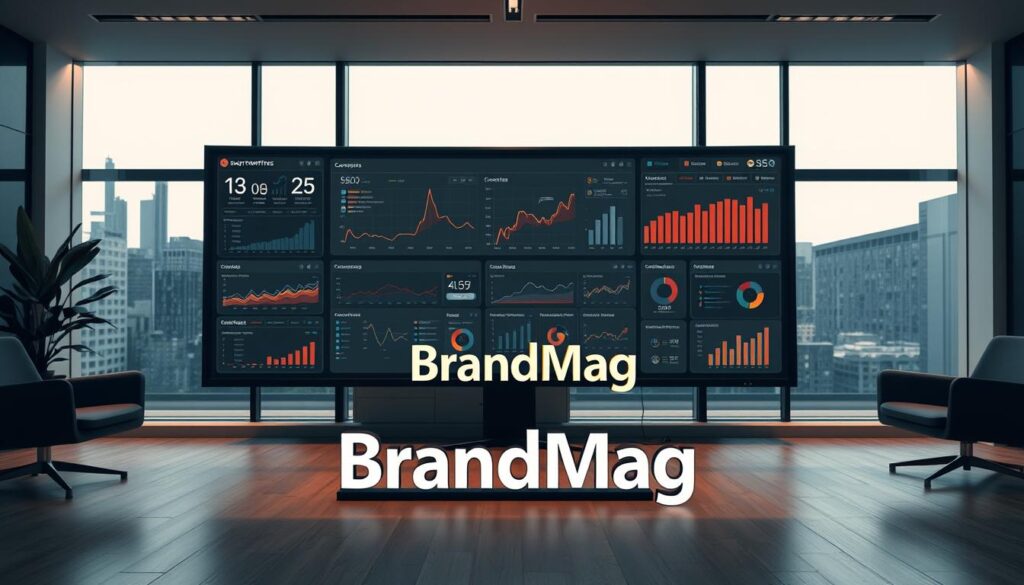
Dashboard checklist — widgets to include:
- Search Console: impressions, clicks, average position, top queries.
- GA4: landing-page engagement and conversion rates by channel.
- Backlink metrics: referring domains and new/ lost links.
- Core Web Vitals distribution (field data) for mobile and desktop.
Compare performance against competitors to find content and technical gaps. Set automated reports and annotate every major change so you can correlate actions with traffic and ranking movements.
Conclusion
Run a prioritized 90-day audit: verify Search Console, export a 90-day baseline, fix the top 3 indexing or performance issues, and measure impact. Make this a recurring quarter‑based process to protect visibility and capture opportunities.
Recommendation: start with Search Console verification and one high-impact fix (indexing, speed, or broken links) based on your baseline data.