Your video’s first impression isn’t the content—it’s the visual gateway that decides whether someone clicks or keeps scrolling. A well-designed thumbnail earns attention, sets accurate expectations, and turns casual browsers into viewers.
The numbers back that up: YouTube Creator Academy recommends custom thumbnails for top-performing uploads (YouTube Creator Academy, 2023), and VidIQ reports that thumbnails with clear emotional faces can raise click-through rates by roughly 20–30% (VidIQ analysis, 2022). Use those insights as design priorities rather than decoration.
Visual trends for 2025 favor simplicity and psychological triggers: single-focus thumbnails, bold contrast, and expressive faces that grab attention in a split second. This is about clear signals, not visual clutter.
What you’ll get in this article: three design rules that consistently lift CTR, practical thumbnail templates used by top creators, and a short testing checklist you can apply to your next uploads. Try these templates on your next three videos and track CTR and watch time.
Understanding the Importance of Click-Worthy Thumbnails
Your visual preview is the moment a potential viewer decides to watch or keep scrolling. Treat the thumbnail as a conversion asset: it must earn attention, set correct expectations, and help your video get discovered by the right audience.
The Role of First Impressions in Video Success
First impressions shape outcomes. A clear, on-brand thumbnail can convert casual browsers into viewers and keep them from moving to competitor videos. Across numerous high-performing channels, thumbnails that follow clear design rules often produce substantially higher view counts (source examples: YouTube Creator Academy, VidIQ reports).
Make your thumbnail answer two quick questions for viewers: What will I learn or feel? Why should I choose this video now?
Impact on Viewer Engagement and Channel Growth
Thumbnail effectiveness ties directly to engagement metrics. Higher CTR gives recommendation systems better signals to distribute your video more widely (YouTube help center documents how engagement influences recommendations).
Check your last five thumbnails now: do they capture attention, set accurate expectations, and invite the right audience? If not, update the next three thumbnails using the rules in this article and measure the CTR and average view duration changes.
The Science Behind Effective Thumbnail Design
High-performing thumbnails follow predictable, research-backed patterns rather than random decoration. When you design with psychology and measurable data in mind, each thumbnail becomes a deliberate prompt that captures attention and increases the chance of a click.
Think of thumbnails as compact value propositions: every visual element should have a clear purpose tied to human perception and behavior.
Data-Driven Design Principles
Research and creator analytics repeatedly highlight the same signals: thumbnails with clear emotional faces tend to perform better — VidIQ reports a roughly 20–30% uplift in some categories for expressive faces (VidIQ, 2022). High foreground/background contrast improves on-screen visibility; accessibility guidelines and contrast-ratio tests show better legibility at typical thumbnail sizes.
Close-up faces with direct eye contact create immediate connection through social cues, while concise text and strong contrast speed comprehension on mobile screens.
Viewer Psychology and Visual Triggers
People scan feeds quickly and follow predictable attention paths. Use a single focal point, strong contrast, and minimal text to match that scan behavior and reduce cognitive load. Eye-tracking UX studies and platform guidance indicate that simplicity and clear hierarchy help viewers register value faster (example: basic UX/eye-tracking summaries and YouTube Creator Academy guidance).
| Design Element | Psychological Trigger | Measured Impact | ||
| High-contrast colors | Visual salience | Improves legibility on mobile |
| Close-up faces | Social connection | Reported CTR uplift in creator analyses |
| Strategic text placement | Curiosity gap | Faster comprehension |
| Warm color accents | Urgency/energy | Often higher engagement in thumbnails with clear emotional cues |
Effective thumbnails create curiosity without misleading. Use these principles as a checklist when you build thumbnails so each element contributes to attention and accurate expectation setting.
Key Design Elements for a Standout Thumbnail
These are the visual building blocks that turn a small image into a clear, clickable promise. Apply each element intentionally so your thumbnail communicates value in a single glance.
Using Faces, Emotions, and Visual Cues
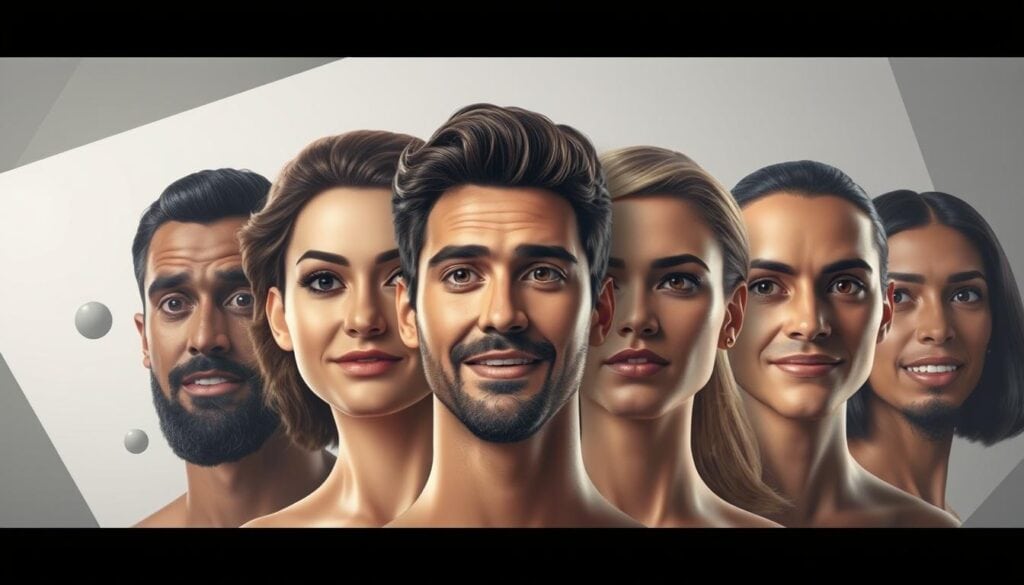
Human faces drive attention: thumbnails with expressive faces often outperform neutral shots, with creator analyses reporting notable CTR uplifts in many categories (see VidIQ findings). Use close-up crops and direct eye contact to create immediate social connection.
The most effective expressions are exaggerated—surprise, joy, shock—because they signal an emotional payoff quickly. Pair faces with simple visual cues (arrows, circles, a subtle spotlight) to direct the viewer’s eye to the focal point without clutter.
Effective Use of Text, Fonts, and Colors
Keep on-image text extremely short so viewers can read it at a glance. A practical guideline is 3–5 words max in most cases; that fits mobile screens and preserves hierarchy.
Use bold, sans-serif fonts that maintain legibility at small sizes—Arial, Montserrat, and Roboto are reliable choices. Apply a high-contrast treatment (light text with a dark outline or shadow) so words remain readable across varying backgrounds.
| Design Element | Strategic Purpose | Performance Impact | ||
| Exaggerated facial expressions | Trigger emotional response | Often higher CTR in creator analyses |
| Bold sans-serif fonts | Ensure mobile readability | Faster comprehension |
| High-contrast color schemes | Create visual hierarchy | Improved legibility on small screens |
| Subtle visual cues (arrows, frames) | Guide viewer attention | Quicker focal recognition |
Example: a before/after thumbnail swap that moves from a busy group shot to a 60% face crop + 3-word headline often shows immediate CTR improvement in creator tests.
Discovering YouTube Thumbnail Trends for 2025
Thumbnails are trending toward stripped-down, instantly recognizable visuals. The cluttered, information-dense thumbnails that once drew attention now dilute it—minimal, single-focus images win attention in crowded feeds.
Modern viewers scan feeds quickly; design that communicates value in a split second performs better on mobile and desktop alike (see YouTube Creator Academy guidance on discoverability).
Simplicity and Minimalism in Modern Thumbnails
Minimalism isn’t just an aesthetic—it’s functional. High-performing thumbnails usually emphasize one clear element: a close-up face, a bold number, or a short, punchy phrase. That single focal point reduces cognitive load and improves the chance a viewer clicks.
Authenticity often outperforms over-polished art direction. Slightly imperfect, behind-the-scenes photos can feel more credible and prompt clicks from audiences seeking real value.

Integrating Consistent Branding and Style
Branding goes beyond a logo—it’s a repeatable visual language. Channels that use a consistent 2–3 color palette, the same typography, and a reliable layout help viewers instantly identify their videos in feeds (YouTube Creator Academy notes visual consistency aids recognition).
3-step brand audit: 1) Check color consistency across your last 10 thumbnails; 2) Verify typography and text placement match a template; 3) Confirm one visual signature (corner watermark, border, or face placement) is present.
Practical test: apply a consistent two-color palette and a single layout across three uploads, then track CTR and average view duration for two weeks to see if recognition lifts performance.
Tools and Techniques for Creating Impactful Thumbnails
Execution turns ideas into measurable results. The right tools save time and help you produce consistent, high-quality thumbnails that attract viewers and improve video performance.
These resources remove technical friction so creators can focus on design decisions that move the metrics that matter.
Best Thumbnail Maker Tools and Resources
Pick a tool that fits your workflow and skill level. For many creators, Canva is the fastest way to produce polished thumbnails; Adobe Express offers more advanced controls for designers who want fine-grain edits.
Template-driven tools such as Snappa and Fotor speed production and help maintain brand consistency—these platforms can significantly reduce design time compared with building compositions from scratch (see product help pages for feature details).
Learn the how-to process for thumbnails to get the most from these platforms: establish a template, save a brand kit (colors and fonts), and batch-create variations before publishing.
A/B Testing Methods and Performance Analysis
Testing removes guesswork. Run simple experiments to find what your audience actually clicks.
Quick A/B testing workflow:
- Define the goal (primary KPI = click-through rate; secondary KPI = average view duration).
- Create 2–3 variations that change only one element at a time (face vs. no face, different text placement, alternate color treatments).
- Run the test long enough to gather reliable data—typically a few days to two weeks depending on traffic—and use a testing tool or YouTube’s analytics to compare CTR and watch-time metrics.
Tools and trade-offs: Canva (easy templates, free tier limits), Adobe Express (more control, steeper learning curve), Snappa/Fotor (fast templates), and Thumbnail Blaster or Thumbnail Test for automated split testing. Each tool has strengths and weaknesses—choose based on volume, budget, and how much manual tweaking you want to do.
| ToolBest For | Key Feature | Impact | |||
| Canva | All skill levels | Brand kits & templates | Speed & consistent images |
| Adobe Express | Design professionals | Advanced editing & AI background removal | Higher creative control |
| Snappa / Fotor | Rapid production | Template-driven workflows | Faster turnaround for videos |
| Thumbnail Test / Blaster | A/B testing | Automated split testing | Data-driven optimization |
Action step: run one A/B test on your next upload—change only the headline or face—and record CTR and average view duration. Testing consistently is one of the best practices that leads to steady improvement in views and engagement.
Creative Thumbnail Ideas Inspired by Top YouTubers
Top creators don’t invent wildly new formats for every video—they refine repeatable visual formulas that reliably drive clicks. Below are adaptable ideas you can copy and test for your channel.
These concepts are practical templates, not art projects: use them as starting points, then run small tests to see which ideas your audience responds to.
Case Studies: MrBeast, Mark Rober, and Kurzgesagt
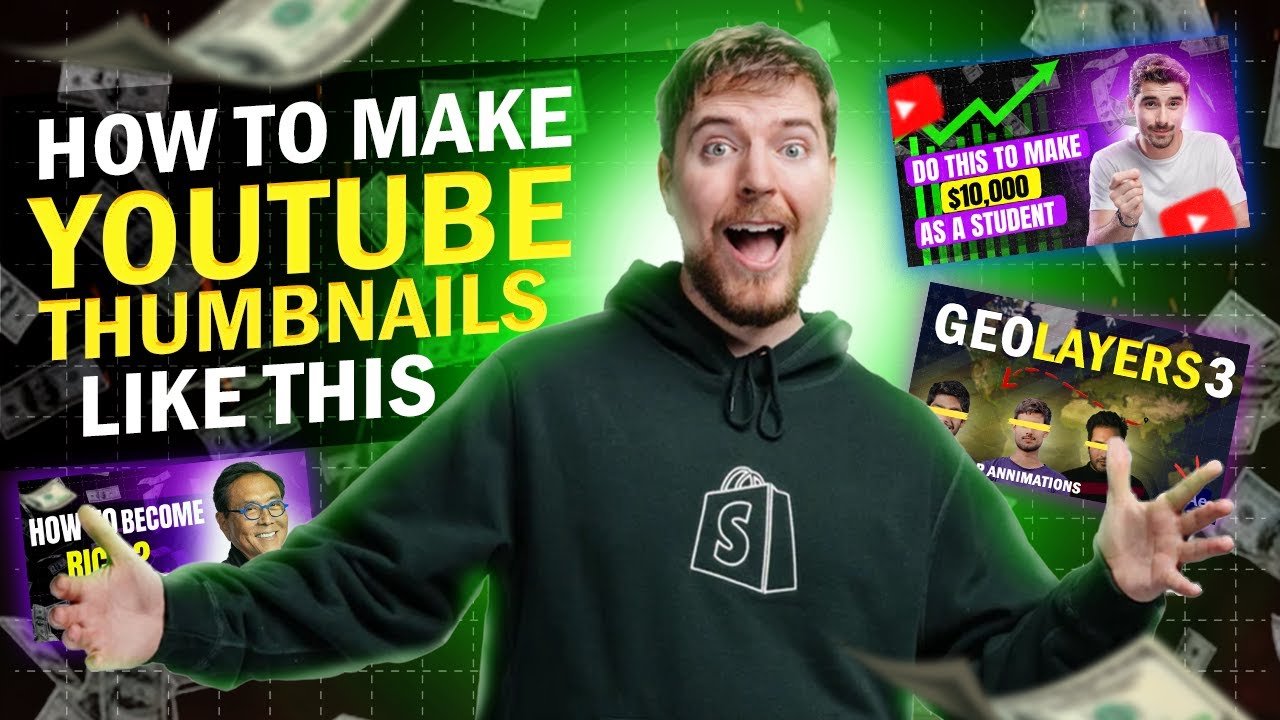
MrBeast: extreme close-ups + bold numbers. The face crop plus a clear number (“$100,000” or “5 Winners”) signals spectacle and value fast—classic tactics many top creators use.
Mark Rober: props and visible results. He pairs a clear visual outcome (device, experiment result) with a concise caption to create a curiosity gap for science-interested viewers.
Kurzgesagt: character-driven emotion. Animated thumbnails use simplified faces and strong expressions to mimic human connection, proving non-photo thumbnails can perform when they trigger emotion.
Innovative Concepts: Split-Screen, Before & After, and Bold Numbers
Split-screen before/after: shows transformation at a glance—problem on the left, result on the right. It’s clear and promises a solution.
Bold numbers: short, quantifiable hooks like “5 Tips” or “10X” both state value and stand out visually in feeds.
Practical thumbnail ideas you can try:
- 60/40 face + headline — Face cropped to ~60% of the frame on the left, 2–3 bold words on the right (large sans-serif, outline for contrast). Works well for vlogs, reactions, and tutorials.
- Split-screen before/after — Left: the problem image, Right: result; add a 1–2 word label (e.g., “Before” / “After”). Ideal for DIY, fitness, and makeovers.
- Number-led punchline — Big number (48–72pt visual weight relative to thumbnail), small subtext if needed. Great for listicles and challenge videos.
How to adapt by niche: gaming — prioritize a recognizable game element + shocked face; education — clear prop/result + 2-word headline; lifestyle/vlogs — authentic behind-the-scenes faces with one-word emotional hooks.
Ethics tip: keep reaction faces honest—don’t fabricate extreme expressions that don’t match the content, since misleading visuals damage retention and trust.
Maintain a swipe file of 20–30 thumbnail examples as a reference library—treat this number as a heuristic for variety, not a rule. Collect examples from the best youtube channels you admire and note which layouts and colors recur.
Best Practices and Common Pitfalls in Thumbnail Design
Good thumbnail design balances attention-grabbing visuals with honest representation of your video’s content. Short-term clicks from misleading images harm long-term retention and channel growth, so prioritize clarity and trust.
These practical best practices reduce wasted impressions and attract the viewers who will actually watch your videos.
Avoiding Clickbait and Misleading Visuals
YouTube’s policies and recommendation system favor accurate previews: if viewers click and quickly leave, that negative signal can reduce your video’s reach (see YouTube Help Center on recommendations and community guidelines). Avoid images that promise a payoff the video does not deliver.
Repeated use of deceptive thumbnails can hurt monetization and recommendation reach—follow platform guidelines and be truthful in your visuals.
Pre-publish checklist (run this before every upload):
- Does the thumbnail honestly represent the video’s main value?
- Is on-image text readable at mobile sizes (preview at 100% thumbnail size)?
- Is there a single clear focal point (face, number, or prop)?
- Are colors and fonts consistent with your channel’s brand?
- Does the image avoid visual clutter or tiny details that disappear at small sizes?
| Best Practices | Common Pitfalls | Impact on Performance | ||
| High-contrast colors and simple hierarchy | Overcrowded layout with many elements | Significantly better legibility and attention |
| Short, punchy text (3–5 words) | Tiny unreadable fonts | Better mobile readability |
| Close-up, authentic faces | Misleading or exaggerated expressions | Higher engagement when authentic |
| Consistent branding (colors, layout) | Inconsistent style across thumbnails | Improved channel recognition and recall |
Action step: run this 4-step pre-publish checklist for the next five uploads and record click-through rate and average view duration to see if the changes attract more qualified views. These checks reflect best practices that help channels grow responsibly without resorting to deceptive tactics.
Conclusion
Treat thumbnail design as a high-impact, repeatable tactic: small, deliberate changes to your visuals can produce measurable lifts in click-through rate and view growth. Start by testing three thumbnail templates across your next three videos—track CTR and average view duration, and keep the version that improves both metrics.
Focus on consistent branding, clear focal points, and honest representation to attract the right viewers and build long-term channel value. Take action now: update the next upload’s thumbnail using one rule from this guide and measure the result.