Compact vlogging cameras now pack features that matter: high-resolution recording, strong stabilization, and practical portability that make regular shooting easier. By 2024–25, several sub-$1,500 models offered 4K60 recording with 10-bit color, making professional-looking video more accessible than ever (see DPReview compact camera roundups).
Your camera choice affects both the look of your footage and how often you actually shoot. Instead of chasing specs, focus on the features that improve workflow: dependable autofocus, usable stabilization, and battery life that matches your typical recording sessions.
This guide compares the best options across budgets and use cases, emphasizing measurable improvements in image quality and day-to-day usability. Expect clear recommendations for pocketables, action-style units, and mirrorless systems, plus practical accessories and power tips so you can pick the best vlogging camera for your needs.
Here’s what follows: a look at the core features shaping vlogging camera design, concise comparisons of form factors, price-tier guidance, and a short buying checklist to help you decide quickly.
Introduction: Exploring the 2025 Vlogging Landscape
Camera design for creators has shifted from adapted photo gear toward purpose-built tools that fit modern workflows. Across price tiers, manufacturers now prioritize practical features that let creators shoot more often with fewer setup headaches.
Three trends define vlogging cameras in 2025: higher-resolution video as a baseline, stronger stabilization that reduces reliance on external gimbals, and smarter autofocus that keeps subjects sharp during movement. For example, several recent compact models now offer 4K60 with 10-bit color—features once reserved for much pricier systems (see DPReview compact camera roundups for 2024–25).
Different formats suit different creators: action-ready units favor rugged mounting and waterproofing for adventure content, mirrorless cameras with interchangeable lenses suit lifestyle and studio work, and pocket-sized systems prioritize pocketability and one-person operation for travel vlogging.
Sub-$700 bodies now include features that previously appeared only on premium cameras, such as improved color profiles and higher frame-rate modes. That narrows the gap between entry and pro tiers, but workflow choices still matter more than headline specs.
We focus on practical performance rather than raw numbers: how long a camera records at 4K60 before thermal limits appear, whether stabilization keeps handheld walking footage usable, and how consistently autofocus holds on moving subjects. These are the real constraints creators face when producing daily or weekly videos.
Category leaders have emerged along predictable lines: Sony models lead in full-frame sensor performance, Fujifilm balances stabilization and value in the midrange, and DJI continues to set benchmarks for action-style portability and mountable designs.
It’s not about the highest spec sheet number—it’s about a camera that fits your workflow and helps you publish more often.
Vlogging Camera 2025: Essential Features and Innovations
Manufacturers are building features that remove production bottlenecks. Three capabilities consistently improve creator workflows: front-facing screens for framing, reliable autofocus for single-operator shoots, and stabilization that keeps footage usable without a gimbal.
Autofocus systems now include subject-detection modes that prioritize faces, eyes, and moving objects. Sony’s ZV-E1, for example, advertises advanced subject detection and tracking—check the Sony product page for exact feature lists. Stabilization has improved through hybrid approaches (sensor-shift plus electronic stabilization) that noticeably reduce handheld micro-jitter in many shooting scenarios, though dedicated gimbals still outperform small-body systems for extended high-motion shots.
Vertical-first workflows matter now: some cameras include mounting and orientation helpers or dedicated modes for vertical framing to simplify TikTok and Instagram production. Practical audio advancements—multi-capsule arrays and improved onboard mic processing—mean acceptable scratch audio more often, but external mics remain essential for professional sound.
| Innovation | Key Benefit | Example Implementation (check manufacturer specs) |
| Front-facing display & vertical modes | Easier self-framing for solo creators | Canon EOS R50 V (dual-orientation mounting support) |
| Advanced autofocus | Fewer missed shots during movement | Sony ZV-E1 subject detection |
| Hybrid stabilization | Better handheld footage without a gimbal | Fujifilm X-S20 sensor-shift + electronic IS |
The real value comes when these features work together: a small camera with dependable autofocus, usable stabilization, and a battery life that matches your shoot cadence is more productive than a heavier body with one standout spec. Next: Which form factor—mirrorless, action, or pocket—best fits your workflow?
Key Features: Compact Design and 4K Video Capability
Portability now shapes which cameras creators actually use. Smaller, well-rounded cameras remove the friction of setup and travel, so you shoot more often. Today’s compact models can deliver professional-looking video without forcing you to carry a bulky kit.
Design & Portability
True portability is measured by whether a camera fits into your daily routine. If it needs a special bag, it often stays home; if it fits a jacket or daypack, you use it. Some full-frame bodies—like the ZV-E1 series—pack large sensors into surprisingly compact shells, which narrows the trade-off between sensor size and carry convenience (check the manufacturer’s spec sheet for exact dimensions and weight).
Action-style cameras such as the DJI Osmo Action 5 Pro emphasize mountability and toughness: waterproof housings and tiny footprints unlock shooting angles a mirrorless rig cannot easily reach. For travel creators, that practical flexibility often beats marginal gains in sensor size.
4K Video Performance
Resolution is only part of the story. Look at rolling shutter, codec and color depth when assessing 4K performance—those determine how usable the footage is in editing. Several sub-$1,500 cameras now offer 4K60 with 10-bit recording, which improves grading latitude and final image quality (see DPReview compact camera coverage for examples).
Higher resolution (8K) can help with digital reframing, but 4K60 with a good codec and color sampling often produces faster, more practical results for vlogging workflows where turnaround matters.
| Model | Weight | Max Video Resolution | Key Portability Feature |
| Sony ZV-E1 | Under 500g (body) | 4K120 / 10-bit* | Full-frame balance in a compact body |
| DJI Osmo Action 5 Pro | Very light | 4K120 | Waterproof, mountable |
| Insta360 X5 | Compact | 8K (360 capture) | Reframe in post; rugged mount options |
*Check manufacturer pages for exact bitrate and 10-bit availability per mode.
Image Quality and Stabilization: Expert Insights
Sensor size still matters for dynamic range and low-light performance. Full-frame sensors capture more light and deliver smoother gradation and background separation; but sensor design, processing pipeline, and lens choice strongly affect final images.
Sensor Excellence
Large sensors typically provide lower noise at identical ISOs, which is valuable when shooting in mixed or dim lighting. That said, well-tuned APS-C sensors and modern processing can deliver excellent results for most online platforms—so don’t assume full-frame is strictly necessary for good-looking vlogs.
Stabilization Technology
Stabilization now combines sensor-shift, electronic correction, and clever software to make more handheld footage usable without a gimbal. Fujifilm’s X-S20 advertises up to 7 stops of IBIS—useful for steady walking shots—while compact gimbals still offer the smoothest results for extended, high-motion scenes.
| Stabilization Type | Effectiveness | Key Example | Best Use Case |
| Sensor-shift IBIS | High (5–7 stops) | Fujifilm X-S20 | Run-and-gun handheld |
| Gimbal | Near-perfect | DJI Osmo Pocket 3 (gimbal form) | Extended walking shots |
| Digital / Electronic IS | Varies | DJI Osmo Action 5 Pro | Action / POV mounts |
We recommend evaluating stabilization by reviewing sample walking footage and, where available, third-party rolling-shutter and stabilization tests—those numbers reveal real-world performance better than specs alone. For most vloggers, stabilization that keeps footage usable without extra hardware will improve output volume and consistency.
Top Accessories to Elevate Your Vlogging Game
Small investments in audio and stabilization usually return the biggest improvement to your videos. A solid microphone and dependable support reduce editing time and make footage feel far more professional than swapping to a higher-priced camera body.
Audio Enhancements
An external wireless system is the single most impactful upgrade for most creators. The DJI Mic Mini is a compact option that many creators choose for mobile setups (check DJI’s product page for current pricing and specs). Even with improved onboard mics, a lavalier or compact wireless mic gives consistent levels and cleaner dialogue than internal microphones.
For desk or interview work, a small shotgun or cardioid USB mic often provides the best trade-off between clarity and ease of use. Lavalier mics work well when you need hands-free movement; they’re especially useful for talking-heads and mobile interviews.
Gimbal & Tripod Solutions
Stabilization investments multiply the value of a capable camera. Compact gimbals and stabilizers smooth walking shots more effectively than most in-body systems for sustained motion. For short run-and-gun clips, modern IBIS is often “good enough,” but for extended walking sequences a gimbal still wins.
Flexible tripods such as the Joby GorillaPod solve tricky mounting needs and let you position a camera in places a standard tripod can’t. For studio or overhead use, a lightweight tripod with a fluid head provides the control you need for polished pans and controlled framing.
Practical rule: prioritize a reliable mic first, then choose stabilization (gimbal or robust IBIS) based on how much movement you plan to shoot.
Comparing Mirrorless and Action Cameras for Versatile Vlogging
Mirrorless and action cameras solve different problems. Say it plainly: mirrorless wins when creative control, low-light performance, and lens options matter; action cameras win for durability, mounting versatility, and simple one-button operation.
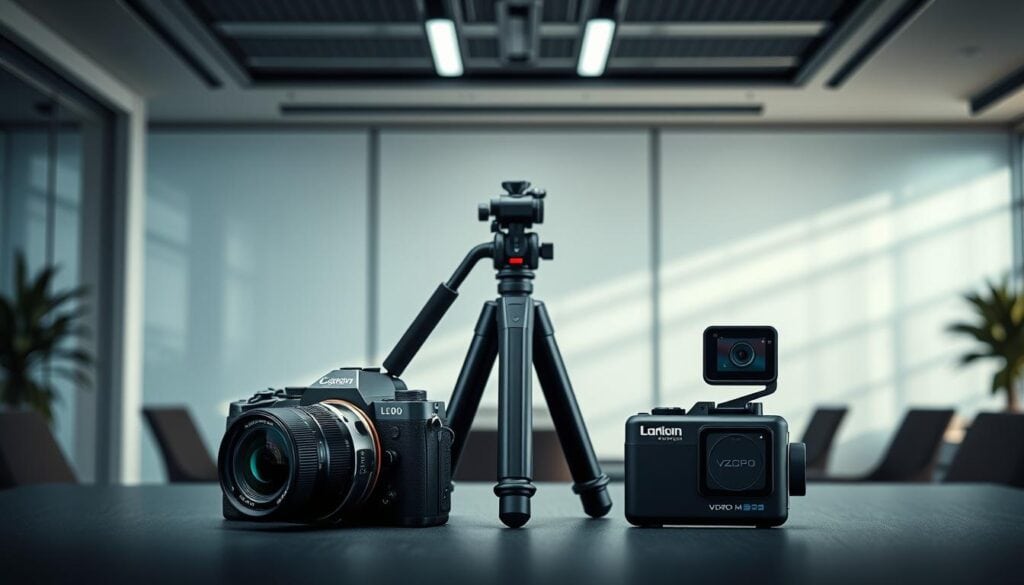
Mirrorless cameras (example: Fujifilm X-S20) give you interchangeable lenses and better low-light control—ideal for sit-down lifestyle, food, or cinematic vlogs. Action cameras (example: DJI Osmo Action 5 Pro) offer waterproofing and small form factors, making them the clear choice for surf, mountain biking, or POV adventure shots.
Common trade-offs observed in real-world use:
- Lens system: Mirrorless wins for creative focal-length choices; action cameras are fixed wide-angle for simplicity.
- Durability: Action cameras win—waterproof and rugged mounts let you shoot in environments mirrorless bodies usually avoid.
- Battery life: Action cameras often provide class-leading endurance for continuous recording; mirrorless systems trade off battery life for larger sensors and features.
- Workflow: Mirrorless favors manual control and grading; action cameras favor fast capture and minimal setup.
Micro-case examples: if you shoot surf clips or mount to helmets, pick an action camera; if you record cooking demos or cinematic city pieces, pick a mirrorless camera for lenses and low-light performance.
| Feature | Mirrorless Advantage Action | Camera Strength | Winner |
| Creative control | Interchangeable lenses, shallow depth | Fixed wide-angle | Mirrorless |
| Durability & mounting | Standard weather sealing | Waterproof, rugged mounting | Action camera |
| Battery life for continuous recording | User-replaceable batteries | Often longer continuous runtime | Action camera |
| Simplicity & speed | Manual controls, setup time | One-button capture, minimal setup | Action camera |
Note weaknesses honestly: action cameras often struggle in low light and have narrower lens choices; mirrorless bodies can be heavier, pricier, and require lens investment. Match the camera type to the shots you actually need—not every creator needs the full flexibility of a mirrorless system.
Full-Frame vs. Midrange: Choosing Your Ideal Camera
Choosing between a full-frame and a midrange APS-C camera is more about workflow and budget than raw prestige. Full-frame bodies generally give cleaner low-light images and shallower depth of field, while midrange options often deliver better value and features that matter day-to-day, such as longer battery life or stronger stabilization.
Full-Frame Benefits
The Sony ZV-E1 (manufacturer listing) demonstrates typical full-frame advantages: increased light-gathering ability and improved dynamic range that help in dim environments and when you need smoother highlight-to-shadow transitions. Practically, that often translates to roughly a one- to two-stop improvement in usable ISO compared with many APS-C systems—useful when you can’t or won’t add light. Note the trade-offs: full-frame bodies and their compatible lenses commonly add weight and cost, and some compact full-frame models can show thermal limits during prolonged 4K60 recording (see manufacturer thermal guidance).
Total cost of ownership note: expect to add $800–$2,000+ for a modest set of lenses if you want flexibility beyond a kit lens—plan accordingly.
Midrange Advantages
The Fujifilm X-S20 (manufacturer listing) exemplifies the midrange proposition: very capable image quality with a stronger built-in stabilization package and typically lower lens costs. Midrange APS-C systems can deliver images that meet the needs of most vloggers while costing a fraction of a full-frame kit.
Rather than vague percentages, compare concrete metrics where available—dynamic range, measured ISO noise, and stabilization stops. For example, some midrange cameras offer 5–7 stops of IBIS, which can remove the need for a tripod in many handheld scenarios and improve on-the-go footage quality without lens investment.
Total cost of ownership note: a midrange kit (body, a versatile zoom, and a microphone) commonly fits within a single large purchase or a short monthly financing plan.
| Model | Price | Point Sensor Typical | Add-on Costs | Key Advantage |
| Sony ZV-E1 | $2,498 (body) | Full-frame | Lens kit: $800–$2,000+ | Best low-light and shallow depth options |
| Fujifilm X-S20 | $1,399 (body) | APS-C | Lens kit: $400–$1,000 | Strong stabilization and value |
| Canon EOS R50 V | $619 (body) | APS-C | Starter lens kit: $200–$500 | Entry-level accessibility |
Practical buying tip: if you can budget roughly $50–$150 per month for gear upgrades, a midrange system gives faster, practical returns—better stabilization and usable battery life—whereas saving longer for full-frame yields bigger image-quality improvements but slower returns on investment.
Analyzing User Reviews, Ratings, and Real-World Performance
User reviews often reveal operational issues that specs don’t show. Aggregated feedback highlights recurring patterns—thermal limits on long 4K60 sessions, shorter-than-advertised battery life under heavy settings, and day-to-day usability concerns like menu complexity or fragile ports.
How to read user reviews
- Look for repeated reports across independent sources (not single outliers).
- Prioritize comments about long-form recording, battery endurance, and autofocus consistency—those affect production most.
- Separate feature praise (e.g., sharp 4K) from workflow pain points (e.g., overheating, finicky connectivity).
For example, several reviewers and users have reported thermal limits on compact full-frame models during extended 4K60 recording—check third-party reviews such as DPReview for mode-specific runtime notes. Likewise, action-style cameras like the DJI Osmo Action 5 Pro are frequently praised in user threads for sustained recording and battery endurance, though they can struggle in low-light scenes.
| Model | User Rating | Key Strength | Common Weakness |
| Sony ZV-E1 | 4.5 | Image quality, stabilization | Thermal limits on extended 4K60 |
| Fujifilm X-S20 | 4.5 | Strong IBIS and color | Not fully weather-sealed |
| DJI Osmo Action 5 Pro | 4.5 | Continuous recording, rugged | Dim-light performance |
Interpret ratings contextually: professionals often rate on color science and grading potential, while everyday creators emphasize ease of use and battery life. Focus on the priorities that match your workflow.
Essential Software Tools for Editing High-Quality Videos
Editing turns raw footage into a polished video. Your software choice should match the camera’s output: heavy 10-bit Log or high-bitrate 4K workflows need a robust editor with good color tools and hardware acceleration.
Quick software mapping
- DaVinci Resolve: best free option for serious color grading and 10-bit workflows.
- Adobe Premiere Pro: industry-standard for complex timelines, plugin ecosystem, and collaborative workflows.
- Final Cut Pro: highly optimized on Mac for fast turnaround and heavy timelines.
Practical rule: use Resolve for deep color work on 10-bit Log footage; use Premiere or Final Cut when you need heavy timeline editing, motion graphics, or team workflows. Free tools like iMovie work for simple edits and faster publishing, but they lack advanced grading and codec handling.
Finally, keep an editing checklist: transcode heavy codecs when necessary, maintain an external drive workflow for large 4K files, and build templates for intros/outros to speed up output. These steps make the technical differences between cameras less painful and help you ship more videos.
Battery Life and Power Management for Pro Vlogging
Battery endurance is one of the first practical limits creators hit in the field. Real-world recording times often differ from manufacturer specs, especially when you enable high-resolution or continuous autofocus modes—so plan power around how you actually shoot, not just the headline runtime number.
Some action-style cameras earn praise for sustained recording: users report the DJI Osmo Action 5 Pro delivering class-leading continuous runtime in many field tests (check DJI’s product page and third-party runtime reports for details). Larger mirrorless bodies typically trade shorter runtimes for larger sensors and extra features, so expect to carry spares or power banks for long sessions.
How settings affect battery life
Higher frame rates and features drain power faster: for example, many cameras will record significantly longer at 4K30 than at 4K60, and enabling continuous autofocus can further reduce usable time. Look for mode-specific runtime notes in third-party reviews or manufacturer guidance for the most accurate expectations.
Power checklist
- Carry 2–3 spare batteries or a USB-C power bank that supports PD charging for on-location top-ups.
- Rotate batteries on multi-day shoots: charge one set while using another to avoid downtime.
- Use lower-power recording modes when possible (e.g., 4K30 vs. 4K60) to extend shooting windows.
For mobile creators, USB-C charging is essential. Pocketable models like the DJI Osmo Pocket 3 support USB-C charging from portable banks, letting you top up without carrying proprietary chargers. For studio or long-form shoots, keep a small charging hub and a clear battery rotation plan so you never miss a planned take.
Poor endurance creates cascading workflow problems: repeated battery swaps interrupt flow, and missed shots can’t be recreated later. Prioritize battery strategy as highly as lens choice when planning shoots.
Built-In Audio, Connectivity, and Other Smart Features
Audio and connectivity features are as important as image specs for final video quality. Built-in multi-capsule arrays improve scratch audio, but an external microphone remains the most reliable upgrade for clear dialogue. Minimum practical audio features to look for: a 3.5mm input (or wireless integration) and a headphone jack for monitoring.
Practical audio options
- Wireless lav systems or compact transmitters (best for run-and-gun recording).
- Shotgun mics for desk and interview setups where directional pickup helps isolate the voice.
- USB microphones for direct-to-computer workflows and livestreaming.
Connectivity features that expand utility: USB webcam mode for livestreaming, clean HDMI (or at least full-size HDMI on larger bodies) for external recorders, and wireless mic support to reduce cable clutter. Be honest about weaknesses—many compact bodies omit full-size HDMI or a headphone jack, which can complicate professional monitoring.
Screen and smart assists
Articulating screens (swing-out or fully vari-angle) are essential for framing when vlogging solo. The Fujifilm X-S20’s swing-out LCD, for example, makes self-monitoring easier than fixed-screen designs.
AI-driven assists—like subject tracking or automatic exposure adjustments—save time when they work reliably, but they aren’t a replacement for fundamentals. Reliable autofocus that tracks subjects accurately is one of the biggest time-savers in both shooting and editing.
Quick recommendation: for travel vlogging prioritize USB-C charging and a compact wireless mic; for studio or sit-down work prioritize a full-size headphone jack, clean HDMI, and an articulating screen.
Innovative, Compact, and Lightweight Camera Designs
Design priorities have shifted: makers now solve real mobility problems instead of just chasing higher specs. A camera that fits your day—to-day carry will get used far more than a marginally better body you leave at home, so size and weight directly affect how much content you produce.
Weight matters for handheld vlogging: bodies under ~500g are noticeably easier to hold for arm’s-length framing, reducing fatigue and micro-shake. Heavier systems can offer image quality advantages but often force compromises in spontaneity and shooting duration.
Ease of Use On-the-Go
Material choices affect both durability and weight. Magnesium alloy bodies deliver rigidity with less bulk compared with cheaper plastics, which helps balance toughness and carry comfort. Mountable, rugged designs extend use cases into outdoor and action scenarios where heavier mirrorless rigs aren’t practical.
Screen configuration also impacts usability: articulating or vari-angle screens make self-monitoring straightforward for solo creators, while fixed displays can force awkward setups or require an external monitor.
Innovations that matter solve workflow problems: weather resistance that lets you film in light rain, compact ergonomics that fit a jacket pocket, or easy one-handed controls for quick grabs. Those traits often beat marginal gains in raw specs when your goal is consistent publishing.
Price, Value, and Budget Considerations in 2025
Camera pricing in 2025 spans a wide range—examples in the market fall roughly between $269 and $2,498—so you can find viable options at nearly every budget. The midrange tier (about $600–$1,400) often represents the best value for creators who need strong image quality without expensive lens investments.
Entry-level or action-style bodies can deliver excellent video and stabilization at low price points. For instance, compact action cameras provide reliable stabilization and rugged mounting at much lower cost than a mirrorless kit, making them strong choices for adventure-focused creators.
Remember total cost of ownership: a body price is only the start. Lenses, a decent microphone, spare batteries, and a portable charger quickly add to the tab—factor those into your decision.
| Price Tier | Example Model | Key Advantage | Best For |
| Entry-Level ($269–$619) | DJI Osmo Action 5 Pro | Compact, strong stabilization | Budget-conscious beginners, action shots |
| Midrange ($619–$1,399) | Fujifilm X-S20 | Balanced performance and stabilization | Growing creators who need versatility |
| Premium ($1,398–$2,498) | Sony ZV-E1 | Full-frame image quality | Established professionals prioritizing low-light |
Estimate realistic totals: body + one versatile lens + microphone + two spare batteries to get a closer sense of actual spend.
Quick decision guide
- If you prioritize travel and spontaneity: favor pocketable or action units with USB-C charging and light weight.
- If you prioritize low-light quality and depth of field: budget for a full-frame body and at least one fast lens.
- If you need the best return on short-term budget: choose a midrange APS-C camera with strong stabilization and invest in a good mic and batteries.
The best choice is the camera you will actually carry and use. In 2025 that often means choosing a well-balanced midrange or a rugged action option rather than the highest-spec body you can afford.
Expert Recommendations and Insider Buying Tips
Pick a camera that maps to the shots you actually make. Below are concise recommendations tied to creator profiles and practical buying tips so you spend on gear that improves output, not just specs.
Solo creators benefit from cameras that automate technical tasks so you can focus on performance—models with strong autofocus and helpful scene modes make one-person production faster and less error-prone.
Versatile creators who shoot a mix of travel, lifestyle, and on-the-go interviews gain the most from a stabilized midrange mirrorless body with a flexible lens or two; that balance often delivers the best long-term return.
Adventure and action specialists should prioritize rugged, mountable cameras with long continuous recording and reliable stabilization—those features produce usable footage in environments a mirrorless kit struggles to reach.
Travel-focused creators who want reframing and immersive capture can use 360 cameras for creative flexibility in edit (example: Insta360 X5), but remember they add workflow complexity when stitching and grading.
Insider tip: when budget is tight, prioritize the body over an expensive lens—kit lenses and a good microphone usually get you to publishable quality faster than waiting to afford premium glass.
| Creator Type | Recommended Model | Key Advantage | Best Use Case |
| Solo Operators | Sony ZV-E1 | Reliable autofocus & automation | One-person production |
| Versatile Creators | Fujifilm X-S20 | Strong IBIS and color | Multi-scenario shooting |
| Adventure Specialists | DJI Osmo Action 5 Pro | Rugged mounting & continuous recording | Outdoor POV & action |
| Entry-Level / Budget | Canon EOS R50 V | Compact, affordable | Skill development, social clips |
Match your choice to platforms: prioritize vertical-framing aids and fast turnaround for TikTok, and prioritize resolution, color depth, and lenses for YouTube long-form. Also, plan for accessories—good audio and spare batteries deliver outsized improvements versus small sensor upgrades.
Conclusion
Choose a camera that disappears while you use it: reliable autofocus, solid stabilization, and reasonable battery life matter more than marginal spec wins. Invest in a good microphone and batteries before upgrading to pricier lenses. Recommendation: for most creators, a midrange APS-C camera with strong IBIS offers the best balance of price, features, and publishable image quality.