The hype around artificial intelligence for creating pictures is deafening. Everyone claims their tool is the best. We cut through the noise.
Our goal is simple. We determine which platform actually delivers value right now. Both leading options have evolved dramatically. One now defaults to its powerful seventh version. The other is deeply woven into popular chat platforms.
This is not about theory or marketing claims. We examine real-world performance and measurable output quality. The stakes are high for businesses, creators, and professionals.
Choosing the wrong software wastes time and budget. You need reliable generation that fits your specific project goals. Our analysis focuses on data-backed comparisons.
We tested across critical categories: photorealism, product mockups, complex art, and character design. By the end, you’ll know exactly which platform fits your needs. You will understand where to invest for the best return.
Key Takeaways
- Both leading AI platforms have seen significant, meaningful upgrades in 2026.
- This comparison moves past hype to focus on real-world performance and output quality.
- Testing covered practical use cases like product mockups, marketing assets, and artistic projects.
- The analysis is data-driven, evaluating prompt accuracy, visual detail, and customization depth.
- For professionals, the right choice impacts project efficiency, cost, and commercial viability.
- Our findings provide clear guidance for matching a tool to your specific creative or business needs.
Introduction to the AI Image Generation Landscape
In 2026, the conversation around AI image generation isn’t about if it works, but how well it delivers. We’ve moved from curious prototypes to production-ready platforms that directly impact commercial workflows. The entire landscape has matured.
Understanding the Rise of Generative AI
Generative AI is now essential business infrastructure. It powers global marketing campaigns and accelerates product design. This technology creates visual content at scale, changing how teams operate.
The world of creative tools has been fundamentally rewritten. What once required specialized talent and weeks of iteration now happens in minutes. This shift represents a new era of digital production.
Context of 2026 and Technological Advances
Current improvements are not incremental. We see fundamental shifts in how models understand context and render complex scenes. The underlying technology combines advanced neural architectures with deep multimodal training.
Platforms now integrate capabilities like AI-video generation and support for larger image resolutions. This evolution provides a deeper understanding of the visual world. The result is more accurate and compelling image generation for any project.
History and Evolution of Midjourney and DALL-E
Evolution in AI is measured not in years, but in the frequency and impact of model updates. Both leading companies have transformed through strategic pivots, not just gradual improvements.
One platform launched exclusively on Discord. This created a unique, community-driven model. The recent shift to a dedicated web interface was a major strategic move. It significantly lowered the barrier to entry for new users.
The other tool evolved from its second to its third version. Each jump represented fundamental improvements in prompt understanding. The decision to integrate it directly into a popular chat AI was a game-changer. It made generating an image part of a conversational workflow.
Both firms adopted aggressive update cycles. Capabilities from six months ago are often outdated. This rapid shift from experiment to production-grade platform forced businesses to adapt quickly.
| Evolution Milestone | Platform A | Platform B |
|---|---|---|
| Initial Launch Environment | Discord-exclusive bot | Standalone API & research preview |
| Major Interface Shift | Dedicated web app for organizing generations | Full integration into ChatGPT interface |
| Current Default Model (2025) | Version 7 | Version three with enhanced resolution support |
This history reveals clear strategic priorities. One company focused on artistic control and cultivating a dedicated community. The other prioritized seamless accessibility and deep ecosystem integration. For enterprise users, this past demonstrates a relentless commitment to improvement, not feature stagnation.
Cutting-Edge Technology Behind Each Model
Technical architecture isn’t just an engineering detail; it’s the primary driver of output quality and user experience. The core models use fundamentally different approaches to generation.
This dictates their creative behavior and practical performance. We break down the two dominant technical paradigms.
Diffusion Models vs. Visual Autoregressive Techniques
One leading platform employs a diffusion process. It begins with a random field of visual noise. The system then iteratively refines this chaos to match your text prompt.
Think of it as sculpting an image through calculated, random-seeded steps. This explains the platform’s strength in stylistic variation.
The other major tool has shifted to visual autoregressive modeling. Instead of refining noise, it drafts a conceptual sketch first. The model then progressively enhances this draft.
The technical advantage is efficiency and initial coherence. Starting from a concept often yields more literal prompt adherence.
Training Data and Multimodal Capabilities
Training data scope creates another major divergence. One model was trained on vast datasets of text-image pairs. This focuses its understanding on visual-textual relationships.
The competing model is a full multimodal system. It absorbed text, audio, video, and other inputs during training. This grants it a deeper, more comprehensive understanding of concepts and context.
For professionals, this means one tool excels at artistic interpretation. The other demonstrates superior contextual awareness for complex scenes. Your project goals determine which technological foundation delivers more value.
User Interface and Experience Analysis
Forget raw power for a moment—how you access and command a tool dictates your daily productivity. The user interface is where theoretical capability meets practical workflow. We analyze which platform removes friction and which adds deliberate steps.
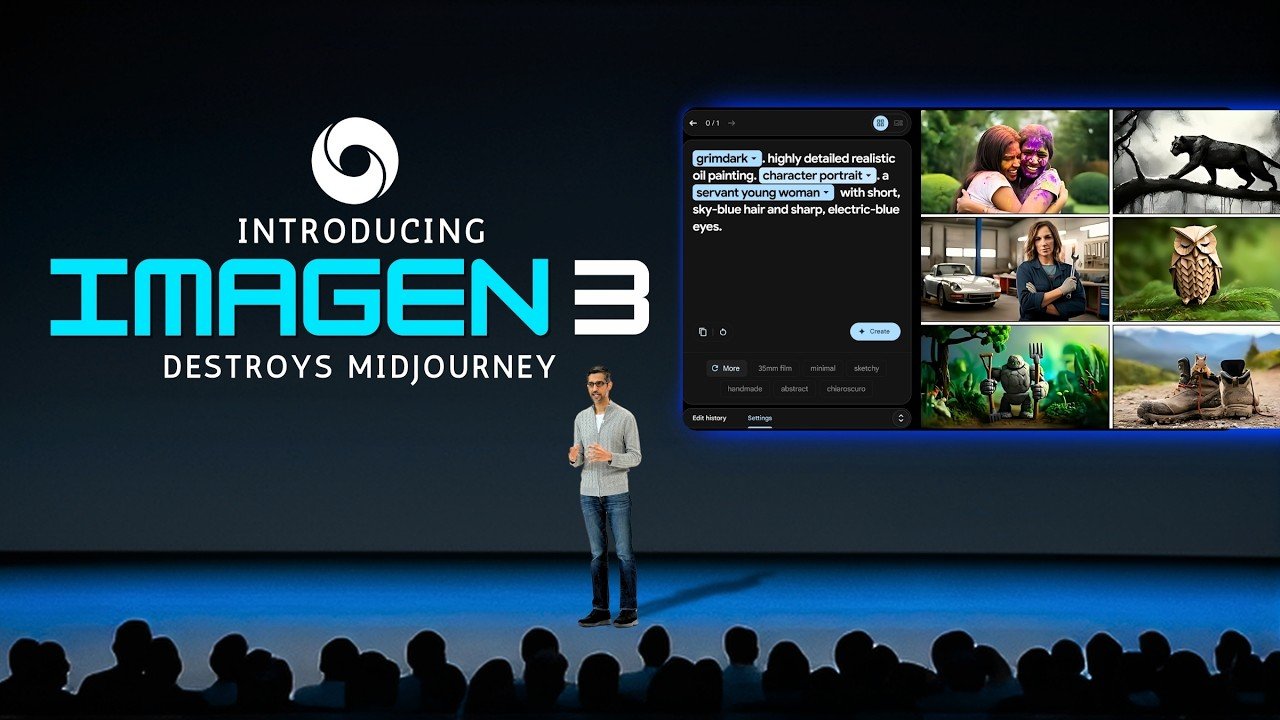
Discord and Web Interface Comparisons
One platform is seamlessly integrated into a conversational AI. If you use that chat service, generating an image is one natural language prompt away. This eliminates the learning curve for new users.
The other tool originated in a social chat app. Its new web interface improves organization, but the workflow remains unique. There is an adjustment period for those unfamiliar with its command structure.
This fundamental difference shapes everything. Accessibility is key. The integrated tool works on web and mobile, enabling creation anywhere. The dedicated platform often requires more focused desktop sessions.
For teams, interface design directly impacts adoption rates. A familiar chat paradigm has lower onboarding friction. A specialized platform can offer more granular control but demands training.
- Conversational Refinement: You describe changes naturally. The tool iterates within the chat.
- Explicit Command Workflow: You use specific parameters for variations, upscales, and edits. This is the way for precise control.
Free access through a search engine makes one option obvious for initial testing. The other requires a paid commitment from the start. Your choice here is strategic, affecting both budget and team productivity.
Customization and Control Options in Detail
Granular control over style and composition transforms random generation into a repeatable workflow. The depth of your editing toolkit determines whether you’re making suggestions or giving precise commands.
We measure control by how many parameters you can adjust after the first result. True power lies in iterative refinement and enforcing a consistent visual identity.
Advanced Editing and Iterative Variations
Surgical editing tools are non-negotiable for professional work. The ability to regenerate a single element—a face, a logo, a background—without restarting saves hours.
One platform offers a ‘Vary Region’ tool for this precision. The other relies on conversational inpainting. Both features are critical, but their implementation differs starkly.
| Editing Feature | Platform A (Integrated) | Platform B (Dedicated) |
|---|---|---|
| Core Editing Method | Conversational inpainting & regeneration | Vary Region with parameter control |
| Iterative Workflow | Natural language refinement within chat | Command-based variations (V1, V2, V3, V4) |
| Reference Inputs | Upload an image as a style or content base | Style, character, and omni-reference images |
The table reveals a fundamental choice. Do you prefer talking to an assistant or issuing specific commands to a specialized engine?
Personalized Style Settings
For businesses, consistent style across hundreds of images is a commercial imperative. One platform addresses this with a dedicated training ritual.
“The initial time investment to rank 200 image pairs pays off in spades. It teaches the AI your brand’s aesthetic DNA, making every subsequent generation align with your visual identity.”
This creates a powerful, proprietary filter. The competing tool uses simpler style prompts and uploaded references. Both are effective, but one demands more upfront calibration.
Key options for style control include:
- Stylization Strength: Dial how much the AI interprets versus renders literally.
- Weirdness & Variety: Control the randomness and exploration in outputs.
- Model Version Selection: Choose between different artistic and realistic rendering engines.
The tradeoff is clear. You gain exhaustive features and control with a steeper learning curve. Or you choose accessible, conversational editing with fewer granular options. Your project’s need for precision dictates the choice.
Prompt Engineering: Crafting Effective AI Prompts
Mastering the language of AI is the single most impactful skill for generating superior visuals. Prompt engineering separates mediocre results from exceptional outputs. The same tool produces vastly different images based on how precisely you articulate your vision.
One platform’s natural language processing is remarkably forgiving. Conversational prompts like “create a moody portrait” work without specialized syntax. This reduces the initial skill barrier for teams.
The dedicated platform demands more structured prompt construction. Understanding parameter flags and style modifiers unlocks its full potential. This creates a steeper learning curve but offers granular control.
The fundamental difference in interpretation is critical. One adds artistic license and stylization. The other prioritizes literal accuracy to your text description.
For complex multi-element scenes, specificity and element ordering affect results differently. The integrated tool allows conversational refinement. You can ask for changes without rewriting the entire prompt structure.
Both systems reward detailed descriptions of lighting, mood, and perspective. The choice is strategic. Do you need accessible prompt crafting or are you willing to invest in a specialized command language for maximum control?
Output Quality: Realism, Style, and Creativity
Output quality isn’t a single metric; it’s a complex interplay of photorealism, stylistic flair, and adherence to the creator’s intent. We measure the final image, not the promise.
Photorealistic Renderings and Artistic Interpretations
In our tests, one platform delivered stunningly cinematic lighting. Skin texture, pores, and subtle gradients looked nearly photographic. The other tool captured settings well but sometimes rendered faces with an uncanny, synthetic feel.
For whimsical prompts, the results flipped. The integrated platform showed superior prompt fidelity. When we requested specific fantasy elements, all were present. The dedicated tool created visually polished images but sometimes took creative liberties, altering requested details.
This defines their core style divergence. One leans toward bold, cinematic, and emotionally resonant art. The other produces cleaner, more grounded images suitable for commercial use.
Output consistency also differs. One generates highly predictable images across iterations. The other offers greater variation, which aids exploration but can challenge brand standard matching.
Your project’s needs determine the winner. Do you prioritize literal accuracy or artistic interpretation? The output quality you receive hinges on this fundamental choice.
The AI Image Generation Process Explained
Why do two leading platforms produce wildly different images from the same prompt? The answer lies in their foundational architecture. The core generation process is not a single technique.

One model uses a diffusion approach. It begins with random visual noise. The system then iteratively refines this chaos, sculpting it step-by-step toward your description.
Think of it like finding shapes in clouds. You see a vague pattern and mentally reinforce it until a clear form emerges. This work explains the artistic, sometimes unexpected, results.
The competing tool employs autoregressive modeling. It conceptualizes a rough draft of the entire image first. Then, it methodically adds details and refines the sketch.
This is more like an artist blocking out a composition before painting. The initial coherence is higher, often leading to more literal prompt matching.
- Mechanism Dictates Output: Diffusion explores possibilities within noise; autoregressive modeling builds from a planned concept.
- Prompt Interpretation: One platform adds artistic enhancement as part of its process. The other prioritizes strict textual accuracy.
- Parameter Weighting: Internal settings determine how much emphasis is placed on composition, detail, and mood during generation.
Understanding this work helps set realistic expectations. Need pixel-perfect fidelity? The autoregressive process favors that. Seeking creative interpretation? The diffusion approach adds unique value. Your choice of tool is fundamentally a choice of image creation philosophy.
Pricing, Plans, and Subscription Models Compared
Your budget for AI image generation isn’t just a line item. It’s a strategic lever that determines your creative output and project scale. We see two fundamental philosophies at play.
One offers a simple, flat-rate subscription. The other uses a tiered, usage-based model. Your choice here impacts your unit economics directly.
Subscription Tiers and GPU Time Considerations
The usage-based model charges for GPU time. This is a critical variable. Generating a simple image uses little time.
Creating variations, upscaling, and advanced editing burns through it rapidly. You must understand your actual workflow to avoid overpaying or hitting limits.
The flat-rate option provides nearly unlimited generation. It’s straightforward but may have soft rate limits for rapid-fire use.
| Plan & Cost | Key Feature | Best For |
|---|---|---|
| Basic: $10/month | 200 GPU minutes (~200 gens) | Casual creators testing the waters |
| Standard: $30/month | Unlimited Relax mode | High-volume content production |
| Pro/Mega: $60-$120/month | Stealth Mode for privacy | Enterprises & confidential product work |
| ChatGPT Plus: $20/month | Near-unlimited access | Professionals needing predictable pricing |
Free access through a search engine makes one platform ideal for initial testing. For serious work, calculate cost per usable product, not per generation. The right plan aligns with your output volume and need for privacy.
Companies with high revenue must consider the Pro or Mega tiers for their essential Stealth Mode. The pricing sweet spot depends entirely on your specific case.
Commercial Use, Copyright, and Legal Implications
Generating images for profit is technically simple, but owning them is a different story entirely. Both leading platforms permit commercial use. The legal landscape, however, creates a significant blind spot for businesses.
The U.S. Copyright Office’s 2023 ruling is clear. AI-generated images cannot be copyrighted. You have no legal recourse if a competitor copies your visual content.
This is catastrophic for logo design or character IP. Terms of Service prohibit misuse, but that’s a platform rule, not a law. For disposable marketing content, the risk is low. For building a brand, it’s a fundamental liability.
- Indefensible Assets: AI-generated visuals are commoditized. They are perfect for volume and speed but problematic for defensible intellectual property.
- Data Policy Complexity: One provider may retain rights to use your generations for model training. Opt-outs typically require enterprise plans.
- Legal Gray Area: Courts have sided with the Copyright Office. Edge cases involving heavy human editing remain untested and ambiguous.
Risk-aware companies must strategize accordingly. Treat AI images as powerful, consumable assets. Never rely on them as the sole foundation for proprietary brand elements.
Community Engagement and Ecosystem Differences
Community dynamics reveal a fundamental trade-off between collaborative learning and competitive privacy. The ecosystem surrounding your chosen tool shapes your entire creative process.
One platform thrives on a public, Discord-based community. This creates a vibrant stream of shared prompts and content. For new users, it’s an unparalleled learning accelerator.
However, this openness is a double-edged sword. Unless you pay for a premium plan, every generation publishes to a public gallery. Competitors can see your visual strategy and copy your prompts.
The other major tool operates privately within a chat interface. Your generations are confidential by default. This better serves businesses protecting intellectual property.
| Ecosystem Aspect | Public Community Platform | Private Integrated Tool |
|---|---|---|
| Default Visibility | Public gallery (opt-out via Stealth Mode) | Private within user chat |
| Primary Value | Collaborative learning & trend awareness | Confidentiality & IP protection |
| Adoption Pattern | Attracts artists and collaborative creators | Appeals to professionals and businesses |
| Strategic Side Effect | Gallery acts as a competitive intelligence tool | Isolated workflow limits peer inspiration |
Your choice here is strategic. Do you value the inspiration and accelerated skill growth of a public community? Or is safeguarding your proprietary content the non-negotiable one? We see one path for exploration, and another for execution.
Integrations: ChatGPT Plus and Automation with Zapier
True power in business automation comes from connecting your creative tools directly to your operational data. This is where one platform creates a decisive separation. We move from manual prompting to scalable, event-driven content production.

Automated Workflows and App Integrations
The conversational AI platform connects seamlessly to Zapier. This link is transformative. You can trigger image generation from a new database record, a form submission, or even a Slack message.
The resulting visual content then routes automatically to any other app in your stack. Think of Google Sheets, email campaigns, or your CMS. This turns a creative tool into a utility that works in the background.
The dedicated artistic platform, Midjourney, operates in a different way. It lacks comparable native automation integrations. Every generation requires active, manual input and download. This limits its role in high-volume, repeatable business processes.
| Automation & Integration Capability | The Conversational AI Platform | The Dedicated Artistic Platform |
|---|---|---|
| Native Zapier/API Access | Full integration; acts as a connected service | Not available; manual interaction required |
| Trigger Sources | Chat messages, CRM updates, form responses, spreadsheets | Direct user prompt only |
| Output Destinations | Any connected app (Sheets, Airtable, CMS, Email) | Platform gallery or manual download |
| Ideal Use Case | Scalable content pipelines, automated marketing, product visualization | Focused artistic exploration, one-off creative projects |
This integration capability makes DALL-E 3 superior for embedding visuals into established workflows. It disappears into your infrastructure. The other remains a powerful, but separate, application.
Learning Curve: Ease of Use for Beginners vs Advanced Users
The accessibility gap between these platforms is their most defining operational characteristic. For a new user, the learning curve difference is stark. One path offers quality images in minutes. The other demands hours of dedicated study.
The conversational platform eliminates the traditional barrier. You describe your vision in plain English. There are no parameters, syntax, or model versions to understand. This makes DALL-E 3 unquestionably superior for beginners seeking immediate productivity.
Midjourney’s web app simplified basic use. Accessing its best-in-class features is a different story. Tools like Vary Region and personalized style ranking require navigating complex documentation. Mastery comes from experimenting with parameter combinations.
This creates divergent skill trajectories. Conversational platform users plateau quickly at competence. Dedicated tool users keep improving as they climb the learning curve. For businesses, the tradeoff is classic: minimal onboarding investment versus delayed ROI for superior control.
Midjourney vs DALL-E 3: A Side-by-Side Feature Comparison
A side-by-side analysis reveals a strategic divide between specialized artistry and integrated utility. We move past checklists to examine how core features translate into real user advantage.
The data paints a clear picture. User satisfaction, measured by G2 ratings, shows a 4.4/5 for the artistic platform versus 3.9/5 for the integrated tool. This pattern reflects power user appreciation for depth versus broader, more casual adoption.
| Feature | Specialized Artistic Platform | Integrated Conversational Tool |
|---|---|---|
| Primary Access | Discord & Web App | ChatGPT, Bing, API |
| Latest Model | Version 7 | DALL-E 3 |
| Output Character | Highly detailed, artistic | Clean, versatile, prompt-accurate |
| Max Resolution | 2048x2048px | 1536x1024px |
| Video Generation | Yes (SD/HD) | No |
| Free Tier | No | Yes |
This comparison clarifies fundamental positioning. One is a professional creative suite with exhaustive editing options. The other is an accessible utility woven into daily workflows.
Your choice is strategic. Need cinematic detail, video, and granular control? The specialized models excel. Prioritize seamless interface access, free testing, and commercial versatility? The integrated tool wins. For a detailed feature comparison on G2, the data supports this split.
In-Depth Analysis: Real-World Test Cases and User Experiences
Our real-world tests settled the debate on which tool excels where. We ran seven distinct challenges. The results reveal clear performance patterns.
Case Studies: Photorealism, Whimsical, and Complex Prompts
For photorealistic portraits, the artistic platform was the clear winner. Its cinematic lighting and skin texture approached professional photography. The other tool delivered decent settings but fell a bit short on facial realism.
Whimsical prompts told a different story. The integrated tool won with exact prompt adherence. It rendered every specified element. The artistic platform sometimes took creative liberties, altering requested details.
Product mockup testing showed both are production-ready. We saw a split decision. One delivered clean, lifestyle-oriented images. The other offered more polished images with editorial flair.
| Test Case | Winner | Key Insight |
|---|---|---|
| Photorealistic Portrait | Artistic Platform | Cinematic lighting and skin texture approached photography. |
| Whimsical Scene | Integrated Tool | Superior literal interpretation of all prompt elements. |
| Complex Multi-Element Scene | Artistic Platform | Better at keeping distinct elements separate in the background. |
| Abstract Painting | Integrated Tool | Better understood structural artistic principles like grids. |
| Character Design | Artistic Platform | Concept-art quality with balanced anatomy and intricate detail. |
| Watercolor Landscape | Artistic Platform | Authentic medium texture and soft, diffused gradients. |
The winner distribution was balanced. This confirms a critical insight. Success depends entirely on matching a tool’s strength to your specific task. One platform consistently adds artistic “wow factor.” The other provides reliable, usable results with less iteration.
Conclusion
The final decision on an AI image generator isn’t about picking a champion. It’s about selecting the right strategic partner for your visual output.
One path offers unparalleled accessibility and prompt fidelity. It’s the clear choice for speed and reliable results. The other tool delivers breathtaking artistic content and deep customization.
Your choice hinges on intent. Need seamless workflow automation? The integrated platform excels. Prioritizing visual impact? The dedicated artistic tool is unmatched. For serious content operations, using both generators is often the smartest play.
Measure ROI by cost per usable image, not per generation. These things evolve a bit every year. Base your decision on which generator best turns your team’s vision into reality.
FAQ
What is the core technological difference between these two image generators?
The core difference lies in their foundational architecture. One tool primarily uses a diffusion model, iteratively refining noise into a detailed image. The other often employs a visual autoregressive technique, predicting image components in sequence. This fundamental choice impacts the creative process and the types of results each generator excels at producing.
Which platform is easier for a complete beginner to start using?
For absolute beginners, the tool integrated into a popular chatbot interface offers a gentler start. Its learning curve is less steep because you can converse with the AI to refine your idea. The other platform, operating through a social chat app, has a more unique workflow that can feel faster for seasoned users but requires learning specific commands upfront.
How do the pricing models differ for professional use?
Pricing structures are distinct. One service uses a tiered subscription model based on monthly GPU time, which is consumed per job. The other is typically accessed via a separate monthly subscription for its parent AI platform. For high-volume professional work, you must calculate your expected usage to determine which model offers better unit economics for your projects.
Which generator provides more control over the final image output?
The tool known for its artistic communities offers more granular control through advanced parameters. Users can fine-tune aspects like stylization, chaos, and aspect ratio directly in the prompt. The other generator excels in interpreting complex natural language requests and making intelligent compositional choices, sometimes offering less manual control but more coherent initial results from a simple prompt.
Can I use the images I create for commercial products?
Commercial rights are a critical consideration. Generally, you own the assets you create with both tools under their standard terms, allowing for commercial use. However, you must review each platform’s current Terms of Service carefully, as policies regarding copyright, branding, and sensitive content can differ and may change. Always verify the latest legal guidelines for your specific use case.
How important is prompt engineering for getting good results?
Prompt engineering is crucial for both, but in different ways. One platform rewards descriptive, scene-setting language and understands context well. The other often responds better to concise, artistic keywords and technical parameters. Mastering the specific “language” each model understands is the key to unlocking consistent, high-quality content from either system.