A quiet revolution is reshaping the modern workspace. We’re seeing a fundamental shift away from standard office peripherals. Professionals now demand tools that offer a tangible return on investment—especially for the device they use most.
What was once a niche interest for gamers is now a serious productivity upgrade. The move to superior tactile switches represents more than a trend. It’s a strategic decision backed by measurable gains in comfort and output.
After testing dozens of models, we’ve cut through the marketing hype. The data is clear: the right tools directly impact performance. For those writing code, managing data, or creating content, this transition is essential.
The conventional wisdom that any input device will suffice is outdated. We challenge that notion with evidence. The results speak for themselves: reduced fatigue, increased speed, and superior accuracy.
Key Takeaways
- A significant shift is occurring as professionals upgrade their primary work tools.
- Mechanical keyboards are no longer just for enthusiasts; they offer serious professional advantages.
- The core benefit lies in the superior technology of individual mechanical switches.
- This change leads to measurable improvements in comfort, speed, and long-term durability.
- Selecting the right model is a strategic decision that can transform your daily workflow.
- Our analysis is based on hands-on testing of numerous products to identify genuine performance.
Introduction: The Shift Toward Mechanical Keyboards
The economics of workplace productivity tools have shifted dramatically in recent years. Traditional membrane boards are losing significant market share to superior alternatives. This transformation reflects a deeper understanding of how equipment impacts daily output.
We see Fortune 500 companies, law firms, and development teams standardizing on these upgraded peripherals. The move isn’t about following trends—it’s about measurable performance gains. Organizations recognize that input devices directly affect employee comfort and efficiency.
This transition addresses real workplace challenges: reduced repetitive strain, improved durability, and better total cost of ownership. The investment rationale is clear when you examine the long-term benefits.
Modern options now include wireless connectivity, multi-device pairing, and quiet operation. Prices typically range from $40 to $200+, representing a strategic investment rather than an expense. Professionals consistently report that the upgrade pays for itself through enhanced productivity.
Understanding this shift helps make informed decisions based on specific work demands. We advocate choosing tools that deliver tangible returns, not just superficial features.
Evolving Workspaces and Typing Demands
Today’s distributed work environments demand tools that adapt to unprecedented usage patterns. When your home office becomes your primary workspace, equipment quality directly impacts daily performance.
Professionals now engage with their primary input device for 6-8 hours daily. This intensive use spans emails, documents, code, and communication platforms.
Modern setups require seamless switching between work laptops, personal computers, and tablets. Cable swapping and connection delays disrupt workflow efficiency.
Desk space optimization drives demand for compact layouts. These designs maintain full functionality while reducing footprint for mouse movement.
Different professions have unique requirements. Writers need comfort for continuous prose, while programmers require reliable special character access.
We see these evolving demands addressed through customization options and ergonomic designs. The right tools support years of intensive daily use without compromise.
The Rise of the Mechanical Keyboard for Typing
We’ve moved beyond simple peripherals to tools built with strategic intent. The underlying technology represents a fundamental upgrade in how professionals interact with their primary work interface.
Individual mechanical switches deliver consistent performance that membrane alternatives cannot match. Each key operates independently with precise actuation force and tactile feedback.
Innovative Design and Durability
Durability stands as a critical advantage. Quality switches withstand 50-100 million keystrokes—ten times more than standard membrane units. This translates to a decade or more of heavy professional use.
Modern design innovations include gasket mounting systems. The PCB floats on rubber gaskets, absorbing impact and reducing finger fatigue during extended sessions.
Hot-swappable PCBs represent another leap forward. Professionals can replace worn switches without soldering—extending product life and enabling customization.
Enhanced Typing Comfort and Productivity
Superior keycaps significantly improve the experience. Double-shot PBT keycaps offer better texture and resistance to shine compared to standard ABS alternatives.
The substantial build quality provides essential stability. Aluminum plates and weighted bases prevent sliding during intensive use.
Productivity gains are measurable. Consistent switch actuation reduces errors, while tactile feedback confirms keypresses without bottoming out. Professionals optimize their workflow through customizable actuation points.
Overview of Our Product Roundup Approach
Our testing philosophy rejects synthetic benchmarks in favor of tangible workflow improvements. We believe a true evaluation happens over weeks, not hours.
This guide reflects hands-on experience with more than thirty different units. Our picks span from budget-friendly options under $40 to premium models exceeding $200.

Every device underwent verification for both Windows and macOS compatibility. We prioritize real-world performance across writing, coding, and data tasks.
The variety we tested ensures this roundup meets diverse professional needs. Form factors, switch types, and sound profiles all receive careful consideration.
Our final selections are tools we trust for our own demanding workloads. They represent a strategic investment in daily productivity and comfort.
| Category | Key Metrics | Importance for Professionals |
|---|---|---|
| Typing Comfort | Fatigue reduction over 8-hour sessions | Critical for long-term health and sustained output |
| Build Quality | Material durability and structural integrity | Ensures reliability and a positive return on investment |
| Sound Profile | Noise level appropriate for shared workspaces | Maintains a professional environment |
| Connectivity & Battery | Wireless stability and battery life | Supports a clean, flexible desk setup |
| Customization | Software options and programmability | Allows for personalized workflow optimization |
Budget Options: Quality Without the High Price Tag
Professional-grade performance is no longer locked behind premium price barriers. We identified units that deliver exceptional value while costing less than many standard membrane alternatives.
The Keychron B1 Pro represents this category’s strongest contender at just $39. It technically uses scissor rather than mechanical switches, but outperforms many options costing twice as much.
Affordable Models with Reliable Performance
Real-world durability matters more than theoretical specifications. Our reviewer Erin Bashford has written hundreds of articles on the B1 Pro since July. The unit continues performing flawlessly after hundreds of thousands of words.
The 75% layout provides excellent portability without sacrificing essential function and arrow keys. This compact design fits easily in a bag for professionals splitting time between locations.
Budget doesn’t mean compromising core features. The B1 Pro offers four-device connectivity, excellent battery life, and full macOS/PC compatibility. These address the multi-device reality of modern workflows.
The B Pro range extends across form factors with 100% B6 Pro and 96% B2 Pro models. Professionals can choose their preferred layout while maintaining strict budget constraints.
Quality at this price requires accepting tradeoffs. You won’t find hot-swappable switches or premium PBT keycaps. What you get is reliable daily performance that handles professional demands.
Gaming Mechanical Keyboards: Bridging Work and Play
High-performance gaming equipment now delivers tangible workplace advantages that defy traditional categorization. We’ve moved beyond the misconception that these tools serve only recreational purposes.
The Wooting 80HE exemplifies this convergence. Its magnetic Lekker switches offer 0.1mm actuation precision—adjustable for both gaming speed and comfortable daily use.
Customizable Features for Dual-Purpose Use
Modern gaming keyboards provide sophisticated customization through companion software. Professionals can fine-tune actuation points and create personalized profiles.
The gasket-mounted PCB design absorbs impact, reducing fatigue during extended sessions. This engineering directly benefits productivity alongside gaming performance.
Advanced features like 8,000Hz polling and rapid trigger technology ensure exceptional responsiveness. The underlying construction quality translates to superior accuracy for work tasks.
Responsive Switches and Advanced RGB Backlighting
Premium switches deliver consistent tactile feedback that confirms every keystroke. This reliability reduces errors during intensive data entry or coding.
RGB backlighting serves practical functions beyond aesthetics. Per-key illumination helps locate specific keys in low-light conditions and indicates different operational modes.
Options like the Keychron K2 HE offer macOS compatibility with gaming-grade performance. Budget alternatives including Redragon K673 Pro bring responsive features to professionals without premium pricing.
Serious Typing: Top Picks for Heavy Workloads
For professionals whose livelihood depends on sustained output, standard equipment becomes a liability. Writers, programmers, and content creators need tools engineered specifically for comfort during marathon sessions.
The Keychron Q1 Pro delivers the most comfortable experience we’ve tested across thirty-plus units. Its gasket mount construction creates a visibly bouncy feel that absorbs impact with each keystroke.
This superior design combines rubber gaskets with a flexible polycarbonate plate. The result reduces finger fatigue compared to firmly mounted alternatives.
Switch selection amplifies the comfort advantage. Gateron K Pro linear switches require minimal pressure with their soft 45g actuation force.
Thoughtful ergonomics extend to the highly sculpted KSA profile keycaps. They rake steeply outward from the center row, reducing finger travel distance.
For budget-conscious professionals, the Gamakay LK75 offers similar soft typing feel at a lower price point. Both options prove that focused engineering delivers measurable comfort improvements.
Investing in a purpose-built board justifies the premium through reduced physical strain. The return becomes evident during extended document creation or coding marathons.
Low-Profile Mechanical Keyboards: Compact Yet Effective
As desk real estate becomes increasingly valuable, low-profile designs offer a strategic solution for space-constrained environments. These units deliver full functionality while occupying minimal workspace.
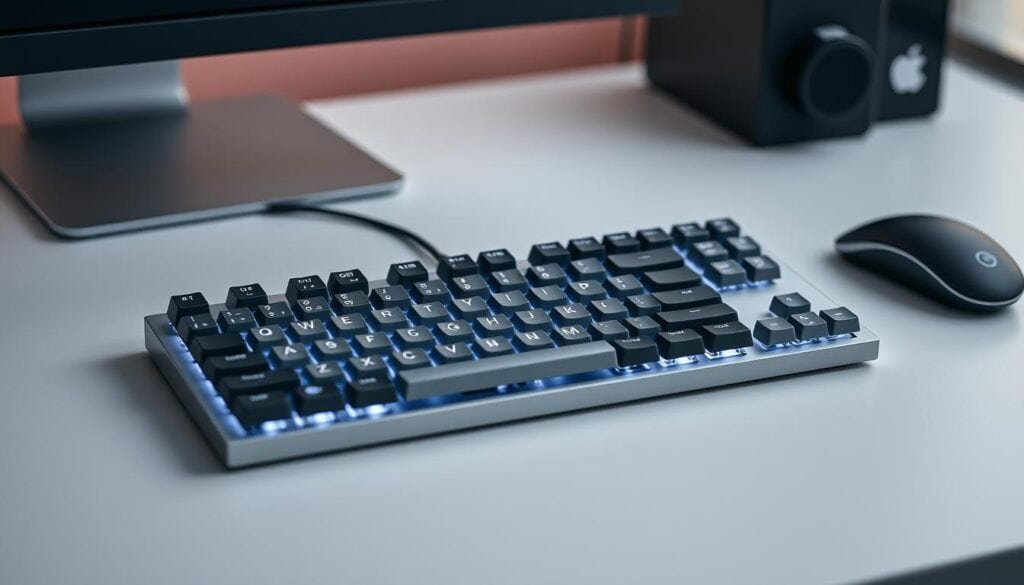
The NuPhy Kick75 represents this category’s pinnacle at $99. Its unique convertible design allows switching between low-profile and high-profile configurations by swapping the top case and PCB.
Adaptable Designs for Modern Desk Setups
Low-profile keycaps reduce finger travel distance significantly. This translates to faster input speeds and reduced fatigue during extended sessions.
Portability stands as a core advantage. Lightweight construction makes these tools ideal for professionals working across multiple locations. They fit effortlessly in laptop bags.
Gasket-mounted PCBs provide the same comfortable, damped feel found in larger enthusiast units. Compact design doesn’t mean compromised comfort.
| Feature | Low-Profile Design | Traditional Design |
|---|---|---|
| Desk Footprint | Minimal space requirement | Standard to large footprint |
| Portability | Highly portable for mobile work | Limited mobility options |
| Key Travel | Reduced distance for faster input | Full travel distance |
| Typing Experience | Quick, responsive feel | Traditional tactile feedback |
| Connectivity Options | Tri-mode wireless standard | Varies by model |
Modern connectivity expectations are fully met. Tri-mode operation includes low-latency 2.4GHz wireless, Bluetooth for multiple devices, and reliable USB-C wired connection.
Battery life typically spans weeks of untethered use. The 1,000Hz polling rate makes these units viable for both professional work and recreational gaming.
Budget alternatives prove this technology’s accessibility. The Chilkey ND75 LP offers substantial savings, while the Hexgears Immersion A3 provides exceptional value at reduced pricing.
Thocky Keyboards: Celebrating Superior Acoustics
The pursuit of perfect typing acoustics has moved from enthusiast obsession to mainstream professional demand. We challenge the notion that sound quality is merely aesthetic—it directly impacts user satisfaction and workplace harmony.
The Wobkey Rainy75 delivers what we consider the gold standard in acoustics. Its deep, satisfying sound profile resembles heavy rainfall—an utterly addictive experience that transforms daily work.
This premium keyboard achieves exceptional sound straight from the box. Kailh switches provide glorious tactile feedback while heavy double-shot PBT keycaps deaden higher frequencies.
Multiple internal dampening layers eliminate unwanted resonance. The result is office-friendly acoustics that won’t disturb colleagues.
Alternative options suit different budgets. The MCHOSE GX87 offers louder thock at lower cost, while the Royal Kludge S85 provides budget-friendly performance.
Premium PBT keycaps deliver practical benefits beyond sound. They resist shine and wear better than cheaper alternatives.
For professionals in private settings, thocky boards strike the ideal balance. They elevate the typing experience without compromising workplace appropriateness.
Clacky and Clicky Variants: For Those Who Love a Distinct Sound
The distinct sound profiles of clacky and clicky units represent a deliberate choice rather than an accidental byproduct. We challenge the notion that quiet operation always equals professional appropriateness.
The Keychron Q3 Max delivers what we consider clacky perfection. Its thick polycarbonate plate generates lightweight tapping sounds without metallic pinging.
Multiple sound-absorbing foam layers work with Gateron linear switches to shape the acoustic signature. Heavy double-shot PBT keycaps complete this engineered experience.
Hot-swappable switches and open source QMK firmware allow deep customization. The $200 price tag demands serious commitment to clacky acoustics.
Budget-conscious users can consider the GravaStar Mercury K1 Lite at $89. Its divisive design won’t suit every professional environment.
Clicky variants occupy a different category entirely. The 8BitDo Retro unit sounds like classic Commodore or IBM models.
Kailh Box V2 clicky switches deliver extreme auditory feedback. Double-shot PBT keycaps with trapezoid bevels enhance the tactile experience.
| Feature | Clacky Profile | Clicky Profile |
|---|---|---|
| Primary Sound | Crisp, lightweight tapping | Sharp, distinct clicking |
| Best For | Shared offices with moderate noise tolerance | Private spaces where sound isn’t a concern |
| Switch Type | Linear or tactile (Gateron) | Clicky (Kailh Box V2) |
| Keycap Material | Heavy PBT for sound dampening | PBT with unique shapes for tactile feel |
| Workplace Suitability | Generally acceptable with foam mods | Limited to private settings |
For professionals who love retro aesthetics but need quieter operation, the Lofree Block offers vintage looks without the disruptive clicky sound. These keyboards serve users who find auditory feedback essential to their rhythm.
Silent Mechanical Keyboards: Keeping Noise to a Minimum
The primary workplace complaint about mechanical keyboards has always been noise pollution. We challenge the notion that loud operation is inevitable. Modern units now deliver whisper-quiet performance without sacrificing tactile feedback.
Shared workspaces demand consideration for colleagues. The Hexgears Immersion A3 exemplifies this evolution. Its Kailh White Rain linear switches produce minimal sound while maintaining precise actuation.
Advanced Acoustic Dampening Technologies
True silence requires more than quiet switches. Multiple foam layers inside the case absorb vibration. Softer plate materials and specialized keycaps further reduce acoustic transmission.
These technologies eliminate the sharp spikes of switch activation. The Immersion A3 proves silence needn’t compromise performance. Its 1,000Hz polling rate supports both productivity and gaming.
At $49 (reduced from $89), this unit represents exceptional value. It costs less than many membrane alternatives while delivering superior durability. The focus remains squarely on function over form.
| Model | Switch Type | Noise Level | Key Features | Best Use Case |
|---|---|---|---|---|
| Hexgears Immersion A3 | Kailh White Rain Linear | Extremely Quiet | 1,000Hz polling, foam dampening | Open offices, shared spaces |
| Gamakay LK75 | Silent Linear | Very Quiet | Stylish design, gasket mount | Appearance-conscious users |
| Epomaker RT100 | Sea Salt Silent | Exceptionally Quiet | Full-size layout, programmability | Number pad users, customization |
Alternative options address different priorities. The Gamakay LK75 offers similar performance with more stylish design. The Epomaker RT100 serves professionals needing full-size layouts.
Silent mechanical switches use rubber dampeners at both travel points. This maintains the precise actuation professionals expect while eliminating disruptive noise. The technology has matured into a legitimate workplace solution.
Full-Size Keyboards: When the Number Pad Matters
We challenge the trend toward minimalist layouts when numerical entry dominates professional workflows. Accountants, data analysts, and financial experts require dedicated number pads for maximum efficiency.
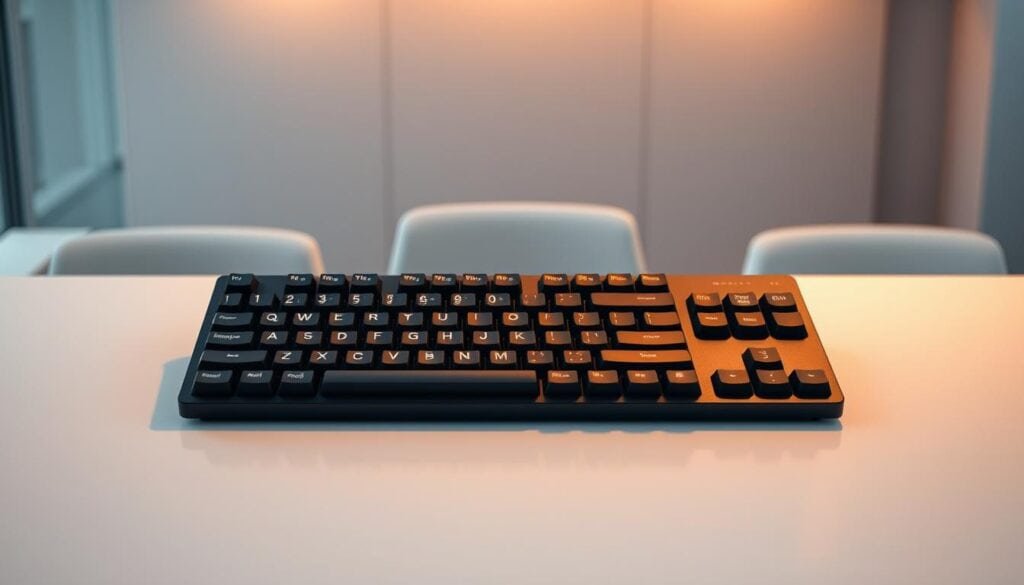
The Epomaker RT100 exemplifies modern full-size design. Its 95% layout retains the essential number pad while reducing width through smart consolidation.
This configuration makes perfect sense for data-intensive roles. You maintain rapid numerical entry capabilities without sacrificing desk space for mouse movement.
The unit features a detachable mini screen that serves practical purposes. It displays key settings readouts, eliminating constant software diving during work sessions.
User-friendly Epomaker Driver software makes customization accessible to professionals. Remapping keys and adjusting settings becomes straightforward without complex firmware knowledge.
Typing comfort matches premium compact models. Gently beveled keycaps and gasket-mounted PCB construction provide the comfortable feel that reduces fatigue.
Available with Sea Salt silent switches, this deck remains viable for shared spaces. Professionals gain number pad efficiency without disturbing colleagues.
Attempting spreadsheet work using only the top number row creates measurable productivity losses. The dedicated pad justifies its footprint through tangible performance gains.
Insights from Expert Reviews and Industry Leaders
Industry leaders now validate what hands-on testing confirms: superior peripherals deliver measurable returns. Publications like Tom’s Guide and Tom’s Hardware provide picks based on extended real-world use rather than brief impressions.
Reviewers writing hundreds of articles on the same unit surface long-term durability and comfort issues. This methodology reveals problems that escape short-term evaluations.
Manufacturers like Keychron and NuPhy demonstrate Mac bias with macOS legends included. Others including Wooting and Epomaker focus primarily on Windows users. Platform compatibility becomes a decisive factor for professionals.
| Review Focus | Professional Priorities | Gaming Priorities |
|---|---|---|
| Comfort Evaluation | 8-hour session fatigue reduction | Short-burst performance |
| Sound Profile | Office-appropriate acoustics | Auditory feedback intensity |
| Build Quality | Multi-year investment justification | RGB lighting and aesthetics |
| Customization | Productivity workflow enhancement | Game-specific macro programming |
Expert picks emphasize category excellence rather than universal superiority. The best gaming keyboard differs fundamentally from the top silent option.
Customer service quality impacts recommendations despite hardware quality. Some brands receive consistent praise while others struggle with support reliability.
These features distinguish professional evaluations from consumer reviews. The focus remains on tangible workplace benefits and long-term value.
Comparisons: Mechanical Keyboards vs. Gaming and Hybrid Models
The line separating productivity tools from gaming gear has become nearly invisible. Modern gaming keyboards now incorporate features that directly enhance professional workflows.
Flagship gaming models like the Wooting 80HE use magnetic switches rather than traditional mechanical ones. These offer adjustable actuation points beneficial for both speed and comfort.
High polling rates (8,000Hz vs standard 1,000Hz) deliver snappier responsiveness during intensive sessions. Programmable macro keys accelerate repetitive tasks, while per-key RGB lighting serves practical functions in low-light conditions.
Hybrid models represent the ideal middle ground. The Keychron K2 HE prioritizes productivity while maintaining gaming capability through magnetic switches.
Pure mechanical keyboards typically emphasize acoustics and comfort over gaming-specific features. They use traditional switches optimized for consistent feel rather than adjustable performance.
Budget options in both categories often use scissor switches. These mimic mechanical feel at lower cost points.
Professionals should evaluate based on primary use case. If you work 80% and play 20%, hybrid keyboards make more sense than pure gaming models that compromise comfort.
How to Select the Perfect Mechanical Keyboard for Typing
Your final choice should align with specific workflow demands rather than following general trends. We prioritize features that deliver measurable productivity gains during intensive daily use.
Essential Features to Evaluate
Hot-swappable switches represent a critical investment protection. This option allows future customization without technical expertise or complete replacement.
Superior PBT keycaps maintain texture and legends through years of heavy use. They outperform cheaper alternatives in both durability and acoustic performance.
Layout selection involves real tradeoffs. Compact designs save space but require adaptation. Full-size units serve professionals needing dedicated numerical input.
Software, Customization, and Connectivity Options
The ability to remap keys transforms basic tools into productivity accelerators. Create application-specific profile settings for maximum efficiency.
Software platforms range from beginner-friendly interfaces to advanced open-source firmware. Choose based on your technical comfort and customization needs.
Modern connectivity includes tri-mode operation for seamless device switching. Evaluate battery life specifications based on your lighting preferences and usage patterns.
RGB backlighting serves functional purposes beyond aesthetics. Color-coding keys and creating visual indicators enhances workflow organization.
Verify platform compatibility before purchase. Some units favor Windows users while others include macOS-specific legends and functionality.
Conclusion
The transition to superior input devices represents a strategic investment in daily productivity. Professionals aren’t chasing trends—they’re making data-backed decisions that deliver measurable returns.
Our tested picks across categories address specific workplace needs. From budget-friendly options to premium models, each selection offers genuine performance improvements.
The market now provides solutions for every priority. Writers gain comfort, programmers secure reliability, and number-crunchers maintain efficiency.
This equipment upgrade transforms your primary work tool into a satisfaction engine. When you spend hours daily at your keyboard, that transformation directly impacts both output and well-being.
FAQ
What is the main advantage of using a mechanical board over a standard membrane model for professional work?
We find the primary advantage lies in superior build quality and tactile feedback. Mechanical switches offer greater consistency and durability, which translates to faster, more accurate typing over long sessions. This directly impacts productivity and reduces fatigue, a critical factor for heavy workloads.
Are gaming keyboards suitable for serious typing tasks?
Absolutely. Many gaming keyboards feature high-performance linear switches and robust construction that benefit typing. Keyboards with advanced RGB backlighting and software for remapping keys provide a level of customization that can be leveraged for efficient workflow management, making them excellent dual-purpose tools.
How important is the keyboard layout, and should I consider a model with a number pad?
The layout is a vital personal preference. A full-size board with a dedicated number pad is essential for data entry or accounting. However, compact layouts free up desk space and can improve ergonomics. We recommend assessing your daily tasks to determine if a number pad is a necessary feature for your setup.
What are PBT keycaps, and why are they often recommended?
PBT keycaps are known for their durability and resistance to shine from oils. Unlike cheaper ABS plastic, PBT maintains its texture and appearance over time, ensuring a consistent feel. This build quality contributes to a better typing experience and long-term value, making them a preferred option for enthusiasts.
Can I expect good battery life from a wireless mechanical keyboard?
A> Yes, but performance varies significantly. We prioritize models with efficient connectivity protocols and large batteries. Many modern wireless boards offer weeks of use on a single charge, especially with RGB lighting disabled. Always check real-world battery life tests rather than just manufacturer claims.
What should I look for in terms of software and customization?
Powerful software allows you to remap keys, create macros, and fine-tune RGB backlighting. This level of control is crucial for optimizing your board for specific applications. We advise choosing a keyboard with intuitive, well-supported software to unlock its full potential for both work and play.