Your work surface isn’t just furniture—it’s your command center. When clutter takes over, your mental clarity suffers. We’re cutting through the noise to show you what really matters: functional systems that deliver measurable results.
Research from the University of Arizona reveals a powerful truth. Organized workspaces can boost productivity by 15%. That’s not just theory—it’s tangible ROI on your time investment.
Most professionals underestimate how physical chaos creates mental friction. Every misplaced item drains cognitive energy that should fuel high-value work. The connection isn’t metaphorical—it’s neurological. Visual clutter triggers cortisol responses that compromise focus and decision quality.
We’ve designed this guide for professionals who value efficiency over aesthetics. You’ll discover evidence-based methods that prioritize function and accessibility. These strategies create repeatable workflows you can maintain long-term without designer-level budgets.
Key Takeaways
- Organized workspaces deliver a measurable 15% productivity boost
- Physical clutter directly impacts mental clarity and decision-making
- Functional systems matter more than aesthetic arrangements
- Visual organization reduces cognitive load and stress responses
- Sustainable organization requires repeatable, practical workflows
- Effective solutions don’t demand excessive time or financial investment
Introduction: The Power of a Decluttered Desk
Let’s cut to the chase: the state of your desk is a direct reflection of your mental operating system. When it’s chaotic, your brain works harder just to function. We’re here to prove that a systematic approach isn’t a luxury—it’s a non-negotiable for high performance.
The Role of Organization in Boosting Productivity
We’re not discussing pretty arrangements. This is about hard results. A stunning 83% of workers admit they’d perform better with organized systems. That’s a massive consensus pointing to a universal need.
The University of Arizona study confirms it: a 15% productivity leap is achievable. This isn’t a minor gain. It’s the difference between meeting deadlines and falling behind. Proper organization frees up mental space for critical thinking.
Real-Life Benefits of a Clean Workspace
The advantages are immediate and tangible. Professionals routinely reclaim 30-60 minutes daily. They eliminate the friction of searching for items. This saved time compounds into significant weekly gains.
A tidy office area also reduces stress. It projects a professional image on video calls. For remote workers, it creates a vital psychological boundary between work and home life.
| Aspect | Cluttered Environment | Organized Workspace |
|---|---|---|
| Mental Energy | High cognitive load, decision fatigue | Low friction, focused thinking |
| Time Efficiency | Wasted minutes searching for items | Streamlined workflow, time reclaimed |
| Stress Level | Elevated cortisol, anxiety | Calm, controlled, professional demeanor |
| Output Quality | Increased errors, rushed decisions | Higher accuracy, strategic outcomes |
This isn’t about creating a showroom. It’s about building a high-performance command center for your mind. The right use of your physical space translates directly into superior work.
Understanding the Benefits of an Organized Desk
What separates productive professionals from their overwhelmed counterparts often comes down to one critical factor: workspace design. We measure success in concrete terms—minutes reclaimed, errors prevented, and cognitive bandwidth preserved for high-value tasks.
A well-arranged work surface creates visual hierarchy that naturally guides attention to priority items. This isn’t about empty minimalism—it’s intentional design that supports workflow efficiency. When every essential tool has a designated home, you eliminate the mental tax of constant searching.
The advantages compound daily. Your initial investment in systematizing your office area pays continuous dividends through reduced friction and consistent performance. Professionals report significant health benefits of an organized workspace, including lower stress and higher job satisfaction.
Your physical environment signals competence during video collaborations. More importantly, it creates mental space for strategic thinking. You’re no longer managing tactical chaos—you’re free to innovate.
The data confirms what we observe: systematic arrangement transforms how you work. It’s not cosmetic—it’s cognitive architecture that delivers measurable returns on your time and energy investment.
Essential Desk Organization Ideas for a Home Office
Transformation begins with ruthless inventory, not retail therapy. We clear the entire surface first. This reveals what you truly use versus what simply accumulates dust.
Julie Dykema, director of in-home organizing at the Container Store, provides the essential framework:
“First, clear everything out and take inventory. If your space is small, you need to simplify and only keep the essentials around you—too much clutter can be overwhelming and distracting.”
This principle is universal. It applies to a studio apartment corner or a dedicated room.
Steps to Transform Your Workspace
Categorize every item by function and frequency of use. We recommend three simple groups.
- Daily-use: Pens, notepads, frequent documents.
- Weekly-use: Staplers, tape, specialty tools.
- Archived: Reference materials, backup supplies.
Implement one system at a time. A complete overhaul often fails. Sustainable habit formation requires gradual change.
This process typically takes 2-4 hours. The return on investment is clear. Saving just 15 minutes daily means you break even in two weeks.
Must-Have Tools and Accessories
Select accessories based on your specific workflow. Generic advice fails. Are you digital, paper-based, or hybrid?
Essential tools maximize function. Think vertically to save precious surface area. Drawer dividers create dedicated zones for supplies.
Cable management systems are non-negotiable. They eliminate visual chaos and tangles.
| Workflow Type | Priority Tool | Key Benefit |
|---|---|---|
| Paper-Based | Vertical Document Sorter | Keeps active projects visible and accessible |
| Digital-First | Integrated Cable Tray | Creates a clean, minimalist aesthetic |
| Hybrid Worker | Modular Desktop Organizer | Adapts to changing task requirements |
The right setup puts essentials at arm’s reach. Overflow stays stored separately. This is the core of an efficient home office.
Maximizing Your Desk Space with Smart Storage Solutions
Smart professionals don’t just organize their tools—they architect their space for maximum efficiency. We prioritize vertical solutions that transform unused wall areas into functional zones. This approach delivers cubic footage without consuming precious horizontal surface.
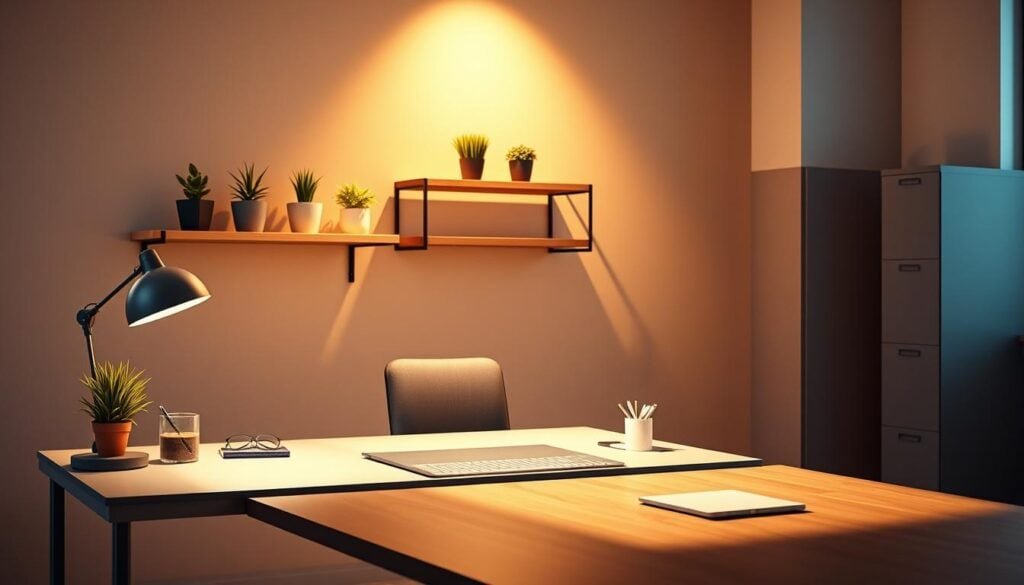
Floor storage creates more problems than it solves. It consumes leg room, creates tripping hazards, and signals disorganization during video calls. The winning strategy leverages vertical real estate instead.
Floating Shelves and Pegboards
Pegboards deliver ultimate visibility and flexibility. You see all supplies at a glance without opening containers. Customizable hooks allow reconfiguration as needs evolve—no new furniture required.
Install floating shelves within arm’s reach for daily-use items. Higher shelves work well for reference materials. This vertical approach maximizes your available space efficiently.
Innovative Drawer and Box Options
Drawer organizers prevent the junk drawer phenomenon. We recommend modular systems that adapt to changing needs rather than fixed compartments. This maintains long-term functionality.
Smart storage boxes should be transparent or clearly labeled. Apply the three-second rule: if you can’t locate an item within three seconds, your system needs refinement. Strategic allocation based on usage frequency ensures optimal access.
Embracing Minimalism in Your Workspace
The most powerful workspace transformation begins with subtraction, not addition. We’re not advocating minimalism as an aesthetic choice—this is a strategic decision that reduces cognitive load and eliminates decision fatigue.
“Less is always more. Clean uncluttered rooms, especially offices, make for fewer distractions and a nice background for Zoom calls.”
Julie Dykema demonstrates this principle in action with her personal approach: “My desk has a notepad and a pen. That’s it!” This extreme example shows aggressive minimalism is achievable with robust storage systems.
Minimalism doesn’t mean owning fewer items. It means keeping only essential, frequently-used tools on your desk surface while systematically storing everything else within easy reach.
We recommend implementing a “clear desk policy” at day’s end. Every item returns to its designated location, creating a clean slate that psychologically signals the transition from work to personal time.
For remote professionals, minimalism serves dual purposes. It improves your work environment while ensuring your video background communicates competence rather than chaos.
The implementation strategy is straightforward: remove everything from your desk surface, then add back only items you use multiple times daily. Everything else belongs in drawers, shelves, or organizers.
Innovative Desktop Organizers and Accessories
Stop treating your desktop as a catch-all surface—it’s your primary productivity zone. The right tools transform chaos into calculated efficiency. We evaluate accessories based on three non-negotiable criteria.
Vertical efficiency matters more than width. Taller organizers save precious real estate while offering superior capacity. Visibility ensures you see contents without opening compartments. Accessibility means retrieving items one-handed without workflow disruption.
Choosing the Right Organizer
Corey Pence from The Container Store recommends their Everything Organizer monitor stand. This multi-functional piece elevates your screen to ergonomic height while creating hidden storage for daily-use supplies.
Material selection impacts both durability and aesthetics. Acrylic offers modern transparency. Bamboo provides sustainable warmth. Metal delivers industrial strength for high-use environments.
Multi-Functional Design Features
The best organizers solve multiple problems simultaneously. Look for integrated charging stations, built-in phone stands, and cable management channels. Modular designs with removable dividers adapt as your needs evolve.
Your selection process should begin with inventory. Document your daily-use supplies by size and frequency. Choose organizers that match your actual usage patterns—not generic solutions that create new problems.
Clever Monitor Riser and Cable Management Tips
The difference between amateur and professional setups often comes down to two overlooked elements: monitor elevation and cable discipline. We’re addressing both with practical solutions that deliver immediate returns.
Benefits of an Acrylic Monitor Riser
Acrylic risers elevate your screen 4-6 inches, creating valuable storage space underneath. This dual-purpose approach solves ergonomic and organizational challenges simultaneously.
Clear acrylic maintains visual spaciousness while supporting monitors up to 30+ pounds. Integrated cubbies house daily-use items like sticky notes and business cards. These supplies stay accessible without cluttering your main work surface.
Effective Cable Wrap and Tie Solutions
Cable management separates professional workspaces from chaotic ones. Tangled wires create visual noise and complicate device changes.
We recommend under-desk trays that route cables out of sight. Adhesive clips guide wires along edges and legs. These prevent cables from falling behind furniture during disconnections.
| Solution Type | Primary Function | Installation Effort | Cost Range |
|---|---|---|---|
| Under-Desk Trays | Conceal power strips and cable bundles | Moderate (screws required) | $15-40 |
| Adhesive Cable Clips | Route individual cables neatly | Low (peel-and-stick) | $5-15 |
| Cable Sleeves | Bundle multiple wires together | Low (zip-tie closure) | $10-25 |
| Desk Grommets | Pass cables through work surface | High (cutting required) | $20-50 |
Implement strategically: photograph your current setup before changes. Label each cable at both ends. Group related wires together for logical management.
Avoiding Common Clutter Pitfalls in Your Home Office
System failure in workspace management often starts with preventable accumulation patterns. We’ve identified the primary culprit: failing to establish a “one in, one out” policy. Every new item entering your office space should trigger evaluation of what can be removed or consolidated.
Paper clutter remains the most persistent challenge despite digitization. Ryan Eisland, professional organizer at Home Sort in Sacramento, recommends aggressive scanning and shredding. “Scan and discard most paperwork, and/or do an annual clean-out of receipts, bills, and other paper items,” he advises. Once converted to digital format, shred originals if not needed.

The “junk drawer” phenomenon occurs when you lack designated homes for incoming items. Without specific storage locations, everything defaults to the nearest available space. This creates chaos that compounds over time.
We see professionals fail by treating organization as a one-time project. Sustainable systems require ongoing practice with daily micro-habits and weekly reviews. Prevention beats correction every time.
| Common Pitfall | Prevention Strategy | Time Investment |
|---|---|---|
| Paper accumulation | Weekly scanning session + annual purge | 15 minutes weekly |
| Supply hoarding | “One in, one out” policy implementation | Ongoing habit |
| Floor storage trap | Vertical solutions only policy | One-time setup |
| Maintenance neglect | Friday 15-minute reset routine | 15 minutes weekly |
Implement a weekly 15-minute review to process accumulated papers and return misplaced items. This small investment prevents major cleanup sessions later. Your home office should support workflow, not hinder it.
Utilizing Vertical Space for Enhanced Organization
Wall real estate offers the highest ROI for workspace efficiency. Most home offices have 8-10 feet of height but limited square footage. This unused cubic volume represents your largest untapped storage opportunity.
We prioritize vertical solutions because horizontal constraints demand creative thinking. Designer Laura Tribbett from Outline Interiors confirms this approach: “Vertical space can be really underestimated sometimes. Perhaps you don’t have a big footprint for your work surface, but you have more height; use shelves above to minimize desktop clutter.”
Maximizing Wall Space with Pegboards
Pegboards transform small rooms into organizational systems using customizable hooks. You see everything at once without sifting through drawers. This modular approach delivers unmatched flexibility—reconfigure without tools as your needs evolve.
Wall-mounted storage removes items from your work surface and floor area while maintaining visibility. This prevents the “out of sight, out of mind” problem common with closed systems. Strategic implementation requires zoning your wall space based on reach.
Map your vertical area into three zones: easy reach (24-48 inches), extended reach (48-72 inches), and display-only (above 72 inches). Floating shelves create layered storage that doesn’t consume precious floor space. Use lower shelves for active projects, upper shelves for archived items.
Load calculation is critical for safety. Drywall anchors support 20-50 pounds depending on type, while studs handle 50+ pounds. Plan your vertical storage based on weight requirements and wall construction for optimal results.
Personalized Touches for an Inspiring Desk
Personalization transforms sterile efficiency into inspired productivity. Your home office should reflect your identity while maintaining functional discipline. We reject the false choice between organization and personality.
These elements complement rather than compete. Strategic personal touches create emotional connections that enhance focus. Your workspace becomes a place you want to be, not just where you have to be.
Incorporating Decor and Greenery
Designer Carly Cicero from Cicero Design Group provides the framework: “You should always personalize your desk area. If you like bright colors, use them in your decor and organizational pieces. If you like neutrals, use them in your stationery.”
Office-friendly plants deliver measurable benefits beyond aesthetics. Studies show greenery reduces stress and improves air quality. Select low-maintenance varieties like pothos or snake plants.
Custom Storage Solutions to Reflect Your Style
Personal items serve psychological functions in home offices where boundaries blur. Photos and memorabilia make the space feel less institutional. We recommend the 80/20 approach: 80% functional organization, 20% personal touches.
Custom solutions can be both practical and decorative. Consider handmade organizers or color-coordinated systems. Every decorative item should either serve a purpose or occupy designated display space.
| Personalization Type | Functional Benefit | Implementation Effort |
|---|---|---|
| Color-Coordinated Supplies | Visual harmony, quick identification | Low (one-time selection) |
| Desktop Greenery | Air purification, stress reduction | Medium (weekly maintenance) |
| Custom Storage Containers | Unique aesthetic, tailored sizing | High (custom creation) |
| Inspirational Artwork | Mood enhancement, brand alignment | Low (wall mounting) |
The strategic balance ensures personalization enhances rather than compromises efficiency. Your workspace becomes uniquely yours while maintaining peak performance.
Efficient Daily Maintenance Strategies
Maintenance protocols separate temporary fixes from permanent solutions. We’ve documented that systems fail not from poor initial setup but from inconsistent upkeep. Daily micro-habits transform your workspace arrangement into lasting operational excellence.
Regular polishing keeps your work area functional and inviting. Dusting, vacuuming, and surface cleaning maintain that professional feel. Messes accumulate quickly in compact spaces, demanding consistent attention.
Quick Day-to-Day Organization Tips
The five-minute end-of-day reset is non-negotiable. Return all items to designated homes and process loose papers immediately. This ritual signals work completion and ensures tomorrow starts clean.
We recommend the “touch it once” principle for incoming items. When mail, supplies, or documents enter your workspace, process them to their permanent location. Avoid creating temporary piles that become permanent clutter.
Establishing a Weekly Clean-Up Routine
Weekly maintenance includes drawer audits and supply restocking. Verify everything remains in designated locations and eliminate accumulated clutter. This prevents the slow creep of disorganization.
Physical cleaning matters beyond aesthetics. Dust accumulation reduces electronics performance and longevity. Dirty surfaces create subconscious stress that impacts work quality.
| Maintenance Task | Frequency | Time Investment | Key Benefit |
|---|---|---|---|
| Surface Clearing | Daily | 5 minutes | Clean start each morning |
| Drawer Audit | Weekly | 10 minutes | Prevent clutter accumulation |
| Supply Restock | Weekly | 5 minutes | Never run out of essentials |
| Deep Cleaning | Monthly | 30 minutes | Maintain equipment performance |
Maintenance should require minimal cognitive effort. If you need complex rules about item placement, the system will fail during busy periods. Keep it simple for sustainable success.
Quick Fixes for a Clutter-Free Desktop
Quick wins transform your workspace faster than you think; these rapid-fire fixes address the most visible clutter problems first. We implement tactical solutions that deliver immediate visual impact without requiring comprehensive reorganization.
The “one in, one out” mantra prevents accumulation before it starts. Every new item entering your desktop space requires evaluation of what it replaces. This forces conscious decisions about what deserves limited surface area.
Desktop catchall trays provide designated homes for daily-use items. Select shallow containers where contents remain visible. Deep bins where things disappear defeat the purpose of quick access.
Marie Kondo’s “spark joy” principle applies ruthlessly in work environments. If tools don’t actively support your work or provide genuine satisfaction, they’re consuming valuable space without delivering value.
Here’s an immediate quick win: remove all non-essential items from your work surface right now. If you haven’t used something in the past week, it doesn’t belong on your primary desktop. Relocate to drawers or eliminate entirely.
Labeled storage creates “homes” that make returning items effortless. When every container clearly identifies its contents, you eliminate decision-making friction. This systematic approach prevents random placement.
Tackle desktop clutter in 15-minute sprints rather than overwhelming multi-hour sessions. Small, frequent improvements create sustainable progress without disrupting your workflow. This rapid implementation approach delivers compounding results.
Must-Try “desk organization ideas” for Optimal Productivity
The highest-performing professionals understand that workspace efficiency isn’t about containment—it’s about strategic accessibility. We’ve compiled battle-tested strategies that deliver measurable ROI through smart implementation.
Integrated Tools for Seamless Setup
Rolling furniture transforms static offices into dynamic environments. Mobile filing cabinets and supply carts allow instant reconfiguration for different tasks. Wireless peripherals eliminate cable chaos at the source.
Integrated systems consolidate multiple functions into single units. Monitor stands with built-in organizers save valuable surface area. Dedicated charging stations away from your main work area maintain clean sightlines.
Design Hacks to Enhance Functionality
Creative repurposing delivers unexpected solutions. Bathroom accessories become efficient supply hangers. Kitchen organizers adapt perfectly to office supplies storage needs.
The “everything within arm’s reach” principle dictates optimal placement. Frequently-used items require immediate access without movement. Less-used supplies belong in extended reach zones.
| Approach | Key Benefit | Implementation Time |
|---|---|---|
| Mobile Solutions | Flexible reconfiguration for different tasks | 30-60 minutes |
| Wireless Conversion | Eliminates cable management challenges | 15-30 minutes |
| Multi-functional Furniture | Consolidates space while maximizing utility | 45-90 minutes |
| Creative Repurposing | Cost-effective customization | 20-40 minutes |
Strategic implementation begins with workflow auditing. Identify specific friction points where time gets wasted. Apply targeted solutions rather than generic approaches for maximum impact.
Creative Wall Solutions for Office Supplies
Most professionals overlook the vertical dimension in their workspace strategy—a critical oversight with measurable consequences. We leverage wall space as prime real estate for supply storage because it keeps items accessible without consuming surface area. This approach represents organizational arbitrage with immediate returns.
Using Peg Rails and Grids
Shaker-style peg rails deliver simplicity with modern functionality. Originally designed for household items, they adapt perfectly to office environments. Wicker baskets of supplies hang in clear view, maintaining visibility while conserving space.
Metallic wire grids serve as magazine racks and display boards. Their modular flexibility allows adding or removing hooks without tools. These systems evolve as your supply requirements change, creating custom configurations that grow with your needs.
Floating Shelves as Functional Decor
Floating shelves serve dual purposes as storage and visual elements. Properly styled with a mix of supplies and personal items, they create professional backgrounds for video calls. This approach maintains accessibility while enhancing your office aesthetic.
Wall baskets offer contained storage that prevents items from falling. They’re particularly effective for loose supplies like cables and notebooks. These solutions require minimal cleaning compared to traditional shelves, saving maintenance time.
The installation strategy concentrates storage in your primary work zone. Clustered arrangements reduce movement and keep essentials within easy reach. Creative solutions include magnetic strips for tools and command hooks for supply pouches—functional storage doesn’t require specialized products.
Integrating Multi-Functional Furniture into Your Workspace
Strategic furniture selection transforms limited space into maximum productivity. We advocate pieces serving dual purposes as the foundation of efficient home offices.
Credenzas positioned behind your main work surface provide substantial concealed storage. Designer Brady Tolbert demonstrated this approach by sourcing a midcentury credenza on Craigslist. This keeps messy papers out of sight while serving as additional display space.
Desks with built-in storage eliminate the need for separate organizers. Stephanie Sabbe’s farm-table-style design offers a wide surface for writing with room for additional items. These integrated solutions consolidate storage and work surface into single furniture pieces.
External filing cabinets remain relevant even in digital-first environments. They significantly increase storage capacity for physical documents and supplies. If you have closet space, a tiered cart can easily move in and out of your office area.
Mobile furniture transforms static environments into flexible workspaces. Rolling carts and wheeled cabinets adapt to different tasks throughout your day. Move supplies into view when needed, then out of frame during important calls.
The selection process requires calculating your total storage requirements first. Identify primary work activities before choosing furniture that accommodates both needs. This strategic approach ensures every piece earns its space through multiple functions.
Conclusion
The journey from chaotic to controlled workspace isn’t about perfection—it’s about implementing sustainable systems. We’ve demonstrated evidence-based approaches that deliver measurable productivity gains.
Your home office setup should prioritize function over aesthetics. The 15% productivity increase isn’t theoretical; it’s achievable through systematic arrangement.
Implementation follows a clear path: inventory, categorize, establish homes, and maintain routines. Vertical space utilization and cable management create lasting efficiency.
The ROI calculation is straightforward. Saving 15 minutes daily compounds to 60+ hours annually. This reclaimed time fuels revenue-generating activities.
Maintenance protocols prevent system failure. Daily resets and weekly reviews aren’t optional—they’re essential for sustained performance.
Start with one improvement and build gradually. Incremental implementation creates habits that compound into dramatic workspace transformation.
FAQ
What are the most effective home office storage solutions for a small area?
We prioritize vertical space. Floating shelves, pegboards, and wall-mounted cabinets create significant storage space without consuming valuable surface area. For drawers, use customizable inserts to compartmentalize office supplies efficiently.
How can I manage paper clutter effectively in my workspace?
We advocate for a two-pronged approach: digitize what you can and contain the rest. A dedicated filing cabinet or a streamlined desktop organizer for active papers is essential. Use labeled trays for incoming and outgoing documents to maintain control.
What are some clever ways to handle cable management under my work surface?
We find adhesive cable clips and velcro ties indispensable. Route cables along the desk leg or use a cable management sleeve to bundle them together. An acrylic monitor riser also provides hidden storage for power strips and excess cords, keeping your desktop clean.
How do I maintain an organized desk with daily use?
Implement a five-minute reset at the end of each day. Return items like pens and paper clips to their designated cups or organizers. This simple routine prevents clutter from accumulating and ensures you start each morning with a clear workspace.
Can I have a stylish yet functional home office setup?
Absolutely. We recommend multi-functional furniture, like a credenza with built-in filing, and decor that doubles as storage, such as elegant boxes or trays. Incorporating greenery and personal touches on shelves can make the room inspiring without sacrificing the organized desk you need.